LDPlayer's Choice
6 Best Mobile RPGs You Can Play on PC with Android Emulator
2019-10-29
Role-playing games, or RPGs, are story-driven games which allow players to get lost in fanciful worlds for a while. RPGs empower game players to do what they want within the game world. But sometimes, small mobile device may prevent you from actually experiencing Role-playing games. Now with an Android emulator, you can run the best mobile RPGs with better performance and higher graphics quality on PC.
What is LDPlayer
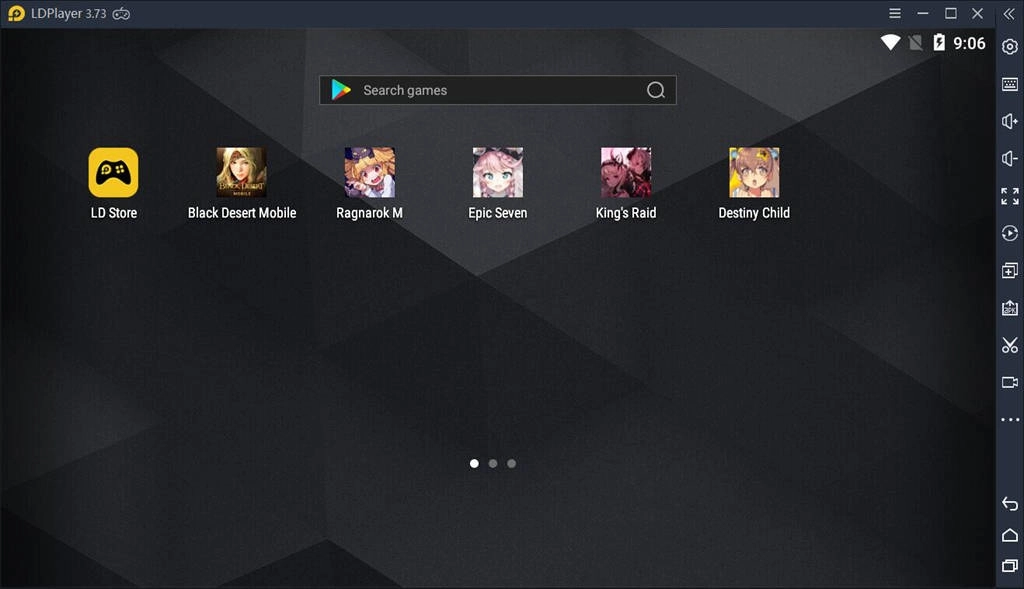
LDPlayer is a popular Android Emulator for Windows capable of running a wide range of high-performance, high-graphic mobile games on PC. It especially targets at Android gamers and the best part of it is that it’s absolutely free with no malwares at all. With its multi-functional design and user-friendly settings, you’re transforming your computer into a great mobile gaming platform by using LDPlayer! Read this article if you want to know more about LDPlayer: Emulator Guide: How to Run Android Emulator for Windows.
6 Best Mobile RPGs You Can Play on PC with LDPlayer
Black Desert Mobile
South Korean game publisher Pearl Abyss has announced that its highly anticipated Black Desert Mobile will soft launch on October 24 on the Google Play Store. The game now is only available on Ireland, Sweden, Turkey, Malaysia, Australia, Canada, and Chile. This fantasy game that matches most of the features of the heavy-duty 3D graphics title on the PC, is free to play on mobile and on your computer using an Android emulator. Here is A Guide to Play Black Desert Mobile on PC.
Ragnarok M: Eternal Love
Ragnarok M: Eternal Love is an open world mobile MMORPG based on the ever famous Ragnarok Online from 2003, which inherits the Ragnarok legacy that draws attention of millions of fans around the world. The game features over 40 maps including vast skies, endless lands and mysterious oceans. You will get a chance to explore this beautiful world and stunning adventure freely with LDPlayer.
LDPlayer, one of the best Android emulators in 2019, can help you easily play Ragnarok M: Eternal Love on your Windows PC. What’s more, with its built-in tool called "LDMultiplayer", you can launch multiple accounts simultaneously so that you can cultivate as many accounts of Ragnarok M: Eternal Love as you want. More details at Multi-Instance on Emulator | How to Use LDMultiplayer Tool.
Epic Seven
Due to its outstanding illustrations, Epic Seven becomes one of the best gacha RPGs out there. It's the first domestic RPG that features full frame animation for all of its characters and cut scenes. Hand-drawn animations make the side-scrolling combat look great. Now, with LDPlayer, you can have even greater visual feast while enjoying the game play on bigger PC screen.
Developer team has also done a fantastic job updating the game with new events and stories. RPG fans can follow the immersive storyline that feature several beautifully animated scenes. And the gameplay is much more exciting than in its peers because those fascinating characters and combat animation. There’s also a large and active community of players where you are able to find game partners.
King's Raid
If you’ve got any experience with mobile MMOs, chances are that you had little difficulty getting to grips with King’s Raid. It’s one of the best examples of the genre out there. King’s Raid first made a big impression back in 2017 thanks to its many collectable heroes, stunning graphics, anime-inspired design, and smart, player-friendly take on gacha mechanics.
They’re spectacular, but can drag down some mobile devices due to the huge game resources and high requirement for disk and graphics processing unit. So, running King’s Raid game on PC with LDPlayer must be a better choice for you.
Destiny Child
Destiny Child is a fighting RPG where you play the role of a socially awkward demon. The gameplay includes collection of characters called "Childs" and lead them in real-time combat against enemies and challenging bosses. Whether you are a fan of RPG games or not, or perhaps not that excited about Gatha mechanics, there are plenty of good reasons to check this game out.
Destiny Child boasts graphics and character designs that exceed expectations from mobile games or even some games on more powerful platforms, let alone far greater screen experience on PC of its awesome visuals with LDPlayer.
GrandChase
Grand Chase Mobile is a free-to-play action strategy Gacha RPG where the objective is to build, upgrade, and customize a team of four heroes and fight your way through waves of enemies. You will see that this is a really solid RPG for mobile with gacha elements and a lot of stats and things to consider. A true gem for sure!
Most notably, it provides a way more meaningful grinding experience than its counterparts and a quite fair & balanced F2P model. Besides playing GrandChase on your mobile device, you can also use keyboard to control your fighters on PC with LDPlayer.
Conclusion
That’s it for our list of the best RPG games to play on PC. We’ll be adding more games as they come to the LDPlayer Android emulator! If you want to play any of these RPG games on your Windows PC, then you can download LDPlayer to get access and start exploreing more interesting details right away!