
Terraria Mobile Beginner Guide: Survival on the First Day
2025-05-22
Terraria is an open-world sandbox game with a blend of crafting and adventure. But playing Terraria Mobile may seem slightly overwhelming, especially with the touch controls. Mastering the touch controls is essential for success, whether chopping trees, battling enemies, or summoning bosses. Our Terraria beginner's guide will help you build your first house and optimize the game’s controls.
Content
Getting Started: First Steps in Terraria Mobile
To get the best Terraria Mobile Game experience, start strong, play smarter, and enjoy smoother gameplay with LDPlayer, an Android emulator for PC. Begin your adventure by learning how to craft and survive your first journey in this fast-paced 2D sandbox world.
Character & World Creation
At the beginning of Terraria Mobile, you create your character, and you choose a world. You’ll first have a choice in difficulty mode, such as Journey, Classic, Mediumcore, or Hardcore. For beginners, Classic mode is preferable because you will only lose coins on death. Avoid playing in Mediumcore as it drops all items on death, and Hardcore because it completely depletes the character. Journey Mode will provide creative tools and adjustable difficulty suitable for learning or casual play.
Next in our Terraria beginners guides, you will create your world by choosing the world size of Small, Medium, or Large. Small worlds are ideal for rookies because everything, including biomes, ores, and dungeons, is within reach. Normal Small Worlds are the way to go for new players.
Choose a Forest biome spawn for an easier beginning. It has plenty of wood and flat terrain, perfect for constructing your first base. Try to avoid Crimson or Corruption at spawn if possible.
Core Mechanics to Know
Terraria Mobile’s core mechanics offer an interactive cycle of exploration and creation necessary for advancement. When you reach the world, you’ll be in a grassy biome, with a Guide NPC close by.
1. Resource Gathering
First, punch trees to gather wood, about 100 of them to create your shelter and proper instruments. Select a tree with your finger or the left joystick, then tap and hold the axe icon (bottom right of your screen). Once the tree falls, the wood will be collected automatically.
Use the arrow keys or WASD to move and assign a key (such as A or Ctrl) for tool use while Playing Terraria on PC. This eliminates the need for uncomfortable screen tapping.
2. Crafting and Progression
Use the wooden Workbench to unlock new items, including the wooden sword and wooden walls. Making a Wooden Sword with Touch Controls is simple:
How to Make a Wooden Sword:
- Open Inventory and tap the backpack icon at the bottom.
- Go to the Crafting Menu and tap the hammer icon (crafting tab).
- If you haven’t crafted a Workbench yet, make one using 10 pieces of wood.
- Place it in the world by selecting it and tapping the screen.
- Craft the Sword with the Workbench nearby. Tap on Wooden Sword and hit “Craft”.
How to Make Wooden Walls:
- Follow the same steps as above to gather wood and access the Workbench.
- Open the crafting menu again. Scroll to find Wooden Wall.
- Select the walls from your inventory and tap where you want to place them.
No more struggling for small buttons as crafting becomes smoother with custom key mapping when you play Terraria on PC with LDPlayer.
Custom Keys Setup
|
Action |
Key Setup |
|---|---|
|
Open Inventory |
E or any other key as per choice |
|
Open Crafting Tab |
C |
|
Move Around |
WASD or Arrow Keys |
|
Use Tool (Attack/Chop) |
Left Mouse Click or Ctrl Key |
|
Hotbar Selection |
1-9 Numeric |
|
Interact / Place Items |
Mouse for Clicking/Aiming |
Learn Touch Controls: Terraria Mobile Beginner Guide: Learn Touch Controls & Progress Quickly
3. Using the Guide NPC
Whether you are building furniture, weapons, or gear, the Guide NPC provides helpful crafting recipes that will help you decide what to build next. Approach the Guide NPC and give them a tap. Choose "Crafting" and drag an object into the slot. Map the interact key (F) to facilitate more effective dialog navigation.
4. Building a Shelter for the Night
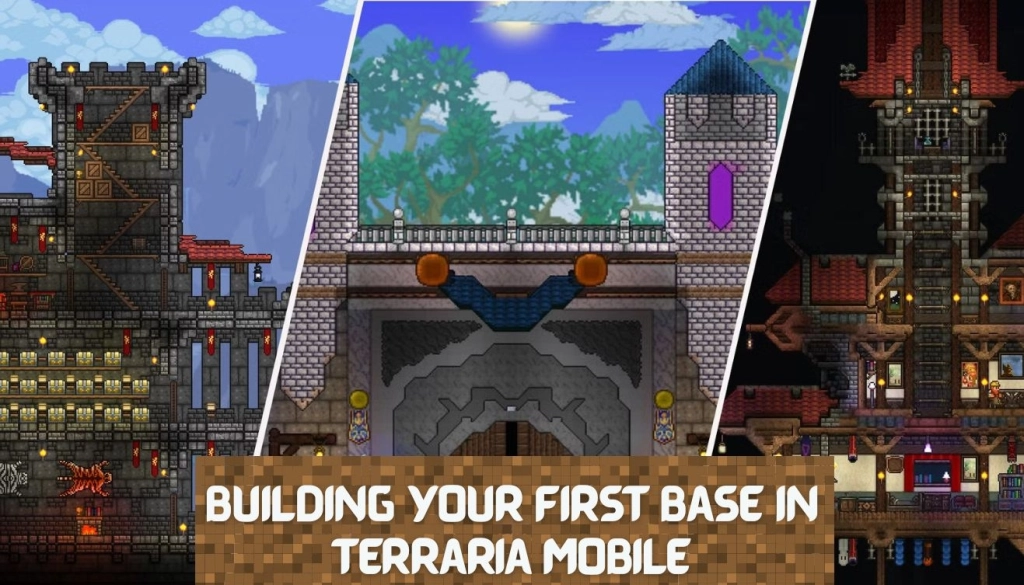
Gather wood right away by using your axe to cut down surrounding trees before evening. Create a wooden workbench, walls, doors, and stairs by opening your inventory. Choose wooden blocks from your hotbar and arrange them by tapping the screen to create a shelter. Make a rectangle building that is at least ten blocks wide and six blocks tall. Make room on one side for a door, then tap it in place.
After that, choose the wooden walls and tap the empty area behind your structure to place them inside the background. This prevents attackers from spawning there. For lighting, use a torch made of wood and gel dropped by slimes. Set up a workspace so you can start creating things.
Wood is perfect for your first night because of its availability. Later, for greater durability, switch to stone shelters. Rectangular shapes are the finest for novices because they are the simplest to construct, enlarge, and defend. Steps for building your first base in Terraria Mobile are straightforward and practical:
Step 1: Gather Basic Materials
Use your Axe to cut down trees, collect wood, and break stone. You’ll use it to create walls, doors, platforms, and furniture. Mine stone with your Copper Pickaxe for stronger tools and a furnace.
How To Craft:
- Tap on the three dots to open your crafts menu.
- Create Craft Wooden Walls, Doors, Workbench, Torches here.
Step 2: Pick a Safe Location
You can find a flat area close to your spawning point or a hill just close by. Avoid places of high monster traffic (e.g., near caves). Flat land makes construction easy since it can be done with a lot of speed.
Step 3: Build the Shelter Structure
Create a house made of a box shape using a minimum of 10 blocks per side and 6 blocks in height. You can use wood or stone blocks as needed. Make sure to leave 3 spaces on each side for Wooden Doors. Fill up the background with Wooden Walls to restrict the monsters from spawning inside.
How to Place Items:
- Tap on the screen block or place a wall of your choice from your hotbar.
Step 4: Add Light and Furniture
- Put at least 1 Torch, a Chair, and a Table to be a building for NPCs.
- Make these with the Workbench (made from 10 wood).
Step 5: Install Crafting Stations
- Use a Workbench to gain access to additional recipes.
- Mine stone and make a Furnace (20 Stone + 4 Wood + 3 Torches).
- Later, add Anvils and Chests for more crafting and storing.
Master Terraria Mobile with Essential Tips
These starting strategies will make it easy for you to build, explore, and overcome obstacles, from getting your first equipment to making it through the first night.
- Start with a Small World: Small worlds are more accessible and more convenient to load.
- Focus on Building a Shelter: Just before nightfall, make a basic shelter to keep out hostile mobs.
- Use the Guide NPC: This Guide offers useful crafting recipes. You can take suggestions from it on how to craft and grow.
- Mine Early: Ensure to mine and collect resources such as ores and stones initially for the crafting of better items/tools.
- Prioritize Defense and Tools: Pay attention to the creation of tools such as pickaxes and axes, and armor to defend yourself.
- Don’t Rush to Fight Bosses: Make sure you have all necessary resources and upgrade your equipment before trying to kill the Eye of Cthulhu.
Optimizing Touch Controls for Terraria Mobile
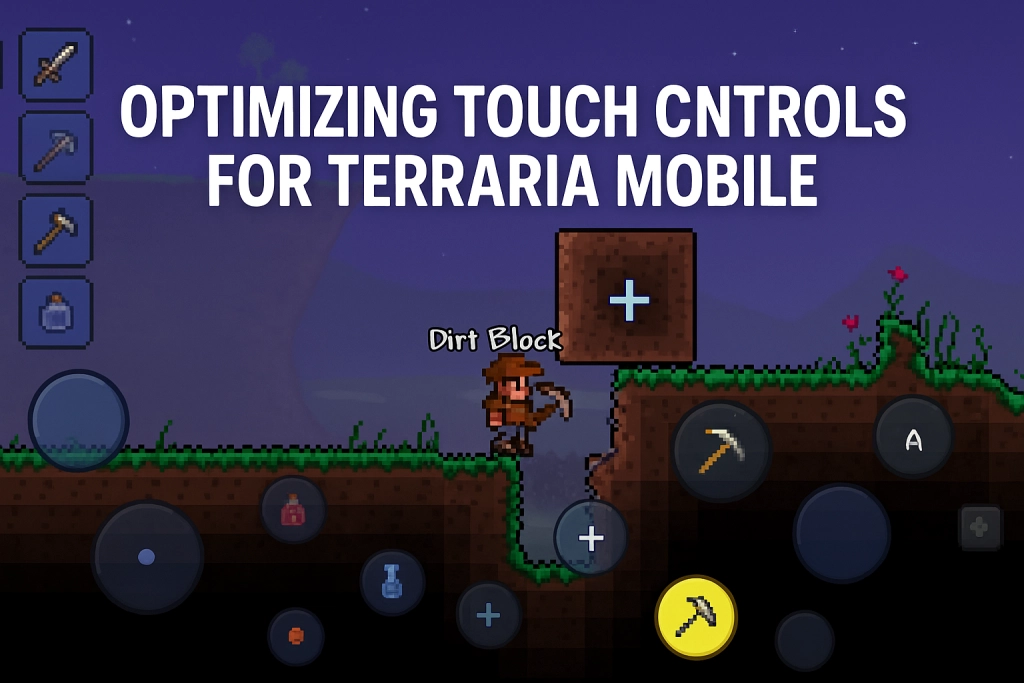
Optimizing the touch controls is crucial for a more seamless and pleasurable experience. Let's examine how to adjust the controls to your tastes and enhance your mobile gaming experience in general.
Common Issues with Touch Controls in Terraria Mobile & How to Solve Them
Why are the buttons (jump, attack, inventory) so difficult to press accurately on mobile?
The buttons are usually small and overlap making quick actions difficult. Unfortunately, there is no button resizing in Terraria Mobile. LDPlayer, the best Android Emulator, provides a customizable keymapping and big buttons exactly for each action, distinctly visible.
How can I increase combat accuracy?
The position of the attack button on mobile is awkward. LDPlayer solves this because it allows you to assign the attack key on your keyboard to enhance response in battle.
Why do controls sometimes lag or freeze during combos?
Due to standard mobile hardware, a lag during simultaneous actions (jumping and attacking, etc) occurs. Emulators, such as LDPlayer, reduce the lag factor with a fluid performance and easier combo execution.
Why is it difficult to perform several activities, such as placing blocks or handling inventory?
The touch interface on Terraria Mobile is not good at multitasking. On LDPlayer, you can add shortcuts for inventory, crafting, and block placement for better management of tasks.
Can I customize the control layout in Terraria Mobile?
Terraria Mobile has a little control customization and it is impossible to freely change the size and position of buttons. LDPlayer provides full layout modification which gives you a customized gameplay based on your playstyle.
Can poor jump + attack combo timing be fixed?
Yes, you can remap jump and attack combos, easier accessible keys (e.g., Space for jump, mouse click for attack), and more rapid combo moves.
Combat Optimization in Terraria Mobile: A Practical Guide
1. Enable Auto-Swing
Auto-swing enables you to continue swinging weapons for weapons to reduce constant tapping and improve melee combat.
How to Enable:
Go to Settings > Interface. Turn ON “Auto-Swing for Melee Weapons” (if applicable)
2. Use the Grappling Hook
The grappling hook allows you to work fast in combat and climb higher platforms to dodge attacks.
How to Use It:
- Load the equipped grappling hook in your equipment slot.
- Press the grapple button ( usually a small hook icon near the jump button ).
- Hit a wall or ceiling, and your character will shoot the hook and pull themselves to the point.
3. Adjust the Sensitivity of Touch
Correct touch response plays a vital role in combat to ensure responsiveness and precision.
How to Adjust It:
- Go to Settings > Controls.
- Slide the Touch Sensitivity slider to a level that feels most comfortable for you.
4. Master Double Tap Actions
Implement double-tapping, which requires fast movement of the finger. For example, during dodging and attack actions that require faster actions.
How to Perform
- Double tap the direction that is left or right 2x fast to dash.
- Use this to dodge fast in boss fights or running from mobs.
5. Customize the Control Layout
Customize the control layout to achieve better accessibility and response. Organizing your touch controls will increase your speed during battle.
How to Do It:
- Settings > Controls > Customize.
- Drag and resize buttons (jump, grapple, attack) accordingly.
- Put critical procedures, such as jump and attack, within thumb's reach.
Building Your First Base
Steps for building your first base in Terraria Mobile are straightforward and practical:
Gather Basic Materials
Chop trees to make wood (walls, doors, furniture), mine stones, and collect slime to craft torches.
Pick a Good Location
Select an area near your spawn point for convenience and safety.
Build the Structure
Create a room at least 10 tiles wide and 6 tiles tall. Put in wooden walls and have doors on each side.
Furnish the Interior
Put a light source, a chair, and a table to fit NPC housing requirements.
Add Crafting Stations
Get a workbench and a furnace installed early for expansion of crafting choices.
Secure & Upgrade
Store using chests and rearrange the material and defense for better protection.
Early Combat & Gear: Surviving the First Night
In the early combat, you may find it hard, but you can improve your survivability and also get gear up loyally.
Prioritize Mobility and Dodging: Accessories such as Hermes Boots or Cloud in a Bottle can enhance the speed and jumping ability.
Choose Effective Early Weapons: Choose good weapons with good knockback and range. Spears are the weapon to keep enemies at bay, whereas a musket or a bow can be a great advantage.
Utilize Ranged Combat: Bows and guns enable you to attack from a safe distance, which is beneficial against tougher foes.
Build a Combat Arena: The building of a simple arena using platforms may make movement and visibility easier during battles. This arrangement is also useful for both ordinary enemies and boss battles.
How to Craft Basic Gear
Create a Workstation
Cut wood → Take a look at your inventory. Press "Crafting" → Choose Workbench (10 woods are necessary).
Make a Wooden Bow or Sword
Create a wooden sword for close combat or a wooden bow for ranged combat at your workbench. Create Flaming Arrows with wood and gel for more damage.
Construct a Furnace for Improved Tools
At the workbench, mine 20 stones, 4 woods, and 3 torches to create a craft furnace. Use it to create bars by melting ores such as iron or copper.
Build a Simple Arena
Place platforms in rows for easy jumping and dodging. Add torches for visibility, and use this for your first boss fight.
How to Survive the First Night
There is a lot of difficulty to face in surviving your first night in Terraria, but there are ways to survive. Here is a simple procedure:
- Collect wood for the building of a small house with walls, a door, and a roof. Enclose it to avoid entry by the enemy.
- Block doors so enemies can’t come in; they will open doors if unblocked.
- Make a wooden sword and other useful tools for defense using a workbench.
- Set some torches inside and outside of your shelter to discourage enemies.
- Do not venture outside at night to avoid contact with aggressive creatures.
- Refer to the Guide for recipes as well as hints on progression.
With these steps, you will be more likely to survive the first night and build the foundations for a good Terraria adventure.
Preparing for Your First Boss: Eye of Cthulhu
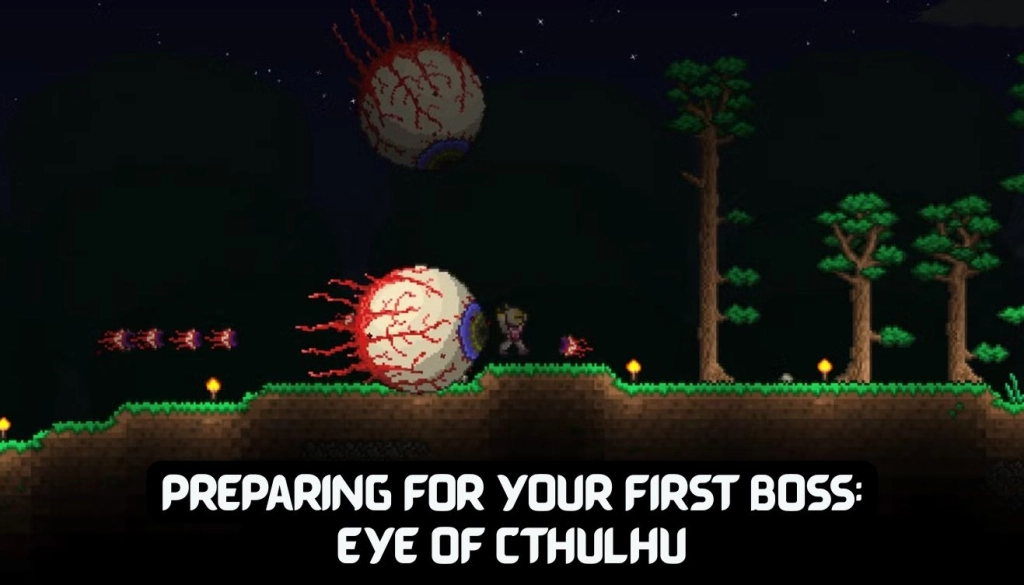
Although facing the Eye of Cthulhu, your first significant objective in Terraria, can seem excessive, success is achievable with proper preparation and suitable gear.
Pre-Fight Preparations
Health & Defense: Make sure to have a minimum of 200 health and 10 defense. In that realm, the Eye of Cthulhu hasn't been slain yet, so the player needs to be close to the surface, and it must be midnight.
NPCs: There should be at least three NPCs in your world. This condition has to prevail for the boss to spawn.
Summoning Item: Additionally, create a Suspicious Looking Eye at a Crimson Altar or a Demon using six lenses. Use it to call the boss at night.
Arena Setup
Platform Arena: Put together a layered platform arena comprising 3–4 softened wooden platforms. This will facilitate better mobility and dodging.
Walls: Construct walls around the arena to keep other enemies from coming in during the altercation.
Lighting: Set torches and campfires to light up the area and heal everyone.
Recommended Gear
Armor: Gold or Platinum Armor is advised for best defense.
Weapons:
- Use a Gold, Platinum Bow, with Flaming Jester’s Arrows.
- Shroomerang or Blade of Grass, for instance.
- If available, then the Diamond Staff is effective.
Accessories:
- Hermes boots for better speed of movement.
- Cloud in a Bottle for a double jump.
- Grappling Hook for easy vertical mobility.
Potions & Buffs
- Ironskin Potion: Increases defense.
- Swiftness Potion: Boosts movement speed.
- Regeneration Potion: Enhances health regeneration.
- Lesser Healing Potions: Carry these for emergency healing.
Battle Strategy
Phase 1: The Eye of Cthulu will fly around and call Servants of Cthulu. Take on the servants first, and then the Eye.
Phase 2: When the Eye halves its health, it is mutated with a more aggressive makeup as well as stronger damage. Avoid its ramming attacks by moving among platforms.
Movement: Use the arena’s platforms to keep a distance and avoid attack. The Eye's motions and attack patterns are easier to see on a larger display while playing Terraria on PC.
Final Words
Surviving and succeeding in Terraria Mobile can be difficult, but with the right mindset, you'll be prepared to take on any challenge. Every stage of your adventure, from building your tools to preparing for the Eye of Cthulhu, is essential to moving forward. For a more seamless experience, make sure your controls are optimized. Additionally, remember to construct a secure shelter and gather supplies ahead.
Try out LDPlayer to play Terraria on a PC for concise control and fun. Its adjustable key mapping might give you an advantage and improve the performance of your Terraria experience. Start your Terraria adventure with confidence!


Terraria
You May Also Like
Top Game Guides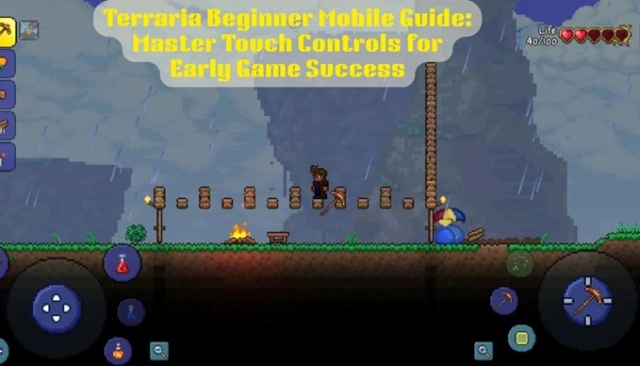
Terraria Mobile Beginner Guide: Learn Touch Controls & Progress Quickly

Roblox - All-Star Tower Defense Codes April 2026

Legend of Keepers Codes - 2026

Whiteout Survival Expert Kathy Guide: Complete Build, Skills & Upgrade Tips

Azure Tale Beginner Guide and Useful Tips

MONGIL:STAR DIVE Best Teams 2026: Top Team Comps & Team Building Guide