An Ultimate Guide to the Super Spatial: Play & Create! - Tips & Tricks to the Virtual World
2023-07-06
Here we have found an interesting game for you to play: Super Spatial: Play & Create! This lets you enter a virtual world to take on different but epic challenges in different party islands. You can create a party island while experiencing various challenges in this virtual world. Besides these, many awesome features are waiting here for you. So let this Super Spatial: Play & Create! beginner guide and tips n tricks help you to understand everything about the game.
Table of Contents
- Customize Your Character
- Pick a Party Island in Super Spatial: Play & Create!
- Complete Beginner Guide Missions
- Super Spatial: Play & Create! Map
- Super Spatial: Play & Create! Shop
- How to Make Your Own Game in Super Spatial: Play & Create!
- Spike Traps to Slow Down Enemies
- Character Movements are Important
- Conclusion
And there is a social media platform inside this game where you can share the special things about you and your style here. With this, you can socially connect with many people and have more fun while showing off your skills and styling pieces. Read this guide for more fun and exciting details about this Super Spatial: Play & Create! on PC gameplay.
Customize Your Character
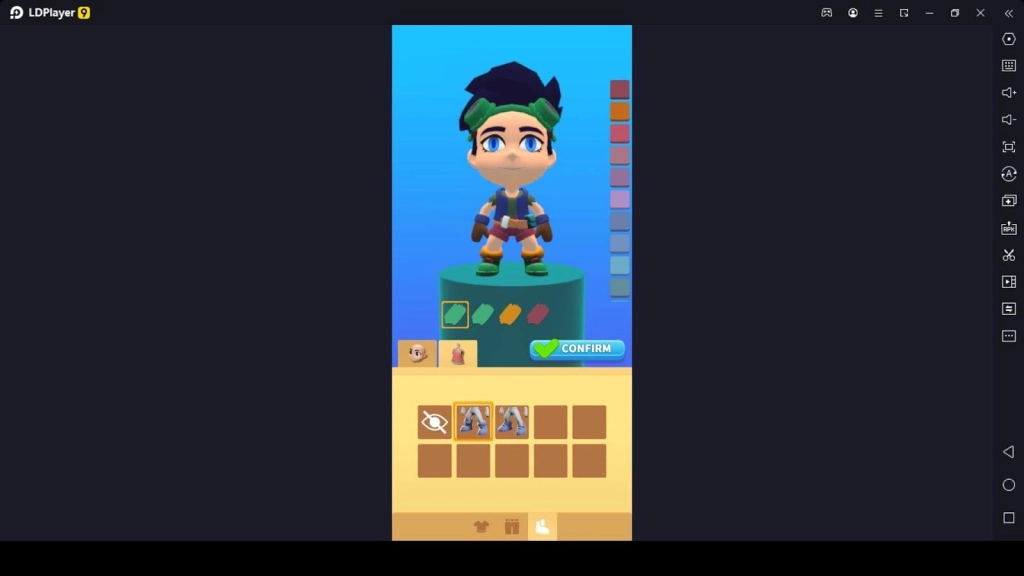
After downloading the Super Spatial: Play & Create! game, character customization is the first thing you should do here. In character customization, you can choose a hairstyle and hair color, skin color, eye shape and color, and eyebrow shape and color as feature customization. And then, you can customize your character's costumes, such as the top clothing, bottom clothing, and shoes. You can customize the colors of your character's outfits as you wish. After creating your character, you can confirm your character's customization and give it a name.
Pick a Party Island in Super Spatial: Play & Create!
Choosing an island is the next thing you should do to start your gameplay here. There are many island towns for you with different game templates; choosing one is necessary to enter a game. So let us see what these towns are.
-
Lovers Maze
-
Rooftop Runner
-
Ice Race
-
Burger Bonanza
-
Totem Hunt
-
Pawesome Feast
-
Pointy Path
-
Mountain Madness
-
Lava Pool Party
-
Party Pad
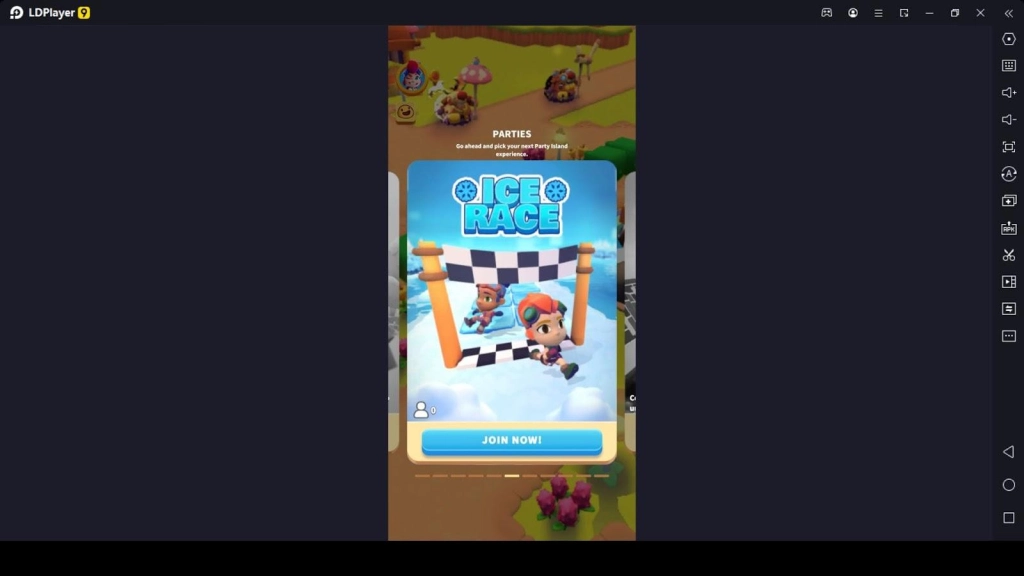
Each island challenges you differently, so you better prepare for the worst here. In all these islands, you will join a competition with a few other players, so you need to hurry up and be strategic to win the games by competing with many other players who join that relevant party island. Don't worry about what you have to do on these islands because the first time you enter an island, you are given instructions on what you need to do.
Complete Beginner Guide Missions
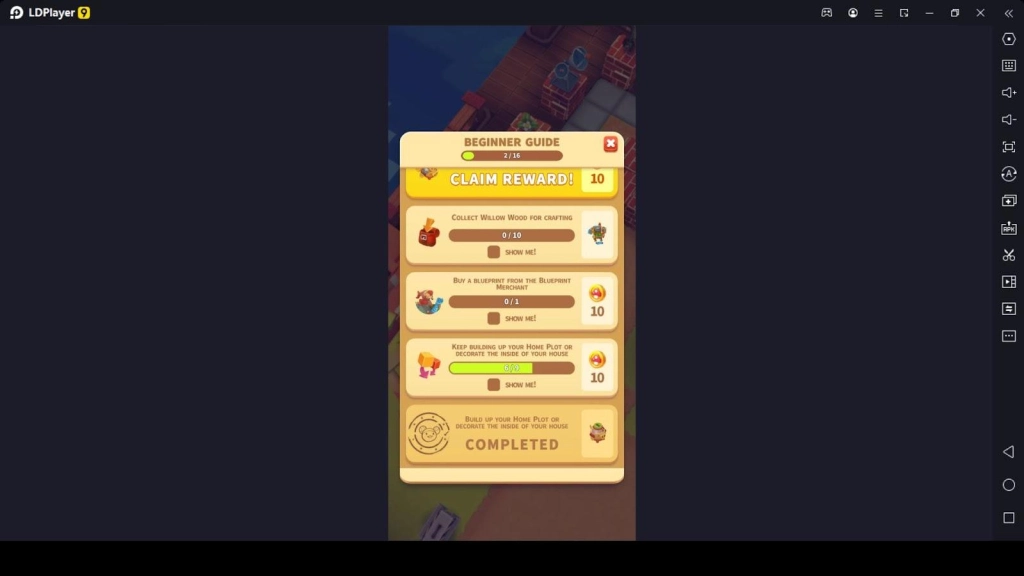
The beginner guide is a guide including different missions for all beginners to complete. Since you are a beginner to this game, you should complete the beginner guide by completing all its missions. Each of the missions in the beginner guide gives you plenty of rewards for completing them.
So you must complete the beginner guide missions and earn rewards while getting the hang of the gameplay. Some party islands we mentioned in this game are locked until you complete a certain number of missions in the beginner guide. Since the beginner guide and its missions are so important, you need to complete them.
Super Spatial: Play & Create! Map
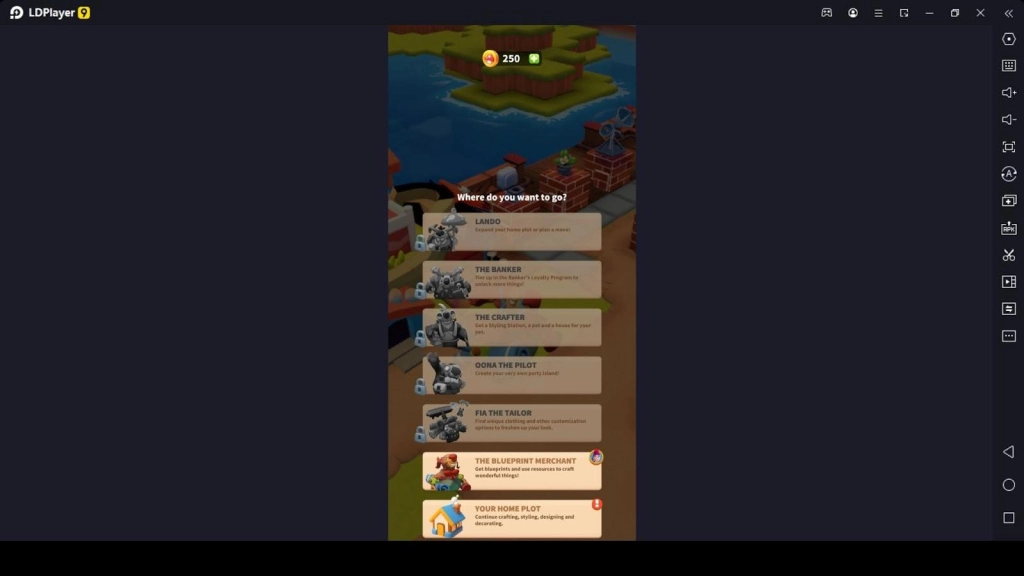
Here the game has its specific map, which includes particular plots. You can open the map and see what places you can visit here. In all these places, you will meet a Non-Playable Character that you can interact with, and interacting with each NPC will help you to achieve what you need. Let us see the NPCs you will meet in this game.
-
The Lando - this is the non-playable character you should go to expand your home plot or plan a move.
-
The Banker - you can meet this banker to tier up in the banker's loyalty program to unlock more things in the game.
-
The Crafter - you can go to the crafter to get a styling station, a pet, and a house for your pet.
-
Oona the Pilot - you should visit this non-playable character whenever you want to join a party island. And also you can create your party island by visiting Oona.
-
Fia the Tailor - you can go to the Fia and find unique clothing and other customization options to freshen up your look.
-
The Blueprint Merchant - this is another NPC that is very important in this game. You can get blueprints and resources to craft wonderful things.
Super Spatial: Play & Create! Shop
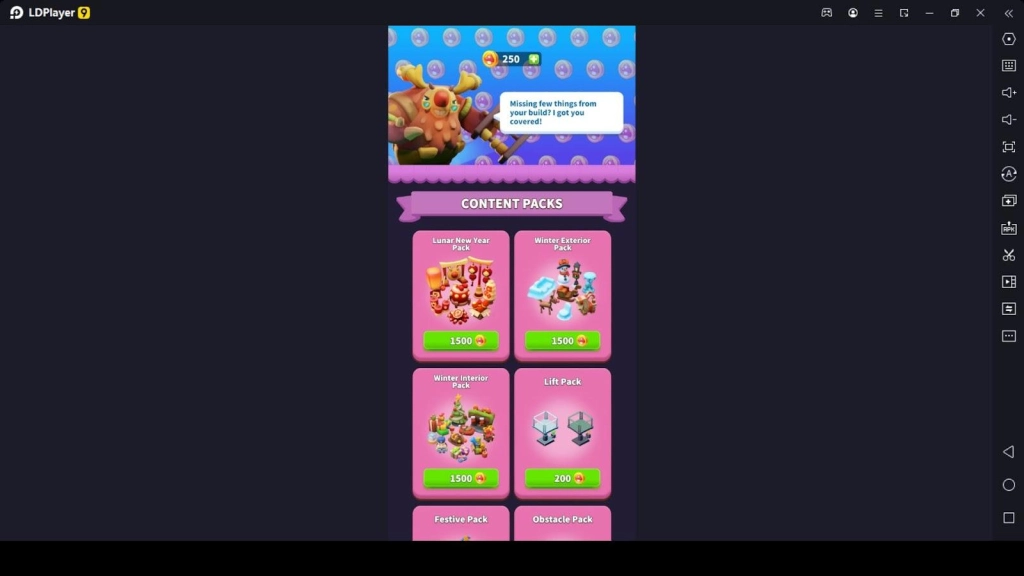
The shop is where there are many packages you can purchase, and these packages include content packages, styling packages, material packages, mushcoins, etc. When you have mushcoins, the main currency of the game, you can buy anything from the in-game shop.
And also, if you have no more mushcoins, you can buy them from the shop using real money. There are many packages for you to purchase here, and each will help you have awesome Super Spatial: Play & Create! Gameplay.
How to Make Your Own Game in Super Spatial: Play & Create!
Besides joining a party island, you can create your game in this game through the Totem Hunt game template. So let us see how to create a game when you join this awesome game.
When building your party island, you can add obstacles, roadblocks, tiles, blocks, beautifying ornaments, etc. You can add anything from the list and then build your party island. And after that, you can save your party island for more edits, or you can just publish your party island to let the other players join.
Spike Traps to Slow Down Enemies
In the totem hunt game template, where you can build your party island, you should set traps before you publish your party island. So one of the best traps you can add to it is spike traps. Spike traps are a kind of functional block in this game. Adding these spike blocks will help you to slow down your opponents. When your opponents slow down, you can win the party matches easily. Therefore, use spike traps wisely at the wise positions so that you can have more amazing benefits during each of the matches.
Character Movements are Important
You know every party island you take part in gives you different challenges. And also, each party island includes traps and other obstacles to slow down and defeat you. So if you want to win all the challenges swiftly, you need to pay attention to your character's movements. As this is a mobile game, you have a touch-based virtual joystick to control your character's movements.
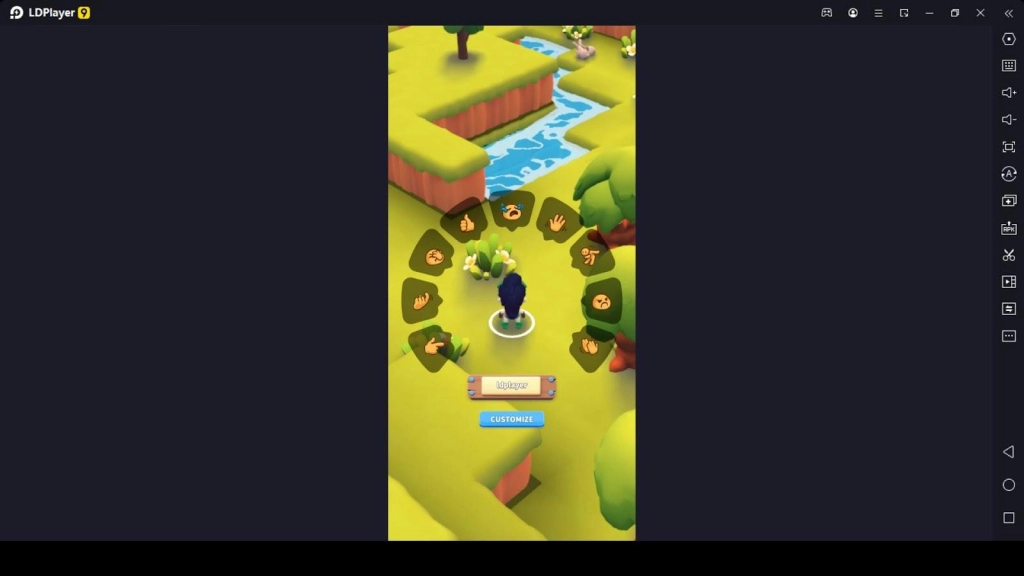
But to tell you the truth, the control option kinda sucks in this game. Therefore, you may find trouble controlling your character and winning faster. We suggest you now play this Super Spatial: Play & Create! game on your PC with LDPlayer 9. The LDPlayer 9 has a Keyboard Mapping feature, which lets you control your character using predefined key shortcuts. With this feature, you can set the shortcut keys you prefer, and then you can have amazing gameplay while swiftly controlling your character's movements.
Conclusion
Having such a beginner guide to guide you to know every area of the Super Spatial: Play & Create! game is a great blessing and an opportunity to improve more here. Since you have read this guide and understand it very well, you should act as it shows you and enjoy all the party islands that come with different themes. And also, don't forget to complete the beginner guide missions to unlock more islands for yourself. The better you perform in this game by choosing the tips mentioned above, the easier your gameplay becomes.