How to Unlock 60 FPS Cap for Black Desert Mobile PC
2019-12-25
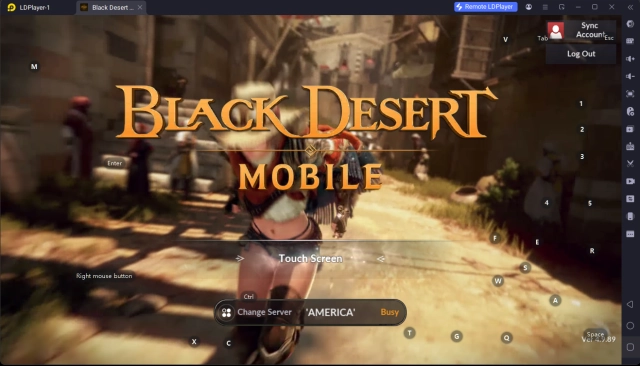
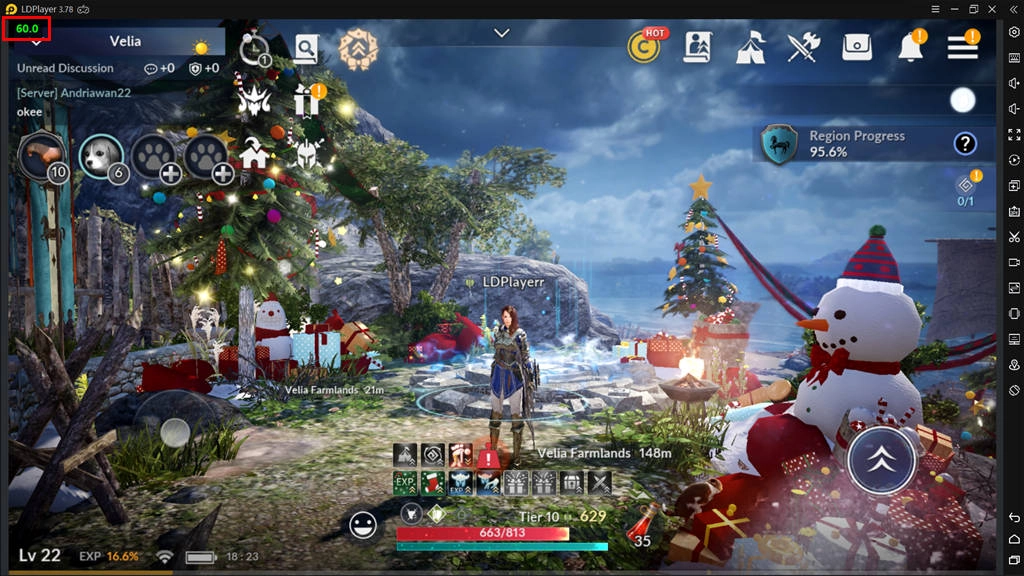
If you’re playing Black Desert Mobile with LDPlayer Android emulator, you must know how to set the best settings for gaming Black Desert Mobile on PC. By following the setting guide, you can enable ultra HD graphics and max FPS when playing BDM on your Windows PC with LDPlayer. However, if you’ve tried those settings already but found out that the game is running under 60 FPS somehow, then this guide is here to help you unlock FPS cap in Black Desert Mobile.
How to Fix 60 FPS Cap in Black Desert Mobile?
Normally, LDPlayer will help you play Black Desert Mobile on PC at constant 60 FPS as long as you’ve enabled the max settings both for LDPlayer and the game. However, there might have other problems that will trigger the FPS drop. Below we will discuss two situations and offer corresponding solutions to fix the drop. Make sure you’ve enabled the max frame in Black Desert Mobile.
Way 1: Close the Hardware-assisted Virtualization on Your Avast Antivirus
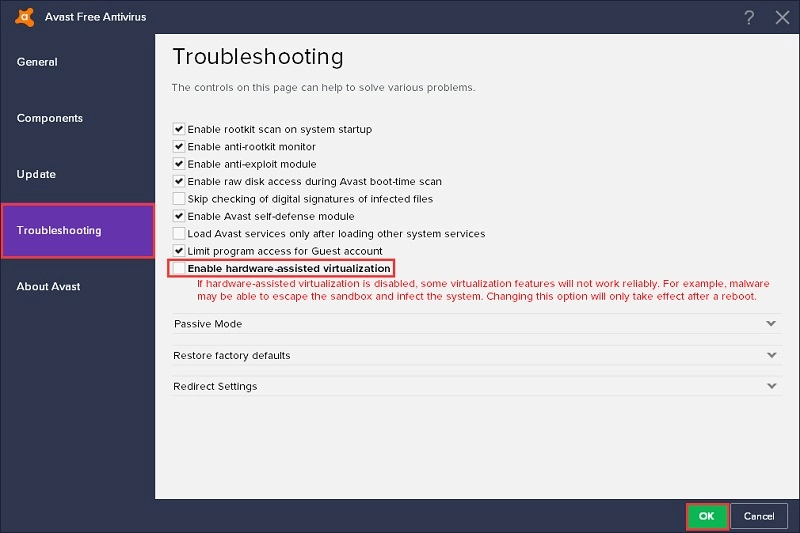
If you have Avast Free Antivirus installed on your computer, then it might be the reason that you can’t play Black Desert Mobile in high FPS. Avast Antivirus has enabled a function named Hardware-assisted Virtualization by default and this feature will occupy the resources of Virtualization Technology on your computer, which results in the frame drop in Black Desert Mobile.
In case you don’t know, Virtualization Technology will enable your CPU to act as several independent computers, allowing your machine to operate different virtual operating systems at the same time. LDPlayer has to make use of the VT in order to function well and provide the best performance. If you don’t know how to enable VT on your computer yet, follow the steps on this article: How to enable VT (Virtualization Technology).
So, the Hardware-assisted Virtualization on Avast Antivirus has to be closed and it won’t damage your computer. The first step is to find the menu and open the settings on your Avast. Navigate to Troubleshooting and uncheck the settings of hardware-assisted virtualization. Now, reboot your computer to make the change effective.
Way 2: Switch Your Integrated Graphics to Discrete Graphics
Another reason for FPS cap in Black Desert Mobile is that you’re using integrated graphics card to run LDPlayer, even though your computer has a discrete graphics card.
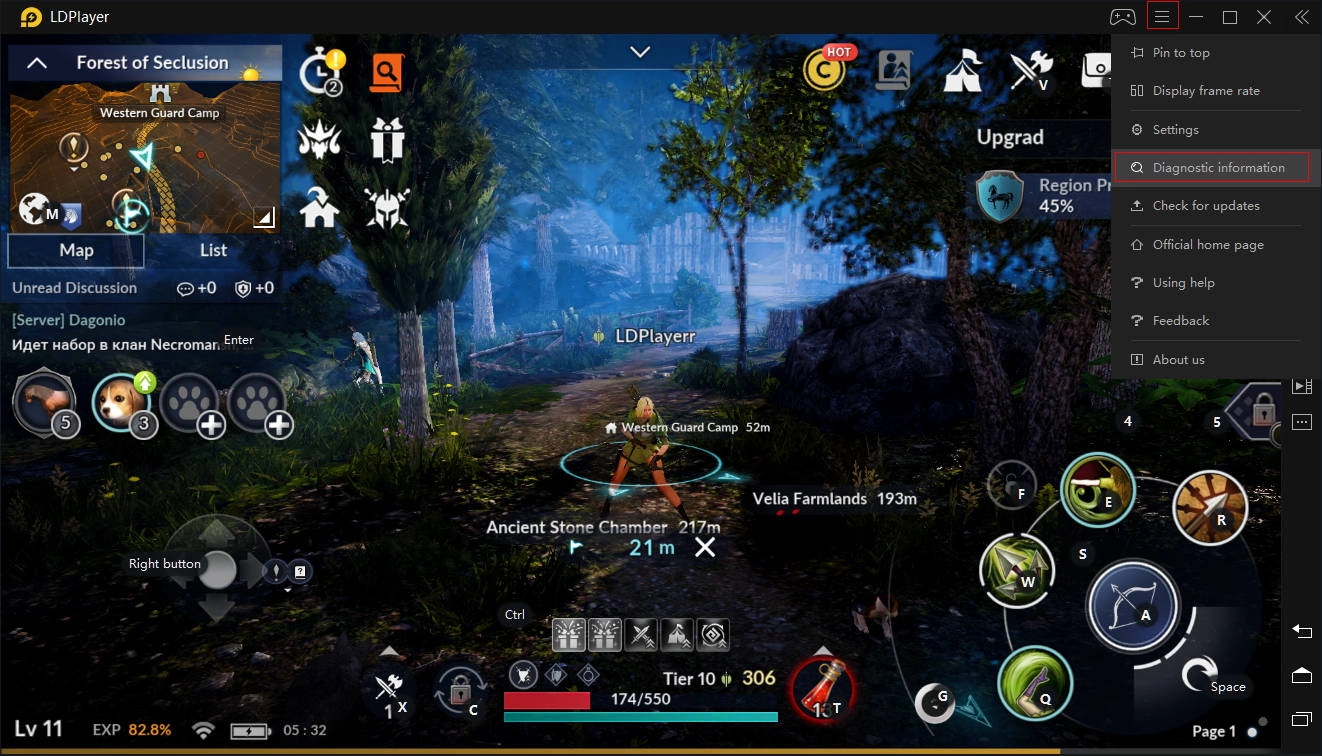
To enable your discrete graphics card for Black Desert Mobile, first you need to check which graphics cards you’re using to run LDPlayer. Click the Diagnostic Information on the menu of LDPlayer to make a check.
Now, if you’re using NVIDIA graphics card, follow this tutorial: How to switch from integrated graphics to discrete graphics to enable your dedicated NVIDIA graphics for Black Desert Mobile. But if you’re using AMD graphics card, read the steps below.
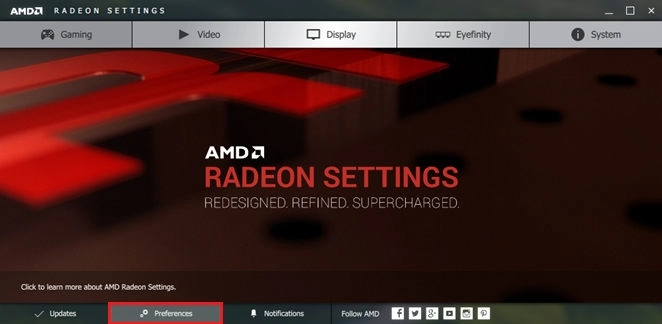
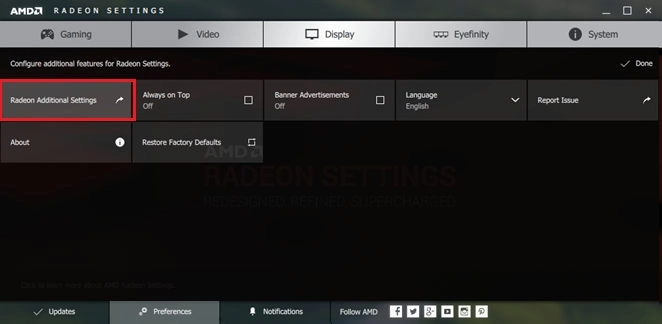
1. Right-click on you Windows desktop and select AMD Radeon Settings
2. Select Preferences on the bottom
3. Choose Radeon Additional Settings
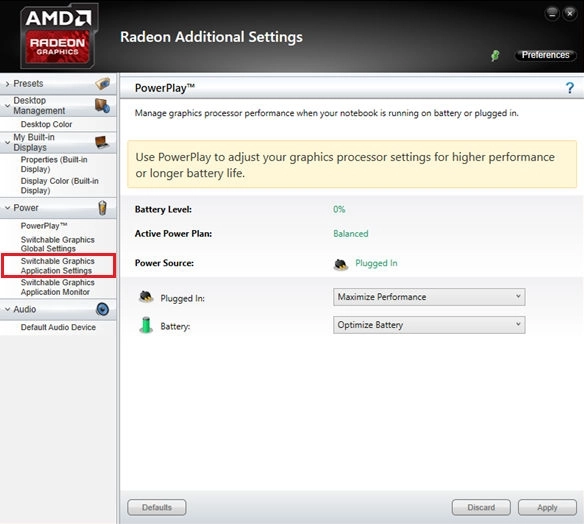
4. Select Switchable Graphics Application Settings from the Power section in the left column
5. Click Add Application and add the master process of LDPlayer - LdBoxHeadless.exe (the path of master process: C:\Program Files\dnplayerext2, which is not the installation path of LDPlayer)
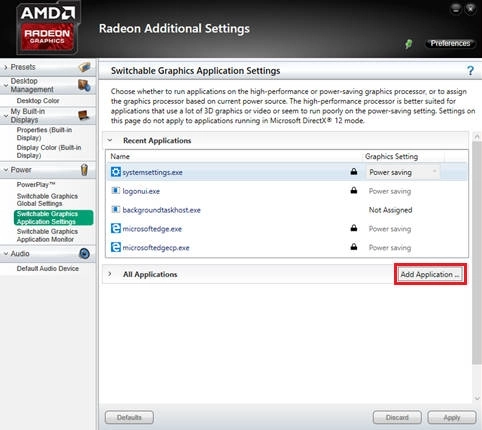
6. Adjust your graphics settings to High performance for the master process of LDPlayer
Finally, apply you changes and restart LDPlayer. Black Desert Mobile should now run with the dedicated GPU and will perform well in the highest FPS.
Way 3: Update Your LDPlayer to the Latest Version
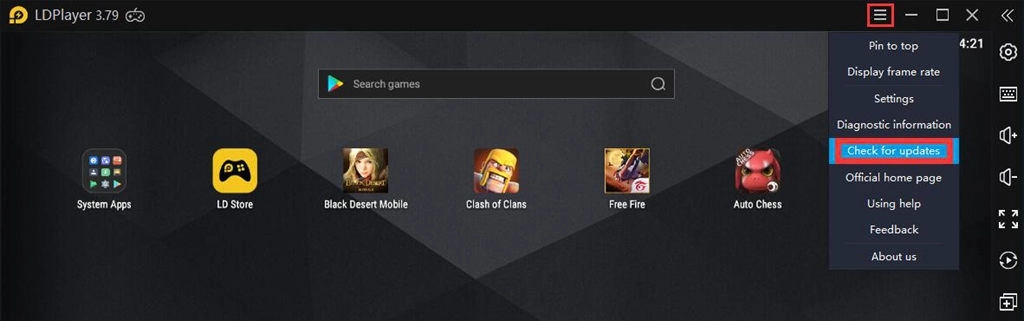
This is also a way to improve the performance of playing Black Desert Mobile with LDPlayer. We will release new version to optimize certain games such as Black Desert Mobile, Call of Duty Mobile, Honkai Impact 3, and more. Check version history on our UPDATES page and download the latest one to cover your current version.
Conclusion
As LDPlayer is the best Android emulator for Black Desert Mobile PC, it can easily enhance your gaming performance and boost the graphics as well. Moreover, the troubleshooting methods above can also fix other mobile games. If you still have fps drop or other lag issues, check Top 5 Ways to Fix Lags in Android Emulator and contact us on FB to get support.