145 Car Parking is a Simulation application developed by 145Games, but with the best Android emulator-LDPlayer, you can download and play 145 Car Parking on your computer.
Running 145 Car Parking on your computer allows you to browse clearly on a large screen, and controlling the application with a mouse and keyboard is much faster than using touchscreen, all while never having to worry about device battery issues.
With multi-instance and synchronization features, you can even run multiple applications and accounts on your PC.
And file sharing makes sharing images, videos, and files incredibly easy.
Download 145 Car Parking and run it on your PC. Enjoy the large screen and high-definition quality on your PC!
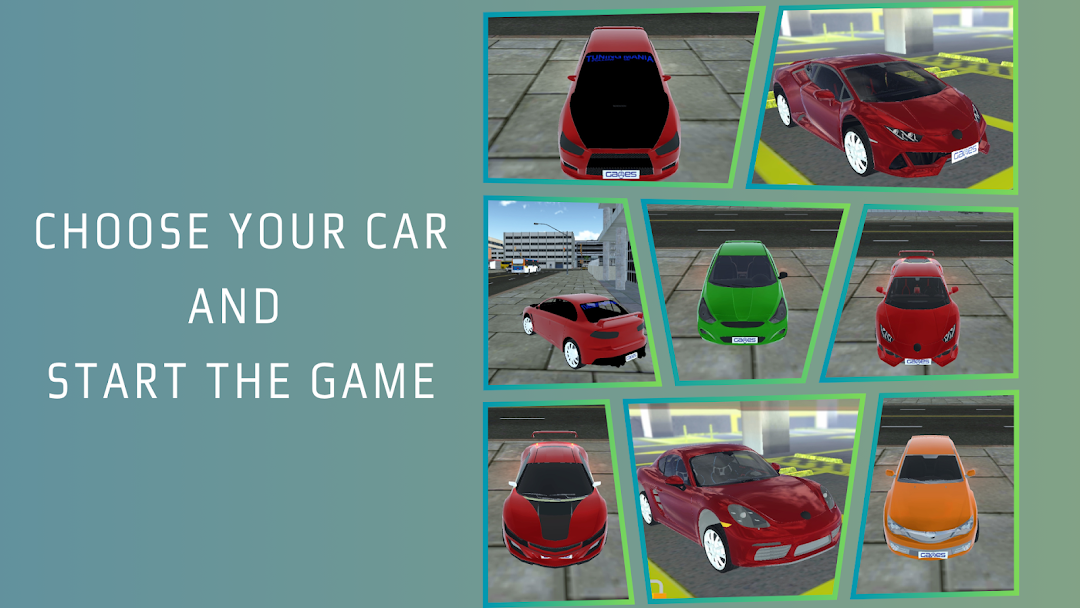
In the expansive world of driving simulation games, "145 Car Parking" sets itself apart by offering a uniquely realistic and engaging parking experience. This game is not just about racing or speeding; it's about the precision and skill required to maneuver and park in challenging environments. With its advanced 3D graphics and intuitive gameplay, "145 Car Parking" is poised to become a favorite among car enthusiasts and gamers alike.Extensive Vehicle Collection
One of the standout features of "145 Car Parking" is its impressive array of 15 different vehicle models. Each model is meticulously designed to reflect real-world specifications and aesthetics. From sleek sports cars to robust SUVs, the game offers a variety of vehicles to suit any preference. What’s more, each vehicle can be upgraded and customized. Players can enhance engine performance, braking systems, and even modify the car's appearance with different colors and decals, making each vehicle truly their own.
User-Friendly Controls and Automatic Transmission
Understanding that the real challenge of parking is often the complexity of control, "145 Car Parking" simplifies the driving experience without sacrificing realism. The game features an automatic transmission system, making it accessible even to those who might not be familiar with the intricacies of gear shifting. This feature allows players to focus more on steering and spatial judgment, crucial skills for perfecting parking maneuvers.
Realistic Graphics and Multiple Viewing Angles
"145 Car Parking" truly excels in its visual presentation. The game boasts high-definition 3D graphics that bring the various parking environments to life. Whether it’s a crowded mall parking lot or a tight city space, the realistic textures and lighting effects create an immersive experience. Additionally, players can switch between different camera angles for the best view of their surroundings. This not only helps in making precise moves but also adds to the realism, giving players the feeling of actually sitting behind the wheel.
Challenging Levels and Progressive Difficulty
The game is structured around multiple levels, each designed to test and improve the player’s parking skills. As players advance, the scenarios become more complex, introducing obstacles and tighter parking spots that require more precise steering and better timing. This progressive difficulty ensures that "145 Car Parking" remains challenging and engaging, pushing players to continually hone their skills.
Why Play 145 Car Parking?
"145 Car Parking" is more than just a game; it's a tool that helps players understand the fundamentals of vehicle handling and spatial awareness. The realistic scenarios are designed not only to entertain but also to provide practical learning experiences that can be applied in real-life driving situations.
Whether you are a car enthusiast eager to try out different vehicles or a gamer looking for a new challenge, "145 Car Parking" offers a comprehensive and enjoyable experience. Its blend of realistic graphics, diverse vehicle options, and challenging levels makes it a must-try for anyone interested in car games.
Embark on your parking journey with "145 Car Parking" and master the art of car parking through a virtual yet vividly realistic automotive adventure.