3DTuning: Car Game & Simulator is a Simulation application developed by 3DTUNING LLC, but with the best Android emulator-LDPlayer, you can download and play 3DTuning: Car Game & Simulator on your computer.
Running 3DTuning: Car Game & Simulator on your computer allows you to browse clearly on a large screen, and controlling the application with a mouse and keyboard is much faster than using touchscreen, all while never having to worry about device battery issues.
With multi-instance and synchronization features, you can even run multiple applications and accounts on your PC.
And file sharing makes sharing images, videos, and files incredibly easy.
Download 3DTuning: Car Game & Simulator and run it on your PC. Enjoy the large screen and high-definition quality on your PC!
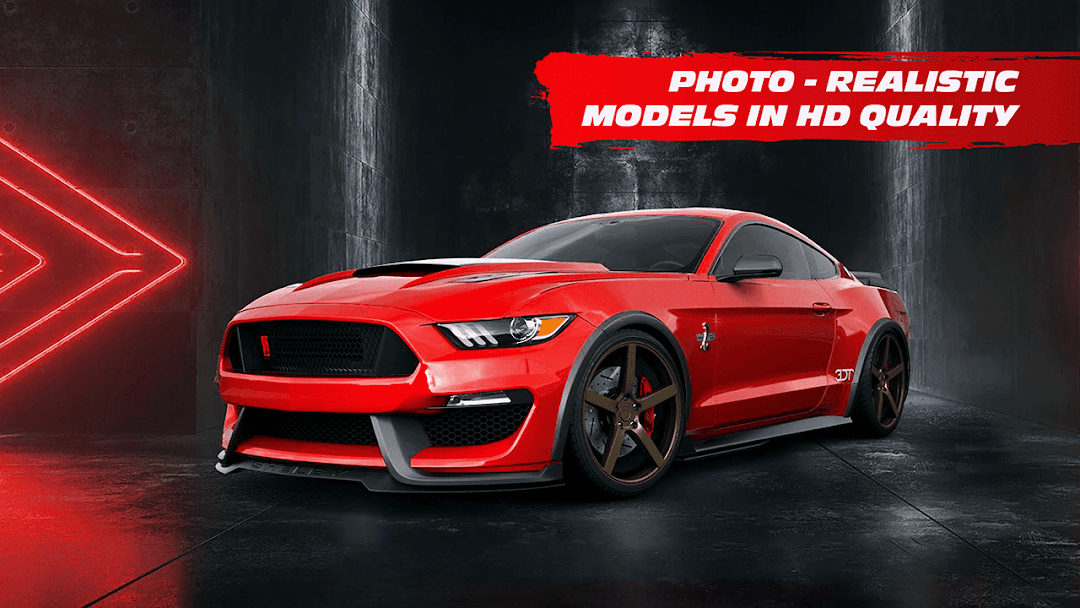
3DTuning: Car Game & Simulator App is both a 3D car configurator tool and a game at the same time. 3D tuning App gives you the possibility to customize hundreds of cars, trucks and bikes in unprecedented photorealistic quality and detail. With our huge range of car parts, customization features and design options, you will easily create THE build that perfectly fits your style.More than 300 models popular among automotive fans in the US and around the world:
- Truck configurator: almost all generations of legendary classic and modern US and Japanese trucks starting from 1950’s;
- Muscle Car Configurator: wide selection of classic and modern American muscle cars ranging from all time classics to now-a-days bestsellers.
- Tuning configurator: most popular cars, bikes, choppers, SUVs and even semi-trucks from US and around the world.
3D TUNING is more than just a configurator:
- Test your automotive design skills by challenging other 3DTuning users;
- Create your unique Garage of cars, trucks and bikes;
- Post your creations to Timeline, get Likes and Comments from your friends and automotive fans worldwide;
- Share photos and videos of your tunings to your social accounts;
- Discover millions of customized vehicles created by other “tuning masters” from the US and around the world.
FEATURES:
- Huge selection of latest car, truck and bike models, as well as most popular classic models of the 20th and 21st century;
- Fully detailed 3D car models with HD quality renderings and lots of interactive elements;
- Tens of thousands of branded, custom, vehicle specific and universal fit car, truck and bike parts;
- Unique collection of wheels, wide body-kits, bumpers, spoilers, fenders, lift-kits, splitters, diffusers, off-road and sport tires, grille guards and bull bars, mufflers and exhausts, base racks and chase racks, bed liners, decals and many more car part categories;
- On-line auto parts catalogue - item specifications, official vendor information and dealer locator available;
- Customization and configuration options include colors and finishes, suspension level and camber/offset settings, lights on and engine sounds feature, custom backgrounds applications and many more;
- Application is integrated with 3DTuning.com website, so your unique car garage is always at your disposal, while constant and frequent content updates are immediately available on all devices.
Car/Truck/Bike list includes models from the following popular categories:
Sedans, Luxury Sedans, Sport Sedans, Coupes, Sport Cars, Station Wagons, Hatchbacks, Convertibles, Sport-Utility Vehicles, Minivans, Pickup Trucks, Heavy Trucks, Motorbikes, Choppers, Classic Cars, Classic Trucks, Pony Cars, JDM’s, Muscle Cars, American Muscle Cars, American Trucks, Performance Cars, Super Cars/Hyper Cars and many more.
Car/Truck/Bike part components list includes the following categories:
Wheels, Brakes, Tires, Off Road Tires, Bumpers, Fenders, Body Kits, Step bars, Headlights, Taillights, Roof Light Bars, Hood, Hood Scoops, Hood Vents, Side Mirrors, Exhaust systems, Mufflers, Grilles, Base Racks, Tonneau Covers, Decals, Lift kits, Chase Racks, Door Vents, Bull Bars, Grille Guards, Emblems, Fog Lights, Hitches, Led Light Bars, Lower Grilles, Skid Plates, Wind Deflectors, Bed Liners, Bed Steps, Camper Shells, Tool Boxes, Antennas, Exterior Trims, Canards, Splitters, Headlight Covers, Headlight Tints, Side Lips, Spoiler, Window Louvres, Diffusers, Taillight Covers, Fender Scoops, Brake Rotors, Engine Guards, Tanks, Gas Caps, Handlebars, Gas Caps, Seat Cowls, Front Fairings and many more.
Contacts:
Info@3dtuning.com