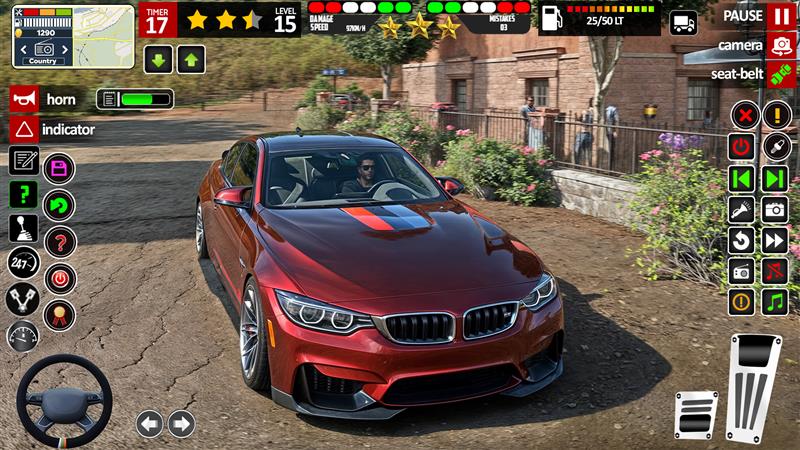
Advance Car Driving Simulator is a Strategy game developed by TechTronicx, and LDPlayer is the best platform for playing Advance Car Driving Simulator on Windows PC, offering powerful features for an immersive experience.
When playing Advance Car Driving Simulator on your computer, you can enjoy long game sessions using the operation recording feature to record repetitive operations to complete the same tasks automatically. It allows you to level up faster and makes resource grinding much more efficient.
In addition, if you want to execute combo moves or the game requires repeated skill actions, the macro feature is your best helper. It enables you to complete kills with just one click!
If you want to manage multiple accounts, LDMultiplayer and Synchronizer will assist you. You can run multiple alternative accounts at the same time to assist the leveling of your main account. Download and play Advance Car Driving Simulator on PC with LDPlayer now!
Get ready for the most realistic and thrilling car simulator experience in this Car Game 3D presented by Techtronicx. Car game is an amazing blend of fun and thrill so here we go all car game lovers.Driving School Mode:
This mode of extreme car game is designed to guide you through the most essential aspects of road safety and car handling. The city car game is just like a tutorial for us car drivers.
Stop Signs: Always come to a complete stop at a stop sign
Double Lines: Never cross double solid lines in real car driving.
Traffic Signals: Obey all traffic signals—red means stop, green means go, and yellow indicates you should slow down and prepare to stop.
Indicators (Turn Signals): Always use your turn signals (indicators).
Parking Mode:
Put your parking skills to the test in Parking Mode! In this luxury car game mode, your task as an expert car driver to park your city car in designated parking spots with precision and accuracy. As you navigate through various parking lots in real car game.
Features:
Realistic 3D Graphics: Immerse yourself in city car and roam in environments.
Offline Play: Enjoy this amazing car game offline without worrying about an internet connection.
Multiple Cars and Levels: Use multiple cars from garage and enjoy various levels
Interactive City Environment: Navigate through busy city streets with traffic, intersections, and realistic urban challenges.
Real Car Driving Experience: Feel the true thrill of driving with realistic car handling.