Aeroworld: Flight Game is a Simulation application developed by Playful Pixels, but with the best Android emulator-LDPlayer, you can download and play Aeroworld: Flight Game on your computer.
Running Aeroworld: Flight Game on your computer allows you to browse clearly on a large screen, and controlling the application with a mouse and keyboard is much faster than using touchscreen, all while never having to worry about device battery issues.
With multi-instance and synchronization features, you can even run multiple applications and accounts on your PC.
And file sharing makes sharing images, videos, and files incredibly easy.
Download Aeroworld: Flight Game and run it on your PC. Enjoy the large screen and high-definition quality on your PC!
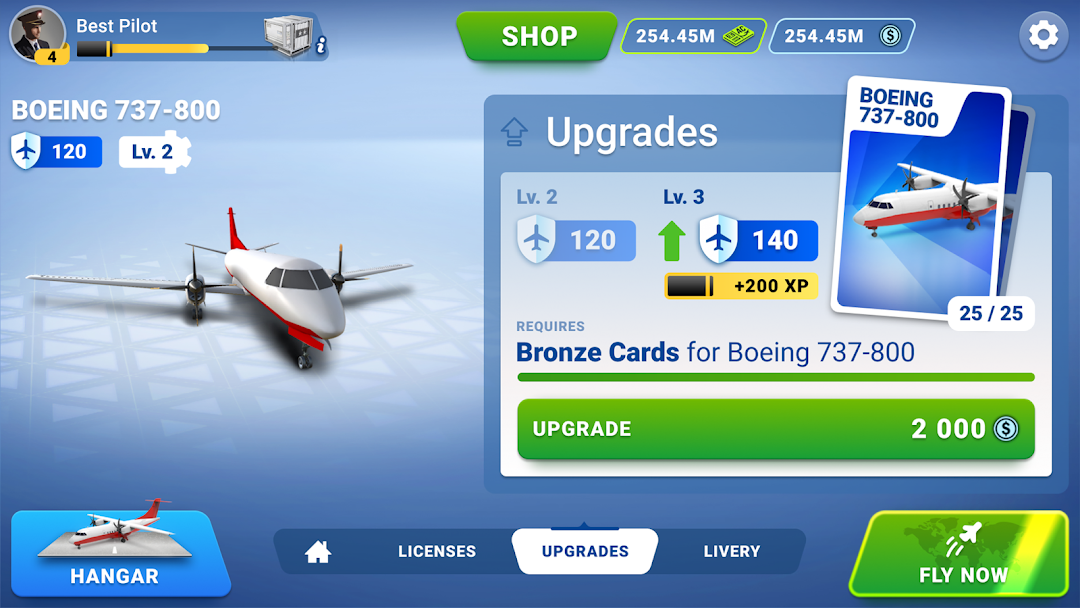
Meet the flight simulator of the next generation. Take off, fly to the airport in the city nearby & land. Build & boost/upgrade an aircraft fleet. And this is just the beginning of what Aeroworld, as a realistic casual airplane game, has to offer!Flying features:
✈ 30+ planes to unlock & upgrade with cards: turbine, reaction, single deck, double deck and cargo.
✈ 25+ realistic airports and runways. HD satellite images, maps and worldwide navigation for every region & airport.
✈ Events with tasks to earn rewards like consumables, liveries, cards, currency and others.
✈ Ranks progression to unlock new planes and airports.
✈ PVP events to compete against other players and earn exclusive rewards.
✈ Leaderboards to boost competition to get higher in the rankings.
✈ Consumables to supercharge gameplay and scoring potential.
✈ Customizable airline livery.
✈ Thousands of different situations to handle.
✈ Simplified flight system with navigation help or flight simulation for advanced users.
✈ Realistic SID/STAR takeoff and landing procedures with pushback system, taxiing and the possibility to dock.
✈ Realistic different times of the day with sun, moon, stars and real-time weather conditions.
A Flight simulation experience and a rich progression path
In Aeroworld you will fly to collect cards and earn currency to upgrade and unlock your favorite planes! Also, as you progress you will earn reputation points that will make you rise in rank so you can unlock even more new planes and airports! In this game you'll always have a goal to play for: build the biggest and strongest fleet and reach the top of the rank as its commander.
A simplified flight system
Not ready for true airplane simulator experience? Airplane games don’t have to be hard to pilot. Aeroworld has a simplified flight system that eases your time with every take off & landing. Not everybody has to make a carrier landing from the start, so take your time and enjoy a bit lighter take on a realistic flight simulator.
Time to take off!
In this flight simulator you start as a new pilot who must learn how to fly big aircrafts. Listen to an experienced flight pilot, take off from the airport, get familiar with all the controls in the cockpit & make a safe landing. Get a pilot license & start building your own airline in this realistic airplane games!
Expand your airplane fleet
Progress through ranks and unlock new planes! Fly in realistic weather conditions with real-time traffic & earn rewards that will allow you to upgrade and expand your aircraft fleet, from the single deck to the cargo planes, you will be able to collect them all in your hangar!
The more you fly in this airplane flight simulator, the more options to expand your airline fleet.
What’s wrong with this aircraft?
Because Aeroworld is an airplane simulator game, everything can go wrong. Failure of sensors, instruments, ASM, fuel tanks, landing gear & engines. Malfunction of flaps, rudder, air brakes & radar. Not to mention wind, turbulence & fog with various levels of severity… It’s a dream come true for every fan of flight simulator games who looks for an immersive experience.
Customize your plane
Games from the flight simulator genre usually let you customize planes and Aeroworld is no exception! Change the livery of every plane in your aircraft fleet and admire its look in beautiful 3D graphics.