
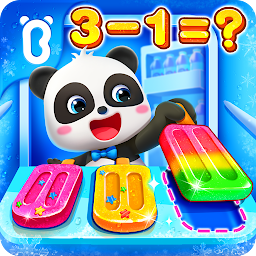


BabyBus Kids Math Games is a Educational application developed by BabyBus, but with the best Android emulator-LDPlayer, you can download and play BabyBus Kids Math Games on your computer.
Running BabyBus Kids Math Games on your computer allows you to browse clearly on a large screen, and controlling the application with a mouse and keyboard is much faster than using touchscreen, all while never having to worry about device battery issues.
With multi-instance and synchronization features, you can even run multiple applications and accounts on your PC.
And file sharing makes sharing images, videos, and files incredibly easy.
Download BabyBus Kids Math Games and run it on your PC. Enjoy the large screen and high-definition quality on your PC!
BabyBus Kids Math is a math game designed for kids. In this game, kids will explore the world of mathematics as they play a series of mini-games. They will enjoy learning math and eventually fall in love with it. Download BabyBus Kids Math and try it now!LEARN
In BabyBus Kids Math, there're 6 levels of math knowledge with 100+ math facts, covering topics like number and shape recognition, counting, addition and subtraction, size comparison, sorting, matching, finding patterns, and more! It can meet the learning needs of kids of all ages!
PLAY
Besides the learning part, BabyBus Kids Math has also prepared a lot of math games for kids, such as puzzle and block games. The easy-to-play, fun and interactive math games help kids explore the world of mathematics and train their brains in a fun and engaging way.
APPLY
BabyBus Kids Math encourages kids to use their mathematical knowledge to solve real-life problems by providing various animations that simulate kids' daily life scenarios. It lets kids to think and observe on their own, and simulates their creativity!
FEATURES:
- 6 levels of math knowledge will be added gradually;
- A total of 100+ math facts;
- 4 core topics: number and quantity, graphs and space, logical relationships, measurement and operations;
- Improves kids' 7 major abilities: reasoning, concentration, number sense, calculation, transfer, observation and spatial imagination;
- Innovative math learning mode: Learn - Play - Apply;
- A wide range of math games to encourage kids to explore on their own;
- Simulates real-life scenarios to encourage kids to use math to solve real-world problems;
- Supports offline mode.
About BabyBus
—————
At BabyBus, we dedicate ourselves to sparking kids' creativity, imagination and curiosity,and designing our products through the kids' perspective to help them explore the world on their own.
Now BabyBus offers a wide variety of products, videos and other educational content for over 400 million fans from ages 0-8 around the world! We have released over 200 children's educational apps, over 2500 episodes of nursery rhymes and animations of various themes spanning the Health, Language, Society, Science, Art and other fields.
—————
Contact us: ser@babybus.com
Visit us: http://www.babybus.com







