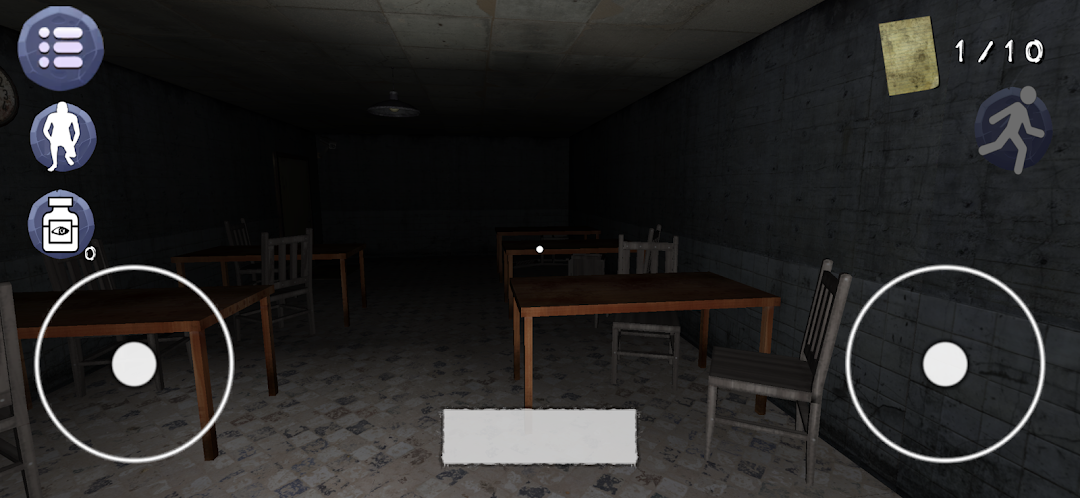
Bad Teachers is a Adventure application developed by Barbar88, but with the best Android emulator-LDPlayer, you can download and play Bad Teachers on your computer.
Running Bad Teachers on your computer allows you to browse clearly on a large screen, and controlling the application with a mouse and keyboard is much faster than using touchscreen, all while never having to worry about device battery issues.
With multi-instance and synchronization features, you can even run multiple applications and accounts on your PC.
And file sharing makes sharing images, videos, and files incredibly easy.
Download Bad Teachers and run it on your PC. Enjoy the large screen and high-definition quality on your PC!
Bad Teachers is a chilling psychological horror game set in an abandoned school and its eerie adjoining morgue. Players step into the shoes of a former student who returns to the now decaying institution, driven by a mysterious force pulling them back to confront the horrors that linger within its walls.The school, once a place of learning and laughter, has been left to rot, with time itself seeming to stand still. Locked classrooms, shattered windows, and unsettling remnants of student life are scattered across the hallways. But something much darker hides beneath the surface: the ghosts of teachers who never left, twisted by the sins of their past and now haunting the school’s forsaken halls. These "Bad Teachers" are not mere specters—they are malevolent entities that manipulate the environment and prey on the fears of those who dare to enter.
Beyond the school, the abandoned morgue—hidden deep within the basement—holds its own horrifying secrets. Long-forgotten bodies, cryptic files, and strange experiments hint at something much more sinister lurking beneath the surface of what was once a place of education and care.
In this nightmare, players will need to solve cryptic puzzles, evade vengeful spirits, and uncover the dark history of the institution. As they delve deeper, the line between reality and madness begins to blur, forcing them to question what is real and what has been warped by the malevolent forces that now control the school.