
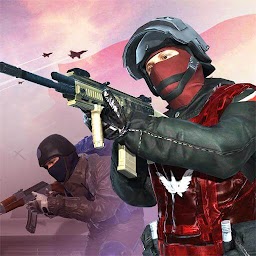


Battlelands:ww2 simulator is a Action game developed by AppNexeDeveloper, and LDPlayer is the best platform for playing Battlelands:ww2 simulator on PC, offering powerful features to immerse you in the game.
When playing Battlelands:ww2 simulator on computer, you can adjust frame rate settings for smooth gameplay and stunning visuals.
LDPlayer also provides pre-configured keyboard mapping for convenient control of the entire game. Continuous optimization of keyboard mapping enhances key sensitivity and skill accuracy. Additionally, LDPlayer offers special buttons like shoot, hide mouse, and continuous key press for an enhanced gaming experience.
If you prefer using a gamepad, the automatic gamepad detection allows you to customize controls with just a few clicks, enabling you to freely maneuver your hero. Start downloading and playing Battlelands:ww2 simulator on your computer now!
Fight upon the Battlelands together with your Blue allies! , FPS War Singleplayer Shooter Action Military games! Ravage Through the Battlefield!Battlelands is a fun and free single-player Battlefield-style shooter, it's a fast-paced and somewhat grisly FPS well worth your time. With a wide variety of gameplay options, intuitive commands, great enemy AI and well-crafted pacing, Battlelands is regarded today with overwhelmingly positive sentiment.
If you like the epic large-scale battles of Battlefield or similar games but don’t like the multiplayer aspect, then I would highly recommend picking up Battlelands. If you ever feel the need to relax and play a low-stress shooter, this game is right for you.
Features:
- 30+ classic weapons (rifles, machine guns, shotguns, sniper, flame guns, RPG, howitzers, etc.)
- 10+ special props (incendiary bombs, remote bombs, crossbows, shields, night vision, tracking missiles, etc.)
- 10+ large vehicles (attack helicopters, aircraft carrier fighters, armored vehicles, tanks, jeeps, quad bikes, etc.)
- 20+ classic battles (Sinai Desert, Normandy Landing, Alamein Battle, Wake Island, Daqing Oilfield, etc.)
- 10+ arms skins (rain forest, snow, desert, mountain, desert, navy, special police, etc.)
- 4 game modes (capture the flag, deathmatch, lone wolf, custom mode)
- A variety of custom play methods (assault mode, night mode, reverse mode)
- Real ballistic trajectory, pure physical simulation system, rich explosion special effects







