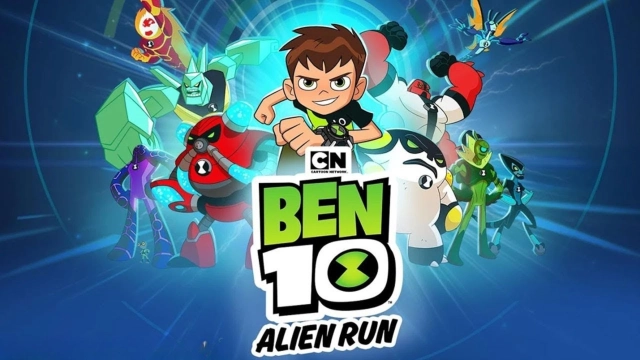
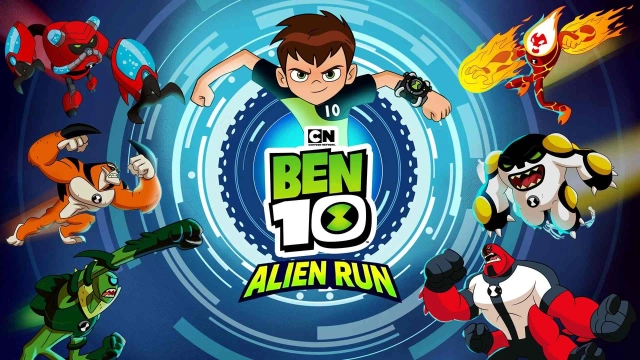
Ben 10: Alien Run is a Casual game developed by Zapak. LDPlayer is the best platform for playing Ben 10: Alien Run on Windows PC, offering powerful features to enhance your immersive experience in Ben 10: Alien Run.
When playing Ben 10: Alien Run on your computer, if you find repetitive actions or tasks tedious and time-consuming, fret not! Macro can alleviate your concerns. Simply record your actions with a click of the screen recording feature and let macros take care of the rest. Macros automate your operations, allowing you to effortlessly conquer the game with minimal effort! Start downloading and playing Ben 10: Alien Run on your computer now!
Get ready for action-packed alien adventures with Ben 10 Alien Run! Join Ben Tennyson as he transforms into powerful aliens and battles enemies in this endless runner. Use the Omnitrix to switch between iconic aliens like Heatblast, Four Arms, Cannonbolt, and more, while you dodge obstacles and defeat enemies. Jump into the action and help Ben save the world!Key Features:
- Transform into 9 Iconic Aliens: Take control of Ben’s most powerful alien forms, including Four Arms, Heatblast, Diamondhead, Cannonbolt, Stinkfly, Upgrade, Wildvine, XLR8, and Overflow, each with unique abilities.
- Infinite Adventure Mode: Embark on a never-ending journey, facing new challenges and unlocking exciting rewards as you progress!
- Missions & Daily Challenges: Complete missions and daily challenges to earn exclusive rewards and power-ups. Stay sharp and collect special items as you run!
- Mystery Boxes: Open daily mystery boxes filled with surprises and bonuses to give you an edge in the game.
- Power-ups: Upgrade your gameplay with powerful boosts from the in-game shop. Use these power-ups to get a head start on your runs and defeat tough enemies.
- Offline Gameplay: Play Ben 10 Alien Run without an internet connection. Take the adventure with you wherever you go!
- Achievements: Unlock various in-game achievements to showcase your skills and progress.
Transform & Battle!
Harness the power of the Omnitrix and transform into Ben’s iconic alien heroes to take down enemies and overcome obstacles. Each alien has unique abilities to help you succeed:
- Four Arms – Charge forward with a powerful dash to crush enemies.
- Heatblast – Unleash fiery blasts to burn through obstacles.
- Diamondhead – Create a shield to block incoming attacks.
- Cannonbolt – Roll into a motorized wheel to smash through anything in your path.
- Stinkfly – Soar through the skies, dodging obstacles with ease.
- Upgrade – Fire lasers from your eyes to clear the way.
- Wildvine – Use your whip to defeat enemies and swing through challenges.
- XLR8 – Dash at lightning speed, evading obstacles without causing damage.
- Overflow – Spray a short-range water cannon to blast away foes.
Explore Iconic Locations:
Take Ben through a variety of exciting environments from the Ben 10 omniverse. From the bustling streets of Bellwood City to the dangerous heights of Mount Megaladon, each location brings unique challenges and enemies.
Download Ben 10 Alien Run NOW and transform into your favorite aliens! Save the day and prove you're the ultimate hero in this exciting endless runner!
- The game is optimized for tablet devices.
- This game is completely free to download and play. However, some game items can be purchased with real money within the game. You can restrict in-app purchases in your store’s settings.
Follow us on:
Facebook - https://www.facebook.com/zapak/
Twitter - https://twitter.com/Zapakdotcom