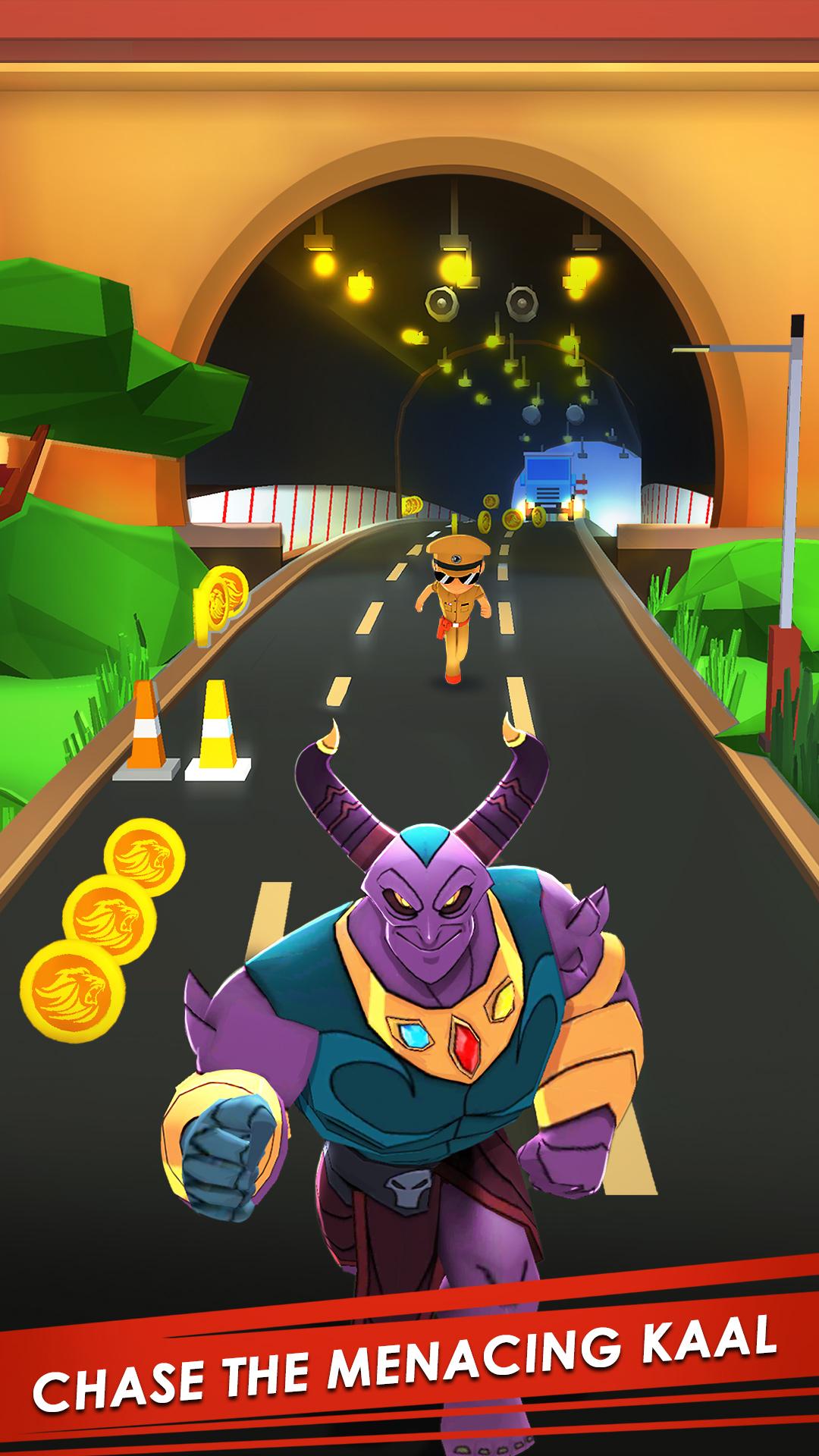
Little Singham is a Arcade application developed by Zapak, but with the best Android emulator-LDPlayer, you can download and play Little Singham on your computer.
Running Little Singham on your computer allows you to browse clearly on a large screen, and controlling the application with a mouse and keyboard is much faster than using touchscreen, all while never having to worry about device battery issues.
With multi-instance and synchronization features, you can even run multiple applications and accounts on your PC.
And file sharing makes sharing images, videos, and files incredibly easy.
Download Little Singham and run it on your PC. Enjoy the large screen and high-definition quality on your PC!
Run, Dash, Skip as fast as you can!He is strong, intelligent, smart and He is the Super Cop and the protector of the town. He's Little Singham!
The formidable demon Kaal is trying to take over the world, and only Little Singham is strong enough to stop him and save his town & its people from this destruction. Little Singham must use his strength and smarts to fight back and stop the demon’s plans to wreak havoc on Earth. Let the chase begin!
Play with different Special Avatars - Police, Army, Navy, Air Force, Cricketer, Miner and many more.
Run through the streets, cities, and countries and collect as many coins as you can. Slide through concrete pipes. Jump over incoming cars and barricades. Tackle through different bosses to stay out of their reach and get back on your quest to capture Kaal.
• Use Magnets on the run to collect all the nearby coins.
• Seize the Bulletproof Jacket and run through obstacles.
• Power Boots boost up your speed and help Little Singham narrow down the distance between him and Kaal.
Do not forget to nab the Rockets on your way. They help you collect easy coins, which can be used to upgrade your Power-ups to last longer.
Get a Headstart or a Mega Headstart with Bikes and Cars. Use Hoverboards, Surfboards, jetpack with Special Powerups for a free run, dash, skip and glide through the town in a style. Win the Boss Fights with Kaal and show him who's the real boss with Little Singham's lethal PANJA Attack.
Participate in daily challenges and earn extra rewards. Take up various missions and complete them to increase your XP multiplier. Collect tokens on the run, through the subway, sonic run and use them to revive when needed. Connect and play with your Facebook friends and challenge them to beat your high score.
Play Little Singham to discover the town's new superstar:
• EXPLORE the vibrant cities, towns, and countries.
• DODGE, JUMP, SKIP, and SLIDE through obstacles
• Dodge the oncoming trains, buses, and more
• Collect COINS, gather REWARDS and complete MISSIONS
• Use Bikes and Cars for HEADSTART and MEGA-HEADSTART
• Get free runs with HOVERBOARDS, Bayblades with Special Powerups
• Win BOSS FIGHTS with Kaal by using the special PANJA ATTACK
• Get Free Spins and earn Lucky Rewards with the SPIN WHEEL
• Accept the DAILY CHALLENGE to earn extra Rewards
• SCORE THE HIGHEST and beat your friends using exciting power-ups
- The game is also optimized for tablet devices.
- This game is completely free to download and play. However, some game items can be purchased with real money within the game. You can restrict in-app purchases in your store’s settings.