Botworld Adventure is a Role Playing game developed by Featherweight, and LDPlayer is the best platform for playing Botworld Adventure on Windows PC, offering powerful features for an immersive experience.
When playing Botworld Adventure on PC, as a new player looking to start with a fresh account, the multi-instance and sync features are extremely useful for rerolls. You can use them to run multiple instances and begin the synchronization process. Bind your account until you draw the desired heroes.
In addition, operation recorder is great for games that require you to level up and complete tasks! Run the sync and record your actions, then repeat the main instance's actions in real-time. By doing so, you can run 2 or more accounts simultaneously. You can always get the heroes you want before others by faster rerolls and more efficient summoning! Start downloading and playing Botworld Adventure on your computer now!
OPEN WORLDBotworld is a huge, beautiful and diverse world which you can explore as you venture out to collect rare scrap and discover new bots. Enter new environments, meet a variety of characters, collect rare treasures and uncover the many secrets hidden in Botworld. You can freely explore the many lush forests and arid deserts but make sure you have a strong team of bots because you never know what's around the corner!
BATTLE
Outsmart your foes in a unique strategic battle system. Your bots will leap, charge, stun or blast around the arena using advanced AI while you pick the perfect abilities to stomp your foes. Each bot has unique abilities and a powerful ultimate, combine these with your favourite player abilities for maximum effect.
COLLECT & CUSTOMIZE
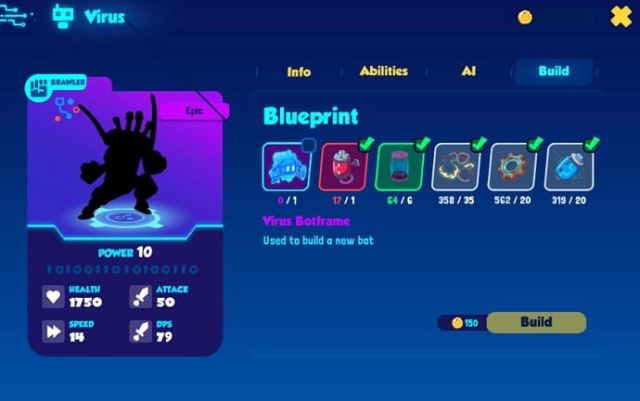
You will discover, build and collect rare and powerful bots to create the ultimate team. Search the world to discover new bot recipes and collect rare scrap to build and upgrade your favourites. Customise their powers and abilities as they level up and get stronger.
CHOOSE YOUR CHARACTER
Play as one of 4 species: cats, dogs, buffalo and lizards. Choose a unique look to add your own personality to the character.
CREATE OR JOIN A GUILD!
Now Botmasters can come together and collaborate in completing quests! Join an existing guild or create your own, with the ability to share strategies and discoveries through the guild text chat. When you have enough botmasters in your crew, venture forth and take on the guild exclusive events! Finish these so you can score some unique scrap and outfits!