
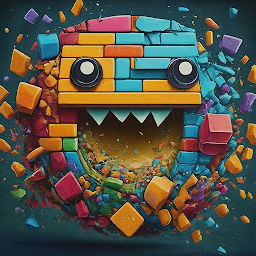


Brick Breaker - Ai Girls is a Casual game developed by AI Girls. LDPlayer is the best platform for playing Brick Breaker - Ai Girls on Windows PC, offering powerful features to enhance your immersive experience in Brick Breaker - Ai Girls.
When playing Brick Breaker - Ai Girls on your computer, if you find repetitive actions or tasks tedious and time-consuming, fret not! Macro can alleviate your concerns. Simply record your actions with a click of the screen recording feature and let macros take care of the rest. Macros automate your operations, allowing you to effortlessly conquer the game with minimal effort! Start downloading and playing Brick Breaker - Ai Girls on your computer now!
Feel the hit satisfaction with simple swipe control and using various balls!Nostress game for the bottom 10%! Hit the Balls
Play the game with beautiful guitar music !
Anyone can easily swipe the screen to aim the ball
Can enjoy BreakOut game by firing the aiming ball.
Through gimmicks that appear in each specific stage
You can enjoy the fun of clearing each stage.
spectacular display like a pinball game and cool hit satisfaction Prepared for swipe BreakOut mania.
Mobile Breakout-style game is Brick Breaker Music : Amazing Brick
[How to play]
• Swipe the screen to aim and shoot the ball.
( WOW! I thought the ball fired was a BB bullet!!!)
• When a brick's health reaches 0, it can be destroyed.
(The real fun of Breakout - COOL hit satisfaction is basic!)
• If a brick arrives the bottom, game will over.
(Destroy all the bricks before they reach the bottom!)
• You can play much more fun by using various items.
(There are many interesing items and one of them makes the number of balls 100.)
• You can clear the level efficiently by using the equipment on the stage.
[Game Feature]
• You can select and play the ball which you like.
(Balls are prepared in various designs, such as a shiny ball, a ball that looks like a BB bullet, a ball that explodes, etc)
• You can get music and balls by clearing the stage.
• Anyone can have fun with simple controls and easy rules.
(Swipe the screen and break all the bricks on the screen)
• Enjoy tons of levels of game for free.
(It is designed up to 1500 Level.)
• You can enjoy much more comfortably by using items and skills.
• Complete missions and collect lots of coins
• You can play without internet.
• You can also play in airplane mode.
• Supports 16 languages.
※ This game is available for in-app purchases. Additional costs are incurred when purchasing in-app purchases, and subscription withdrawal may be restricted depending on the type of purchased item.







