Boom Blast is a Strategy game developed by KingsGroup Holdings, and LDPlayer is the best platform for playing Boom Blast on Windows PC, offering powerful features for an immersive experience.
When playing Boom Blast on your computer, you can enjoy long game sessions using the operation recording feature to record repetitive operations to complete the same tasks automatically. It allows you to level up faster and makes resource grinding much more efficient.
In addition, if you want to execute combo moves or the game requires repeated skill actions, the macro feature is your best helper. It enables you to complete kills with just one click!
If you want to manage multiple accounts, LDMultiplayer and Synchronizer will assist you. You can run multiple alternative accounts at the same time to assist the leveling of your main account. Download and play Boom Blast on PC with LDPlayer now!
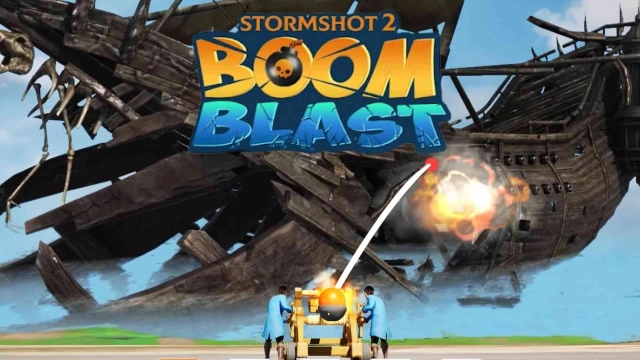
BoomBlast – Command the Doomsday Cannon, Conquer Pirate-Occupied Shores!Welcome to BoomBlast, a thrilling strategy and action game where you must destroy pirate-held beach castles and uncover hidden treasures. Inspired by the excitement of beach battles, you’ll carefully adjust your cannon’s aiming angle and fire devastating shots to demolish enemy structures.
Game Features:
◆ Strategic Cannon Fire & Treasure Hunting
Use precise aiming to blast apart pirate-occupied castles along the beach. Each destroyed building reveals valuable treasure and resources essential for your growth.
◆ Forge Powerful Weapons, Build Your Army
Collect resources from your conquests and craft superior weapons and guns. Recruit and deploy troops strategically to strengthen your forces and expand your territory.
◆ Master the Chaos Cannon
Take control of the mighty Chaos Cannon, a weapon of mass destruction. Timing and accuracy are crucial to breaking enemy defenses and leading your army to victory.
◆ Expand Your Stronghold & Territory
Construct and upgrade your base to defend your lands and support your growing forces. Explore and claim new territories to build a powerful empire.
◆ Join Forces & Conquer Together
Team up with players worldwide to battle rival factions fighting for control of the island’s treasures. Coordinate attacks, share resources, and dominate the battlefield.
Ready to blast through pirate defenses, forge unstoppable weapons, and command the chaos? Download BoomBlast now and start your strategic conquest!
Keywords: strategy games, war games, adventure games, survival games, demolition games, boom, beach, guns of boom, chaos cannon