
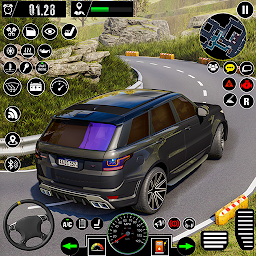


Car Games 3D: Car Driving is a Role Playing game developed by Wondrous Games, and LDPlayer is the best platform for playing Car Games 3D: Car Driving on Windows PC, offering powerful features for an immersive experience.
When playing Car Games 3D: Car Driving on PC, as a new player looking to start with a fresh account, the multi-instance and sync features are extremely useful for rerolls. You can use them to run multiple instances and begin the synchronization process. Bind your account until you draw the desired heroes.
In addition, operation recorder is great for games that require you to level up and complete tasks! Run the sync and record your actions, then repeat the main instance's actions in real-time. By doing so, you can run 2 or more accounts simultaneously. You can always get the heroes you want before others by faster rerolls and more efficient summoning! Start downloading and playing Car Games 3D: Car Driving on your computer now!
The main attraction of the car games 3d is its realistic car driving mechanics, you can enjoy different features like interior view, camera settings and parking sensors. Where you can choose a variety of cars and customize them according to your interest. Learn the car games 3d driving skill using the road signs very easily, you can even try to drive different manual and automatic cars in this driving simulator game.Car Games Driving Simulator:
The game includes 5 different modes: Racing, Stunt, Career, Free & Speed camera mode.
★ The racing mode takes place in four different environments, city, desert, dock and airport, each environment in car games offering a unique challenge and scenery. where you have to compete against other players and get 1st position.
★ In Stunt mode you have to perform daring stunts and tricks using you cars in parking games. The stunt mode also takes place in the same four environments, adding a new dimension of challenge and excitement.
★ The career mode in car games 3d allows users to progress through different levels and challenges of car_games, unlocking new cars and customization options as they advance.
★ The free mode allows players to explore the virtual environment and experiment with different cars and settings in driving games.
★ The camera mode lets players take stunning screenshots and videos of their cars in action, you have to make a highest score in parking games.
These various modes ensure that you can enjoy the car_games in different ways, whether you like racing, stunts, or exploration.
Accept the challenge, Now you are a pro driver in car games 3d - driving games, make a high speed drift in parking games so you can feel the sound and tyres noise.
Overall, this car games: driving simulator offers a thrilling and immersive experience that combines realistic car parking games & driving mechanics with exciting challenges and environments, making it a popular choice for gamers of all ages.
key Features of Car Games Driving Simulator:
-Amazing sound effects
-Multiple camera angles
-Realistic 3D environment
-Vehicles: hatchback, sedan, SUV
-Parking sensor
-Easy, smooth, and realistic car handling







