

Carrom 3D is a Board application developed by Zagmoid, but with the best Android emulator-LDPlayer, you can download and play Carrom 3D on your computer.
Running Carrom 3D on your computer allows you to browse clearly on a large screen, and controlling the application with a mouse and keyboard is much faster than using touchscreen, all while never having to worry about device battery issues.
With multi-instance and synchronization features, you can even run multiple applications and accounts on your PC.
And file sharing makes sharing images, videos, and files incredibly easy.
Download Carrom 3D and run it on your PC. Enjoy the large screen and high-definition quality on your PC!
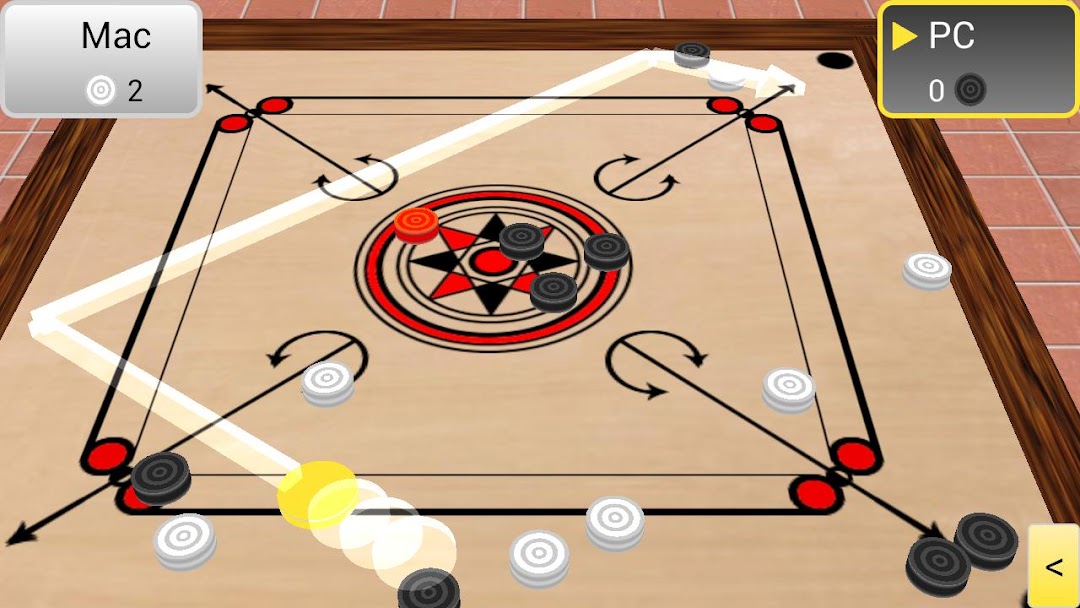
Carrom 3D will give you the experience of playing with a real carrom board on your android phone and android tablet.You can play with the automatic machine (with difficulty levels beginner, intermediate, or expert), or with a friend using the same phone or using another android phone/tablet as a network game through WIFI or Bluetooth.
For those who don't know carrom game, it is a strike and pocket game similar to billiards, or pools. Here in carrom (also known as karrom or carom) you will use the finger to shoot the pieces.
Controls are intuitive to any gamer. You will aim and shoot the disk using multi touch gestures. The game includes both a quick and a comprehensive tutorial to make you familiar with all the controls.
The game simulates the physics of the carrom accurately. You can try out any zig-zag shots you used to play in a carrom board.
At the start, you can play with a beginner machine, until you get familiar with the controls. Then try out the intermediate machine which is bit competitive (for me, may be not for you). The expert machine is there just to watch. Look at the video below for a classic carrom game between two expert machines.
Enjoy and have a great carrom season!!!