

Carrom Board Blaster King Game is a Board application developed by Px Games entertainment, but with the best Android emulator-LDPlayer, you can download and play Carrom Board Blaster King Game on your computer.
Running Carrom Board Blaster King Game on your computer allows you to browse clearly on a large screen, and controlling the application with a mouse and keyboard is much faster than using touchscreen, all while never having to worry about device battery issues.
With multi-instance and synchronization features, you can even run multiple applications and accounts on your PC.
And file sharing makes sharing images, videos, and files incredibly easy.
Download Carrom Board Blaster King Game and run it on your PC. Enjoy the large screen and high-definition quality on your PC!
A 3D multiplayer Carrom Board game and carrom pool game classic tabletop game to pot the pieces correctly.With simple gameplay, smooth controls and great physics, travel around the india and play against worthy opponents.Move the striker left and right using the bar at the bottom. Pot all the pucks before the opponent to win. Your turn continues if you pot a puck. Your turn is over if you don't pot a puck or commit a foul. In Freestyle, each puck is worth points. The first player to reach the target score wins. Your turn continues if you pot a puck.
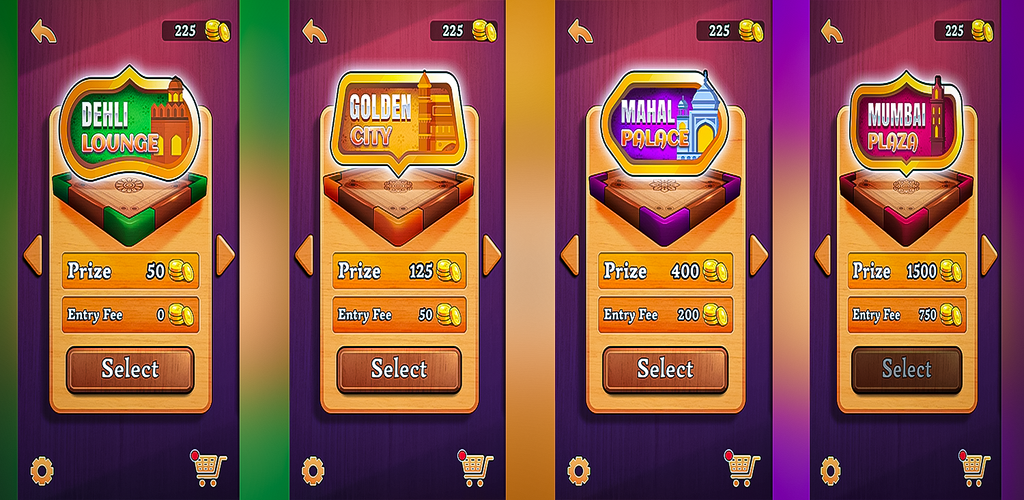
Carrom board blaster king game app permits access to play one-to-one carrom with another live user.Carrom is one of the famous internet board games in India and various countries. Pot all the coins before your opponent to win the game! Experience carrom with friends or against real players in play online multiplayer PVP mode or play local multiplayer. Show your carrom skills against computer or real opponent. But in this, you have to place your money first to win more money, or you can say that you have to pay some entry fee to participate in the matches.
♦You have to hit the puck from a striker to start the game and then drag the striker on the striker line from left to right.
♦Strike when you are confident about your move and then, hit with your finger in the right direction to take a shot.
♦If you put the striker except for the pucks in the net, then it’s a foul, and a penalty can be charged on you!
♦A person who potted all the pucks and the queen firstly will be the winner.
♦If you are highest on the leaderboard, you can get a bonus every week, month, or day
Features:
♦Play multiplayer matches in 3 game modes: Carrom, Free Style and Disc Pool .
♦Play with your friends .
♦ Smooth controls and realistic physics.
♦Unlock a wide range of strikers and pucks.
♦Win free victory chests with exciting rewards.
♦Upgrade your strikers and unleash frenzy.
♦Supports offline play .