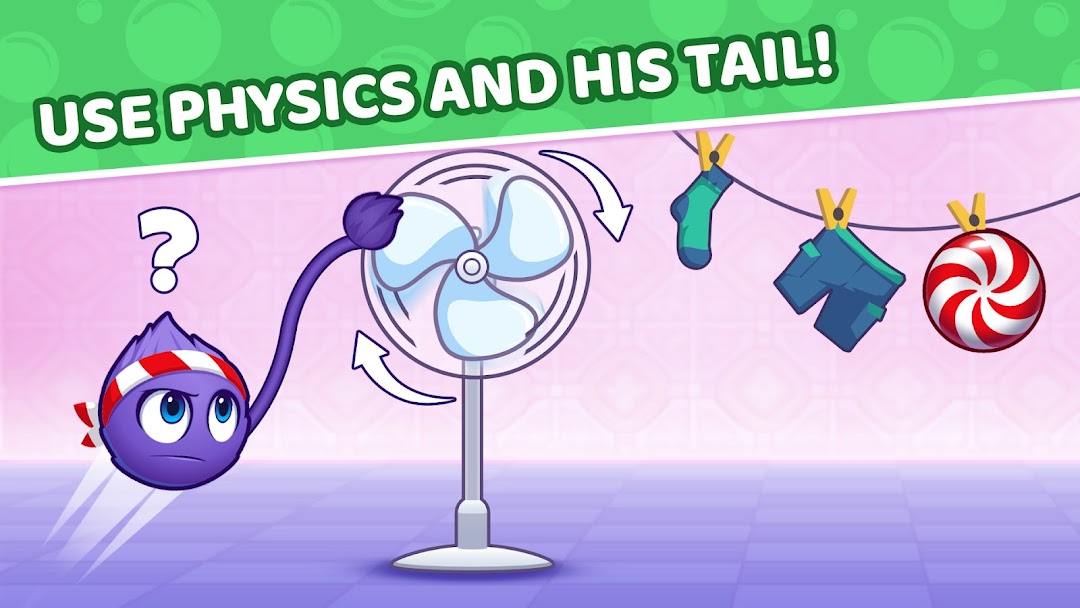
Catch the Candy 2・brain puzzle is a Puzzle application developed by HeroCraft Ltd., but with the best Android emulator-LDPlayer, you can download and play Catch the Candy 2・brain puzzle on your computer.
Running Catch the Candy 2・brain puzzle on your computer allows you to browse clearly on a large screen, and controlling the application with a mouse and keyboard is much faster than using touchscreen, all while never having to worry about device battery issues.
With multi-instance and synchronization features, you can even run multiple applications and accounts on your PC.
And file sharing makes sharing images, videos, and files incredibly easy.
Download Catch the Candy 2・brain puzzle and run it on your PC. Enjoy the large screen and high-definition quality on your PC!
Solve logic puzzles and help Fluffy catch the sweet reward!Welcome to a bright and relaxing world of brain puzzle fun. Here, logic and physics work together to create addictive puzzle levels for all ages. Pull, swing, and plan each move carefully — the goal is simple, but the path is a true test of logic. Unlike casual kids games, this adventure rewards attention, accuracy and smart thinking.
Think, plan and solve every puzzle quest
Each level is a fluffy logic experiment. Use gravity and movement to find the right solution. Fluffy reacts to your actions, and every object follows realistic physics. No timers, no rush — just pure brain puzzle mechanics that train logic and patience.
Game features:
🧩 Real logic puzzles
Each level is a mini puzzle where you must analyze, predict and act. Perfect for fans of logic and brain training.
🧠 Brain puzzle for all ages
Easy to start, hard to master. Kids and adults can enjoy these kids games while developing thinking skills.
🎯 Physics based logic
Every object moves according to real laws of motion. Use it to help Fluffy reach the candy. One precise move can solve a complex puzzle.
🌈 Creative puzzle levels
From frozen caves to tropical islands, each stage brings a new logic quest with unique solutions.
🎮 Simple controls, smart design
Just tap, hold and swing! The mechanics are easy to learn, but each quest tests your strategy.
✨ Progress system
Unlock new worlds and levels as you complete logic puzzles — your brain puzzle journey never ends. Continue Fluffy’s sweet quest!
A logic adventure for everyone
Whether you play for relaxation or to train your mind, this game offers the best of both worlds. Each puzzle is a quest to find balance between logic and fun. No pressure — just satisfying progress through hundreds of brain puzzle levels.
Why download now?
• Unique mix of physics and logic puzzles
• Playful design suitable for kids games and adults
• Dozens of puzzle quests with smart solutions
• Brain training with Fluffy that feels fun, not stressful
• Offline mode — solve puzzles anywhere
Catch the Candy — a logic puzzle quest for bright minds!
Relax, train your brain, and discover why players around the world love these colorful puzzles. Play now and prove your logic skills — help Fluffy catch the candy!
___________________________________
Love brain puzzle games and logic quests? Join the community!
X: @Herocraft
YouTube: youtube.com/herocraft
Facebook: facebook.com/herocraft.games