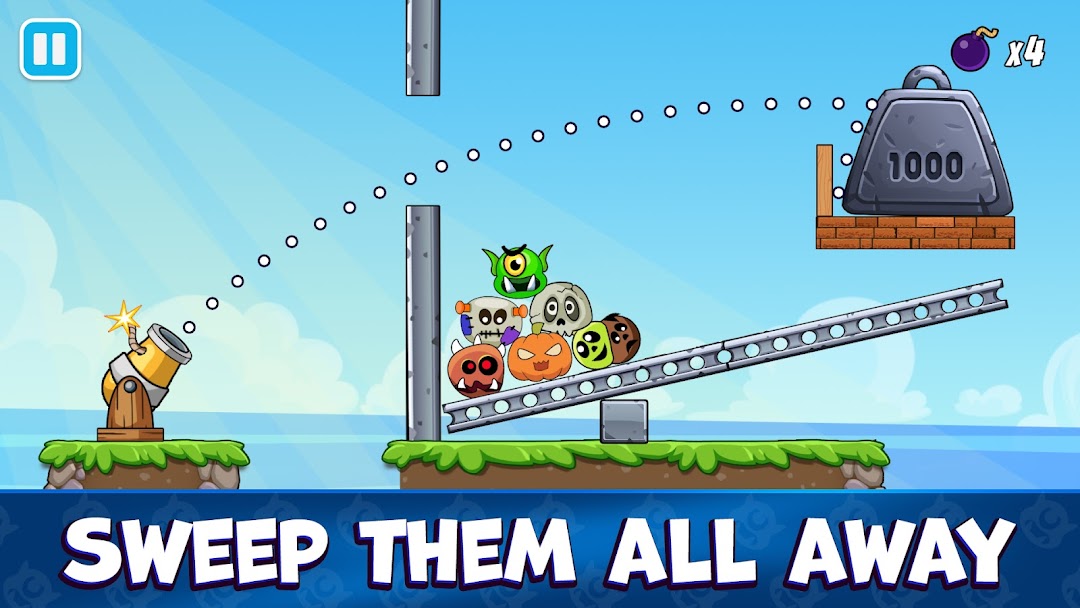
Tricky Traps: Catapult puzzle is a Puzzle application developed by HeroCraft Ltd., but with the best Android emulator-LDPlayer, you can download and play Tricky Traps: Catapult puzzle on your computer.
Running Tricky Traps: Catapult puzzle on your computer allows you to browse clearly on a large screen, and controlling the application with a mouse and keyboard is much faster than using touchscreen, all while never having to worry about device battery issues.
With multi-instance and synchronization features, you can even run multiple applications and accounts on your PC.
And file sharing makes sharing images, videos, and files incredibly easy.
Download Tricky Traps: Catapult puzzle and run it on your PC. Enjoy the large screen and high-definition quality on your PC!
Break, solve and outsmart! A physics puzzle where logic matters most.The catapult is ready, monsters are hiding, and each shot can launch a full chain reaction. Tricky Traps is a bright puzzle quest built on logic, precision and satisfying destruction. Every level is a small challenge designed to test your mind, not your speed — a true entry in the world of logic games.
Puzzle levels with personality
Sneaky monsters hide behind constructions full of traps and moving parts. Your task is to read the scene, predict how objects will react and find a smart solution. One accurate shot can collapse an entire structure — that’s what makes great monster games so fun.
You have a catapult, physics and logic on your side. The rest is up to your decisions.
Features:
👻 Monsters that challenge your thinking
They bounce, tease and try to confuse you — until a clever move sends them flying. Stronger enemies and unique behaviors appear as the puzzles grow more complex.
🧩 Creative physics puzzles
Saws, explosive barrels, buttons and wild mechanisms make every level feel fresh. Some puzzles look simple at first glance; others surprise you with unexpected solutions. But each one is designed to be satisfying to solve.
🏹 One shot can solve the puzzle quest
A well-aimed strike can trigger a long chain reaction. The catapult and cannon aren’t just weapons — they’re tools for solving physics-based challenges.
⚙️ Physics that reward smart decisions
Angle, force, momentum — everything matters. In these monster games you don’t need formulas: the game uses intuitive physics that make each puzzle feel fair and logical.
🎮 Play logic games. offline anytime
Perfect for quick sessions or longer thinking streaks. Solve a few puzzles on the go or enjoy a full puzzle run at home.
The monsters are already nervous
Tricky Traps blends inventive physics puzzles, playful chain reactions and the joy of finding the perfect solution. Collapse tricky structures, use traps to your advantage and defeat monsters with satisfying shots.
Load the catapult and start your puzzle quest!
__________________________________________________________________________
Do you like monster games, puzzles and logic games? We are monsters in this business, we have something to offer!
X: @Herocraft_rus
Youtube: youtube.com/herocraft
Facebook: facebook.com/herocraft.games