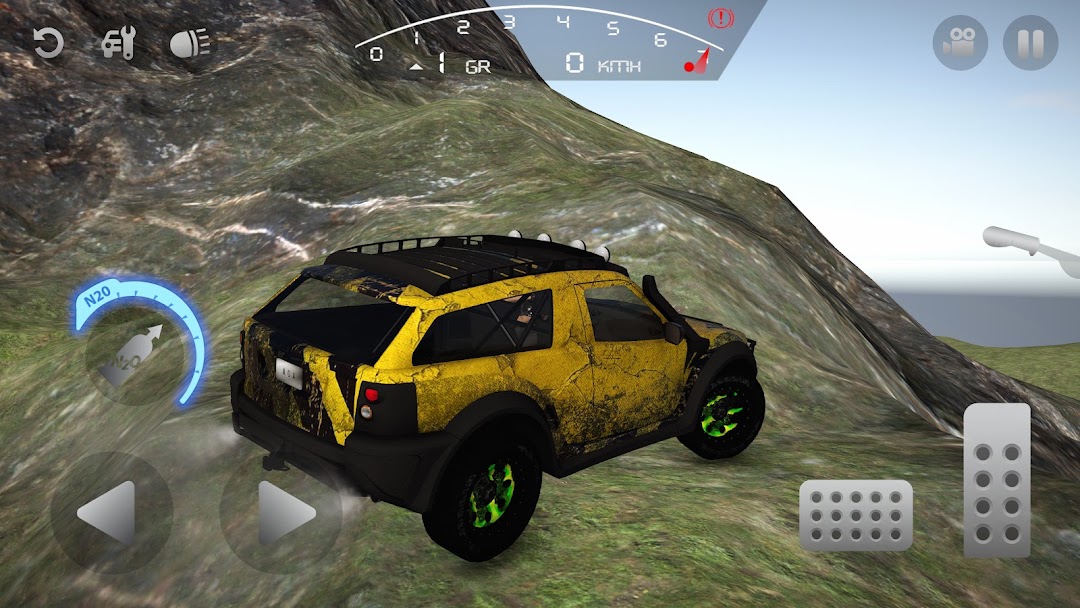
CDS: Car Driving Simulator Pro is a Simulation application developed by Ada Games Studio, but with the best Android emulator-LDPlayer, you can download and play CDS: Car Driving Simulator Pro on your computer.
Running CDS: Car Driving Simulator Pro on your computer allows you to browse clearly on a large screen, and controlling the application with a mouse and keyboard is much faster than using touchscreen, all while never having to worry about device battery issues.
With multi-instance and synchronization features, you can even run multiple applications and accounts on your PC.
And file sharing makes sharing images, videos, and files incredibly easy.
Download CDS: Car Driving Simulator Pro and run it on your PC. Enjoy the large screen and high-definition quality on your PC!
CDS: Car Driving Simulator PRO will mark the year 2023 as an advanced real car driving simulator. With the best driving physics, a large open world where you can drive and drift freely, and extraordinary customizations, you won't be able to give up on CDS!- CDS comes with Classic cars, off-road cars, race cars, tuners and SUVs! Choose your favorite car and modify it endlessly! Then you can drift as you wish and burn the asphalt!
- CDS PRO, you can upgrade the engine, transmission, wheels and suspension of All cars. You can even make the engine scream by plugging in nitro and dusting the roads.
- You can experience car driving at different times with day and night modes for the best car driving simulator.
- If you like to modify, you will not be able to give up Car driving simulator PRO. If you want to be a modification master, choose your vehicle now and modify your car with thousands of modification options!
- CDS is totally free for you to have the best car driving experience! Soon you will be able to drive and drift with your friends with the online mode.
• OVERCUSTOMIZATION AND CAR PAINTS
Build your dream car with unlimited customizations and show it to your friends! From endless decals to pro car paints, rim customizations and car suspension camber tuning, extreme customization awaits!
• REAL CAR DRIVING PHYSICS
CDS comes with the best car driving simulator experience with Advanced car driving physics! Every SUV, Sports car and racing car has its own physics!
• OPEN WORLD MAP
CDS is designed for you to test your extreme car driving skills and drift freely. It's a big city for you to get into traffic. Plenty of land areas for you to do offroad. CDS: Car Driving Simulator comes with a large, well-designed open world map. Choose your SUV, climb the endless offroad areas and experience the most realistic offroad driving experience.
• BEST SOUND EFFECTS AND BEST GRAPHICS
All sounds are identical to the sounds of real cars so that you can experience the real car. From the most powerful racing car sound to the cutter sounds and extreme offroad engines, every car has its own unique sound.
CDS offers the most realistic graphics and car driving experience in top quality 3D.