Home/

Games/

Strategy/

Civilization: Eras & Allies 2K

Civilization: Eras & Allies 2K
0.0500+

Civilization: Eras & Allies 2K

Build your empire, forge alliances, battle kingdoms across the ages & conquer!

Play on PC with LDPlayer
recommend
2K, Inc. - a Take-Two Interactive affiliate
How to Download&Play Civilization: Eras & Allies 2K on PC?
Last Updated: 2026-02-07
com.t2k.prometheusroa
Share:
  • Overview

  • FAQ

  • Game Guides

Use LDPlayer to Play Civilization: Eras & Allies 2K on PC

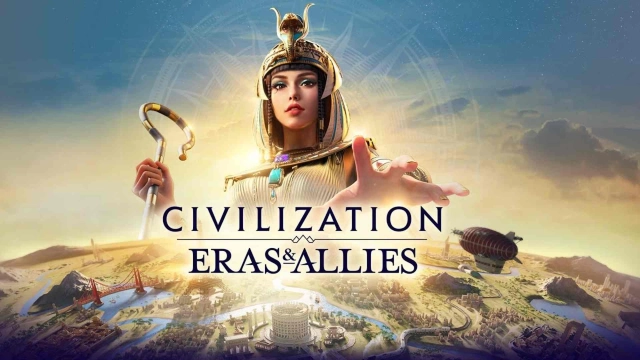
Civilization: Eras & Allies 2K is a free-to-play massively multiplayer real-time strategy (MMORTS) game published by 2K Games and developed by Firaxis Games, where you lead civilizations through history to build, battle, and govern your empire to greatness .

Background & Story

Guide your civilization from antiquity to modernity: choose iconic leaders like Julius Caesar and Sun Tzu, construct ancient wonders, research pivotal technologies, and shape the destiny of empires on a dynamic, ever-changing world map 

Game Features

  • Empire Building & Strategic Management
    Build wonders like the Great Pyramids, unlock civilization-specific bonuses, and research technologies across eras 

  • Real-Time 4X Strategy Battles
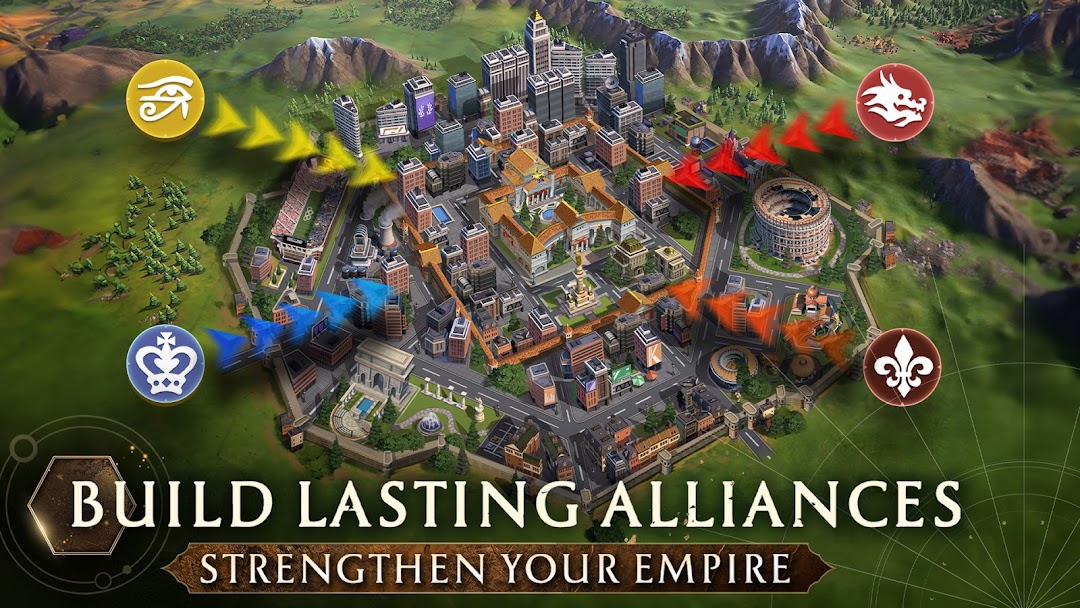
    Engage in MMO-scale warfare, command armies, conquer enemies, and test your tactics in live battles 

  • Command Historical Leaders
    Recruit and deploy over 150 legendary figures—Caesar, El Cid, Boudica, Sun Tzu—to lead your forces and defend your empire

  • Cross-Era Warfare
    Experience epic battles that span time—Ancient Egypt vs. Feudal Japan—in a shared world populated by thousands of players 

  • Seasonal Challenges & Alliances
    Compete in time-limited seasons for era-specific rewards and join alliances of up to 200 players for diplomacy, trade, and coordinated warfare 

Boost Your Experience with LDPlayer

Play Civilization: Eras & Allies 2K on PC with LDPlayer:

  • Precise Controls: Full keyboard-and-mouse support for accurate city building and strategy execution.

  • Full-Screen HD & Smooth Performance: Enjoy stable gameplay on a larger screen without mobile limitations.

  • Multi-Instance Support: Manage multiple civilizations simultaneously to optimize seasonal rewards and strategies.

  • Macro Automation: Automate repetitive tasks like resource gathering and city upgrades with operation recorder.

Take command of history—download Civilization: Eras & Allies 2K, play it on LDPlayer for enhanced control and visuals, and lead your civilization to triumph across the ages!

Open up

Screenshots and Videos of Civilization: Eras & Allies 2K PC

Experience a wider field of view, exquisite game graphics, and cooler combat skills and effects by downloading and playing Civilization: Eras & Allies 2K on PC with LDPlayer. Enjoy the ultimate gaming experience with LDPlayer.

Why Play Civilization: Eras & Allies 2K on PC with LDPlayer?

LDPlayer offers unique emulator features including multi-instance support, macros, operation recorder, and other functions not available on mobile devices.

Multi-Instance

Remote Control

One-Click Macro

Multi-InstanceRemote ControlOne-Click Macro

When playing Civilization: Eras & Allies 2K, opening multiple instances s to run different game accounts, with synchronization, allows for operation of multiple accounts simultaneously. This is extremely helpful for managing multiple game accounts or coordinating teamwork during gameplay.

  • Video Recorder

    Easily capture your performance and gameplay process in Civilization: Eras & Allies 2K, aiding in learning and improving driving techniques, or sharing gaming experiences and achievements with other players.
  • Keyboard & Mouse

    In Civilization: Eras & Allies 2K, players frequently perform actions such as character movement, skill selection, and combat, where keyboard and mouse offer more convenient and responsive operation.

How to Download&Play Civilization: Eras & Allies 2K on PC?

  • 1

    Download and install LDPlayer on your computer

  • 2

    Locate the Play Store in LDPlayer's system apps, launch it, and sign in to your Google account

  • 3

    Enter "Civilization: Eras & Allies 2K" into the search bar and search for it

  • 4

    Choose and install Civilization: Eras & Allies 2K from the search results

  • 5

    Once the download and installation are complete, return to the LDPlayer home screen

  • 6

    Click on the game icon on the LDPlayer home screen to start enjoying the exciting game