
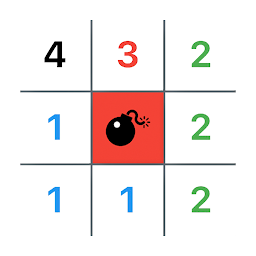


Clear Mines | Classic Puzzle is a Puzzle application developed by Kazuki Yoshimine, but with the best Android emulator-LDPlayer, you can download and play Clear Mines | Classic Puzzle on your computer.
Running Clear Mines | Classic Puzzle on your computer allows you to browse clearly on a large screen, and controlling the application with a mouse and keyboard is much faster than using touchscreen, all while never having to worry about device battery issues.
With multi-instance and synchronization features, you can even run multiple applications and accounts on your PC.
And file sharing makes sharing images, videos, and files incredibly easy.
Download Clear Mines | Classic Puzzle and run it on your PC. Enjoy the large screen and high-definition quality on your PC!
Enjoyable for both beginners and experts with intuitive controls. Can you avoid the mines and uncover all the squares? Give it a try!Features:
Five difficulty levels: Suitable for all play styles, from beginners to experts.
Intuitive controls: Tap to open squares and long press to place flags with ease.
Score feature: Records the top 10 clear times for each difficulty level.
Recommended for:
- Puzzle game enthusiasts
- Those who want to exercise their brain
- Fans of classic games
- Those looking for a game to enjoy in a short time
How to Enjoy the Game:
1.Tap on the squares on the board to open them.
2.Numbers indicate the number of mines in the surrounding 8 squares.
3.Place flags on squares where you think there are mines.
4.Clear all the squares without hitting any mines to win!







