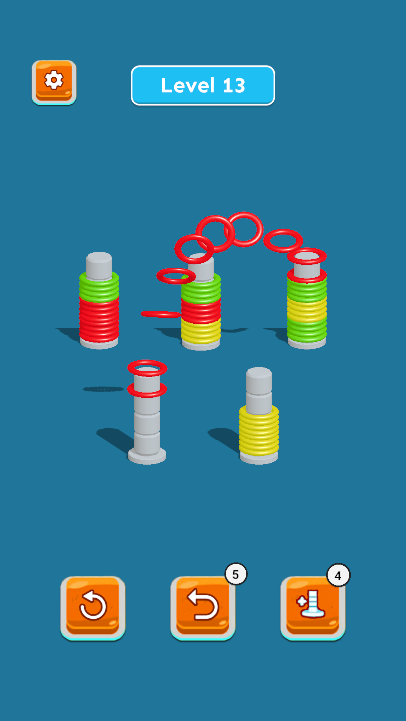
Color Hoop- Slinky Sort 3D is a Puzzle application developed by GTQ llc, but with the best Android emulator-LDPlayer, you can download and play Color Hoop- Slinky Sort 3D on your computer.
Running Color Hoop- Slinky Sort 3D on your computer allows you to browse clearly on a large screen, and controlling the application with a mouse and keyboard is much faster than using touchscreen, all while never having to worry about device battery issues.
With multi-instance and synchronization features, you can even run multiple applications and accounts on your PC.
And file sharing makes sharing images, videos, and files incredibly easy.
Download Color Hoop- Slinky Sort 3D and run it on your PC. Enjoy the large screen and high-definition quality on your PC!
Unleash Your Inner Sorting Master with Color Hoop-Slinky Sort 3D!Calling all puzzle enthusiasts and color connoisseurs! Tired of the same old water sorting games? Get ready to be slinkified with a revolutionary new concept – Color Hoop-Slinky Sort 3D! This vibrant game takes the classic sorting puzzle to a whole new level, challenging your mind and dazzling your senses with its slinky twists and turns.
Unwind and Sort with Colorful Slinky Fun!
Ditch the stress and dive into a world of mesmerizing colors and satisfying swipe sorting. In Color Hoop-Slinky Sort 3D, you'll become a master organizer, arranging a rainbow of slinky hoops across multiple poles. It's simple to learn, yet devilishly addictive! Here's how to unlock your inner sorting genius:
1. Pick a Hoop: Choose a brightly colored hoop from any pole.
2. Swipe and Sort: With a simple swipe, move the hoop to another pole, but there's a catch!
3. Connect by Color: You can only stack hoops on top of ones with the same color or an empty pole. Think strategically and plan your connect moves!
4. Sorting Mastery: The level is complete when all hoops of the same color are stacked together on individual poles. A true sorting puzzle masterpiece!
Challenge Yourself with Endless Sorting Fun!
Color Hoop-Slinky Sort 3D offers an incredible sorting game experience with:
No Time Limits, Endless Fun: Relax and take your time – there are absolutely no time limits. Sort at your own pace and enjoy the journey.
Unlimited Restarts: Made a mistake? No worries! You can reset the level as many times as needed.
9000+ Levels of Sorting Bliss: Dive into a mind-boggling array of over 9000 challenging levels, each pushing your sorting skills to the limit.
Beyond Slinky Sorting – Sharpen Your Mind!
Color Hoop-Slinky Sort 3D is more than just a fun game; it's a fantastic way to exercise your brain. Each sorting puzzle challenges your strategic thinking, planning skills, and problem-solving abilities. As you progress through the levels, you'll find yourself becoming a sorting master, tackling increasingly complex challenges with ease.
Ready to Unleash the Slinky Sorting Fun?
Download Color Hoop-Slinky Sort 3D today and embark on a vibrant sorting adventure! It's the perfect game to unwind, challenge yourself, and unleash your inner sorting champion. So, grab your phone, get ready to swipe and sort, and prepare for a whole new level of puzzle fun!