
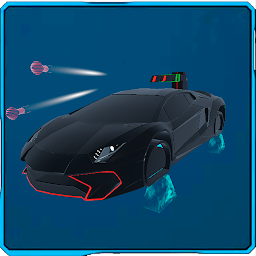


Cyber Hunter is a Racing game developed by ces-engine. LDPlayer is the best platform for playing Cyber Hunter on Windows PC, providing robust features to help you achieve an immersive experience in Cyber Hunter.
When playing Cyber Hunter on your computer, if you prefer using your own gamepad to control the game, LDPlayer's automatic gamepad detection can assist you in customizing controls with just a few simple clicks, allowing you to enjoy more realistic racing scenes and challenges.
With support for high frame rates, the game's diverse track designs and rich terrain and environmental changes become even more lifelike and detailed.
Additionally, the video recording feature makes it easy for you to capture all the exciting and amusing races and game content, making it convenient to share with friends or create videos. Start downloading and playing Cyber Hunter on your computer now!
You have to take part in the hunt on the Neon City flying cars equipped with weapons, you must destroy all opponents to open the story of your pilot.A fast-paced racing shooter that will require all your in-game skills in driving cars and controlling weapons. Upgrading weapons, beautiful skins for individuality, a variety of abilities.
With each release of the new season of the game, you will be more and more immersed in the story of the main character, who will appear in the second season, and you will not only have to fly and shoot from enemies - you will have to control the character from the third person.
Take part in in-game events to get skins, decals, music and new types of transport.
There are still many plans for the development of the game, and your feedback is important to us - in order to understand whether we are moving in the right direction or not.
Well, we will try not to disappoint you with the gameplay and the variety of the game.







