Roly Poly Sheep is a Arcade application developed by Digital Decisions, but with the best Android emulator-LDPlayer, you can download and play Roly Poly Sheep on your computer.
Running Roly Poly Sheep on your computer allows you to browse clearly on a large screen, and controlling the application with a mouse and keyboard is much faster than using touchscreen, all while never having to worry about device battery issues.
With multi-instance and synchronization features, you can even run multiple applications and accounts on your PC.
And file sharing makes sharing images, videos, and files incredibly easy.
Download Roly Poly Sheep and run it on your PC. Enjoy the large screen and high-definition quality on your PC!
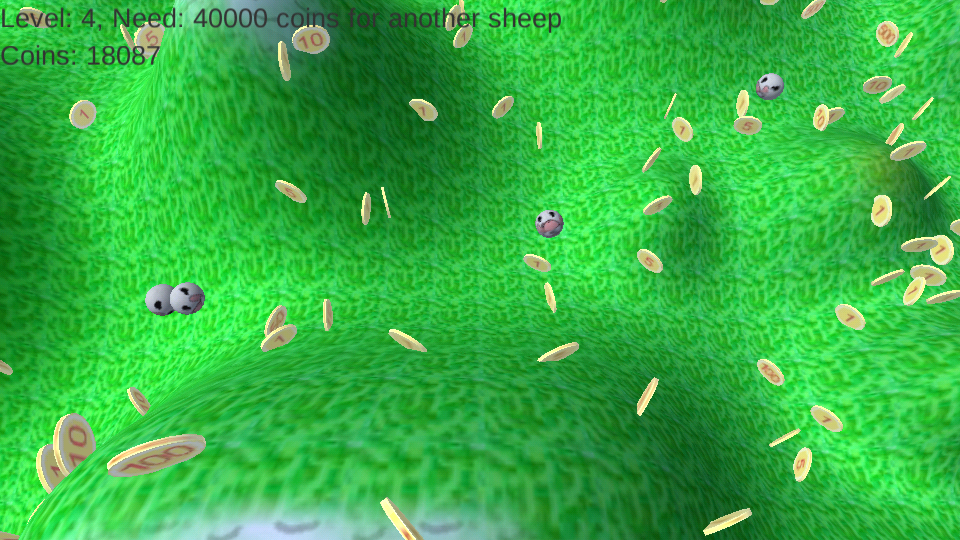
There's gold in them thar hills, and Roly Poly Sheep are collecting it and playing on the way to their pasture.Roly Poly is out to find friends, but must graze and collect coins to free them.
This is a game for all ages because youngsters can simply enjoy the cute sheep, fun 3D motion, sounds, music, and reactions. Adults can appreciate the increasing challenge, and the physics behind the rolling sheep, and enjoy the funny little critters too! This game is somewhat reminiscent of the little pocket games that you tilt to roll little balls to a goal.
Start the game with your phone/tablet level (as if it has a marble on it). You control the round little sheep by simply tilting your phone or tablet in the direction they should roll. Roll the funny little sheep around collecting coins. When you get all the sheep in the fenced pasture, they give off a poof of joy and then they start a new round with a fresh batch of coins. If you have enough coins, a new sheep is bought and added to your fold, and you can collect gold coins all the quicker!
At first you have one little roly poly lamb, and it is fairly easy to bring him to the pasture to start another round, but after you've earned a few more sheep, it becomes a bit more challenging (and fun)!
A few hints...
- You can zoom the camera out by doing a pinching motion on the screen.
- You can follow a single sheep by tapping on it. It will baaa, spin, and give a poof too.
- To go back to auto-zoom, just tap anywhere else on the screen.
- If a sheep falls out of the playing area, it just starts at the beginning again.
Our team has a gazillion ideas on additional features for the game, so please stay tuned!