Plants vs. Zombies™ 3: Evolved
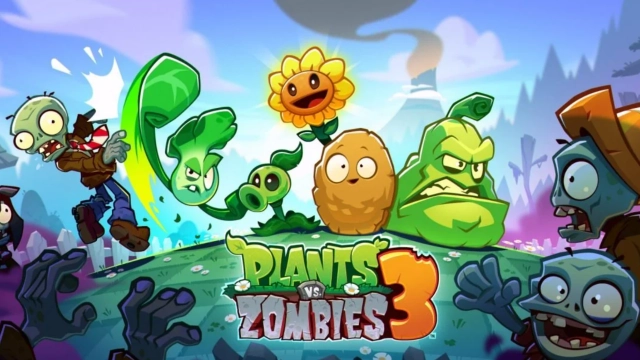
Introduction Welcome back to Neighborville! Plants vs. Zombies™ 3: Evolved brings a fresh, modernized twist to the iconic tower defense franchise you know and love. In this early "Seedling Build," players can experience the classic lane-based zombie survival gameplay enhanced with a brand-new, zany "Merge and Mutate" mechanic. Join Crazy Dave and your delightfully dangerous plant roster to defend your brains, customize your home, and battle Dr. Zomboss' undead hordes in an ever-evolving, comic-inspired strategic adventure.
Core Gameplay & Features
-
Merge, Mutate, Mayhem: Adapt your defense mid-battle! Combine and evolve your plants on the fly to discover unique tower defense strategies and unleash chaotic, lawn-shaking combos against the undead.
-
Classic Tower Defense Evolved: Test your real-time strategy skills across over 200 fast-paced levels. Defend your lanes, unlock new biomes, and encounter wacky new zombie variants.
-
Customize Your Home & Character: Why defend brains if you can’t do it in style? Express yourself with a highly customizable player avatar and decorate your personal space in the neighborhood.
-
Vibrant Community Events: Join a lively community space. Collaborate with friends and other players in backyard brawl garden parties to harvest exclusive rewards.
-
Story-Driven Adventures: Play through hilarious, comic-inspired storylines filled with signature PvZ humor, progressing through themed seasons and Battle Pass rewards.
Players are excited about PvZ 3: Evolved because it successfully retains the charm of the original games while introducing dynamic new merge mechanics that force you to think on your feet.
Play Plants vs. Zombies™ 3: Evolved on PC with LDPlayer for Best Experience
-
Lightning-Fast Mouse Controls: The new mid-battle merge mechanics require quick reflexes. Dragging, dropping, and mutating plants with a mouse offers pinpoint accuracy, completely eliminating the risk of fatal touchscreen misclicks when a zombie is inches from your house.
-
Immersive Big Screen Defense: Keep a close eye on all lanes simultaneously. A large PC monitor provides a crystal-clear overview of your entire lawn, making it easier to spot sneaking zombies and appreciate the vibrant, updated art style.
-
Smooth, Lag-Free Mayhem: When the screen fills with massive plant combos and huge zombie waves, mobile devices can stutter. LDPlayer guarantees stable, high-frame-rate performance to keep your real-time strategy flawless.
-
Uninterrupted Zombie Survival: Defend Neighborville for hours without worrying about draining your phone's battery, incoming calls, or device overheating. Keep your lawn safe 24/7 on your PC.
Plant your seeds, merge your defenses, and stop Dr. Zomboss in his tracks—download Plants vs. Zombies™ 3: Evolved on PC and perfect your tower defense strategy with LDPlayer!