
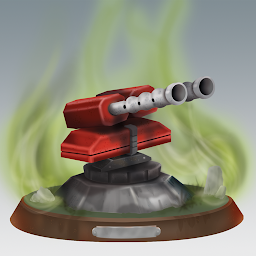


Turret Defense is a Strategy game developed by LOM Games, and LDPlayer is the best platform for playing Turret Defense on Windows PC, offering powerful features for an immersive experience.
When playing Turret Defense on your computer, you can enjoy long game sessions using the operation recording feature to record repetitive operations to complete the same tasks automatically. It allows you to level up faster and makes resource grinding much more efficient.
In addition, if you want to execute combo moves or the game requires repeated skill actions, the macro feature is your best helper. It enables you to complete kills with just one click!
If you want to manage multiple accounts, LDMultiplayer and Synchronizer will assist you. You can run multiple alternative accounts at the same time to assist the leveling of your main account. Download and play Turret Defense on PC with LDPlayer now!
This game is a chance for you to test your strategy skills. Do NOT let anything pass through your defenses.Are you ready for a challenge? Do you like strategy games? Do you think you can protect your base against many waves with tough enemies?
Turret Defense is a tower defense game with many features. The stages are not easy, and it gets harder in each stage. You need to develop different tactics for each level.
In this TD game your mission is not to enemy to get pass through your defenses. To win, you will be needing attention and focus.
Each successfull stage will gain you cash to upgrade your towers in different ways. You will need these upgrades in further levels.
Tower Defense game with 20 levels. Many upgrades and many features. Player must develop different strategies to win each level.
Main Features of Turret Defense;
-Military concept
-5 types of turrets (towers) with upgrades
-skills that can save you from difficult situations. (If something goes south)
-obstacles that block you to build towers. You can destroy the obstacles to place towers. They also gain you cash for turrets.
-4 different map styles with 20 different maps. (in some of them, it`s raining or snowing)
-tips
-9 types of enemy







