

Battle Nations is a Strategy game developed by Madrona Games, and LDPlayer is the best platform for playing Battle Nations on Windows PC, offering powerful features for an immersive experience.
When playing Battle Nations on your computer, you can enjoy long game sessions using the operation recording feature to record repetitive operations to complete the same tasks automatically. It allows you to level up faster and makes resource grinding much more efficient.
In addition, if you want to execute combo moves or the game requires repeated skill actions, the macro feature is your best helper. It enables you to complete kills with just one click!
If you want to manage multiple accounts, LDMultiplayer and Synchronizer will assist you. You can run multiple alternative accounts at the same time to assist the leveling of your main account. Download and play Battle Nations on PC with LDPlayer now!
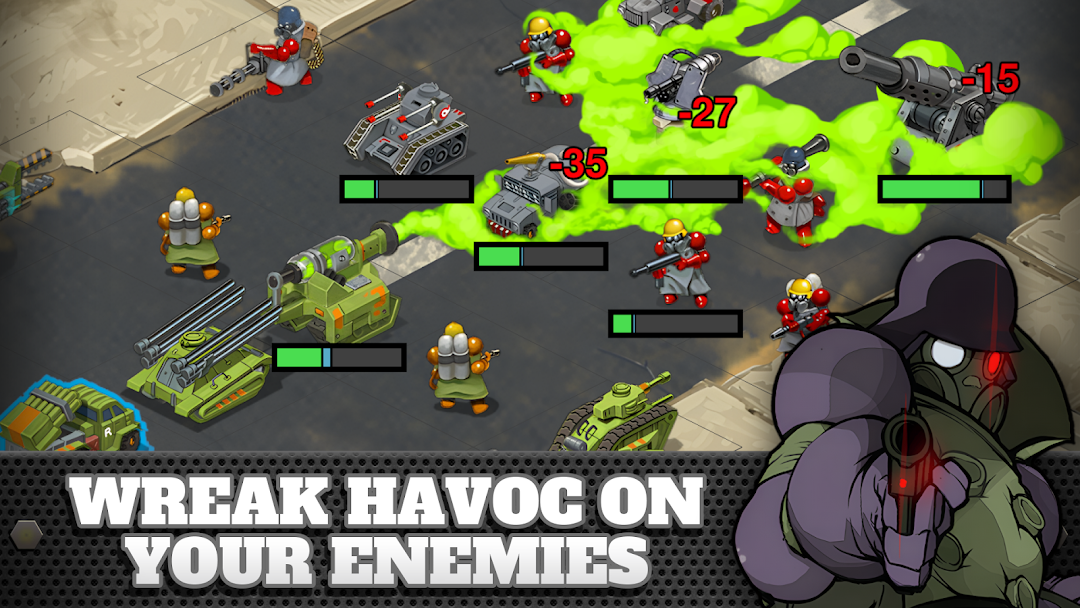
Battle Nations is back! Build your empire and lead your armies to victory! Choose from traditional troops and vehicles or unleash exotic forces like mammoths, velociraptors, sandworms, and futuristic plasma units!War has engulfed the continent of Ateria, and only your leadership can end the rebel threat. Construct and manage a thriving city, gather critical resources, and assemble your unstoppable army. Engage in epic battles across diverse terrains using various unique units. Build and customize your thriving city, optimizing resource management and defense. Unite with memorable heroes and charismatic misfits, each with their own compelling stories. Experience a richly developed wartime narrative filled with humor, drama, and surprises. Compete and collaborate with players around the globe through guilds and multiplayer events. Strategically unlock powerful mercenaries, tanks, and one-of-a-kind special forces. Challenge yourself with tactical combat scenarios and PvP battles to prove your supremacy.
“This game has a great look to it...and its roster of characters are well-written and even sometimes genuinely funny.” — Kotaku.com
“Battle Nations is freemium done well, offering more entertainment for your download than most of its competition.” — TouchArcade.com
Join the ranks, Commander—your empire awaits!
NOTES:
Battle Nations is completely free-to-play, however, some items can be directly purchased for real money. If you don't want to use this feature, please disable in-app purchases in your device's settings. A network connection is required to play Battle Nations.
Follow us on Twitter @BattleNations for the latest news, events, and more! Interested in engaging discussions about Battle Nations with your fellow players or looking for a Guild? Visit the Official Battle Nations Discord at: https://discord.gg/battlenations
Have questions, issues, or suggestions? Please visit:
https://support.madronagames.com