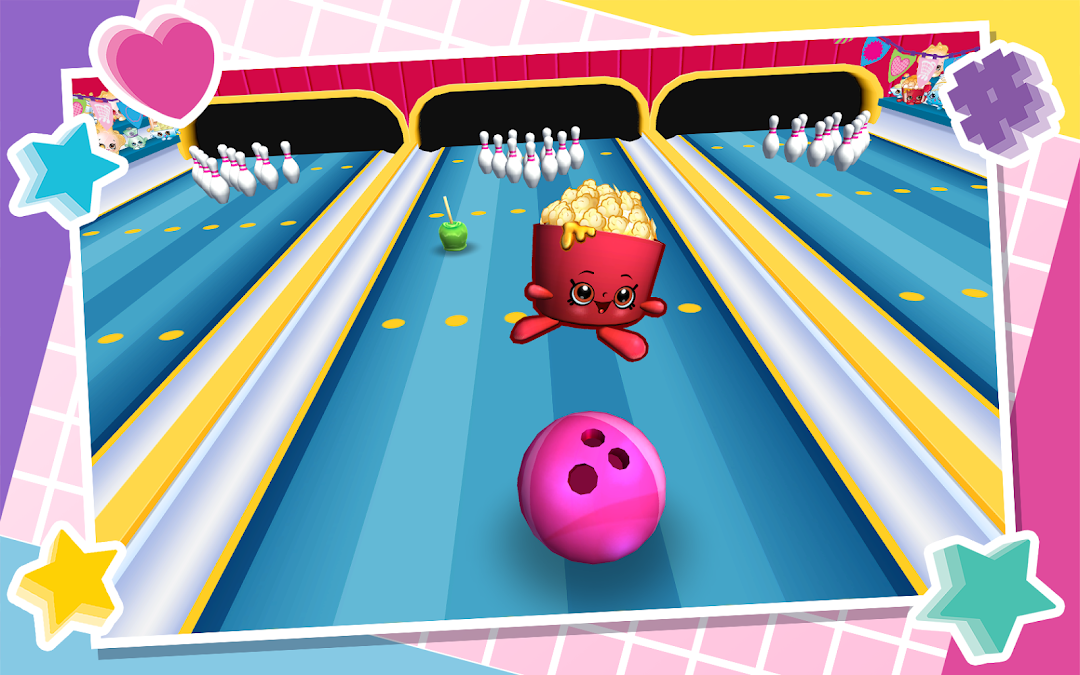
Shopkins World! is a Arcade application developed by Mighty Kingdom, but with the best Android emulator-LDPlayer, you can download and play Shopkins World! on your computer.
Running Shopkins World! on your computer allows you to browse clearly on a large screen, and controlling the application with a mouse and keyboard is much faster than using touchscreen, all while never having to worry about device battery issues.
With multi-instance and synchronization features, you can even run multiple applications and accounts on your PC.
And file sharing makes sharing images, videos, and files incredibly easy.
Download Shopkins World! and run it on your PC. Enjoy the large screen and high-definition quality on your PC!
Explore Shopville and play mini games with all of your favorite Shopkins including Apple Blossom, Lippy Lips, Cheeky Chocolate and Kooky Cookie! Stock up on candy at the Candy Shop, get creative in the Stationery shop, sort rainbow cakes in the Cake shop, help Donatina at her Donut Cart and more!FEATURES
- Collect and play with all your favorite Shopkins from Seasons 1 to 10 and add them to your My Shopkins Collection
- Explore the Shopville street and interact with your favorite Shopkins
- Play games, earn coins and unlock Shopkins!
- 24 fun-filled shops to play in!
- Meet the Shoppies!
Stay Connected!
Visit our official site at http://www.shopkinsworld.com
Follow us on Twitter https://twitter.com/ShopkinsWorld, Facebook https://www.facebook.com/ShopkinsWorld and Instagram https://instagram.com/shopkins_world
Check out the Shopkins webisodes and videos on Youtube https://www.youtube.com/user/ShopkinsWorld
Contact us for more information at: http://www.moosetoys.com/about/contact
Privacy Policy http://www.mightykingdom.com/privacy-policy
Terms of Use http://www.moosetoys.com/about/terms-of-use
SUPPORTED DEVICES
This app supports devices running Android 4.1 and above.
Updates may affect compatibility.
ADVICE TO PARENTS
The game requires an Internet connection (3G or WiFi) for Shoppies VIP Code usage as well as to download and update. Kids, ask a parent first before downloading. Shopkins World is free to download and play, and additional in-game items can be unlocked via earning rewards through play.
Shopkins World is free to play and contains third party advertising. By playing the game you agree to the terms of service which can be found at http://www.moosetoys.com/about/terms-of-use or viewed at any time in the settings screen of the game.
While the game gives the player the option of entering a username, this name is never shared with Moose or other players. Please visit http://www.mightykingdom.com/privacy-policy for more details.
Shopkins World app is subject to the Play Store terms and conditions.
2013 Moose. Shopkins logos, names and characters are licensed trademarks of Moose Enterprise.
Pty Ltd. All rights reserved.