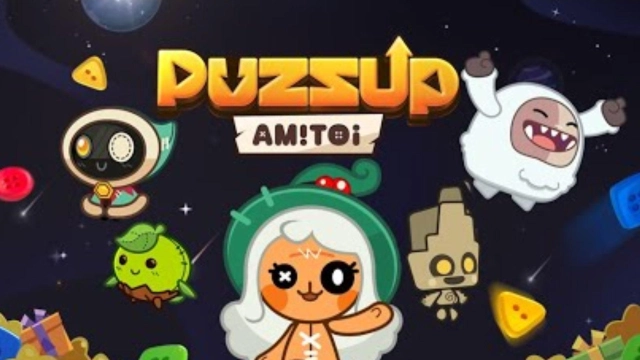
PUZZUP AMITOI is a Puzzle application developed by NCSOFT, but with the best Android emulator-LDPlayer, you can download and play PUZZUP AMITOI on your computer.
Running PUZZUP AMITOI on your computer allows you to browse clearly on a large screen, and controlling the application with a mouse and keyboard is much faster than using touchscreen, all while never having to worry about device battery issues.
With multi-instance and synchronization features, you can even run multiple applications and accounts on your PC.
And file sharing makes sharing images, videos, and files incredibly easy.
Download PUZZUP AMITOI and run it on your PC. Enjoy the large screen and high-definition quality on your PC!
PUZZUP AMITOIEmbark on a puzzle journey with your friend, Amitoi.
__________________________________________________
An exciting puzzle adventure accompanied by Amitoi
Pop your way through dead-end blocks with the arrow keys!
[Content Notice]
Make a wish upon a Wish Orb and receive numerous rewards!
Enjoy the Tower of Destiny and Territory Squabble with your clan members,
and look forward to various other events for each season.
[Offline Mode]
Don't worry about getting disconnected from the network.
Excluding certain content, you can continue to play PUZZUP AMITOI even when you're disconnected.
Want to learn more about PUZZUP AMITOI?
Website: https://puzzupamitoi.plaync.com/
Facebook: https://www.facebook.com/puzzup.amitoi/
Instagram: https://www.instagram.com/puzzupamitoi/
Twitter: https://twitter.com/PuzzupAmitoi/
PUZZUP AMITOI optionally requires the following permissions for a safe and stable gameplay experience.
You can use the service even if you don't agree to the optional permissions, and you can reset or revoke permissions.
[Optional] Notifications: Receive informational and promotional notifications
[How to set permissions]
- By permission: Device settings > Biometrics and security > App permissions > Select the corresponding permission > Select PUZZUP AMITOI > Agree or revoke permission
- By app: Device Settings > Apps > select PUZZUP AMITOI > Permissions > Agree or revoke permissions
Contact MobileCS@ncsoft.com for further inquiries.
Terms of Use: https://www.plaync.com/policy/service
Privacy Policy: https://www.plaync.com/policy/privacy