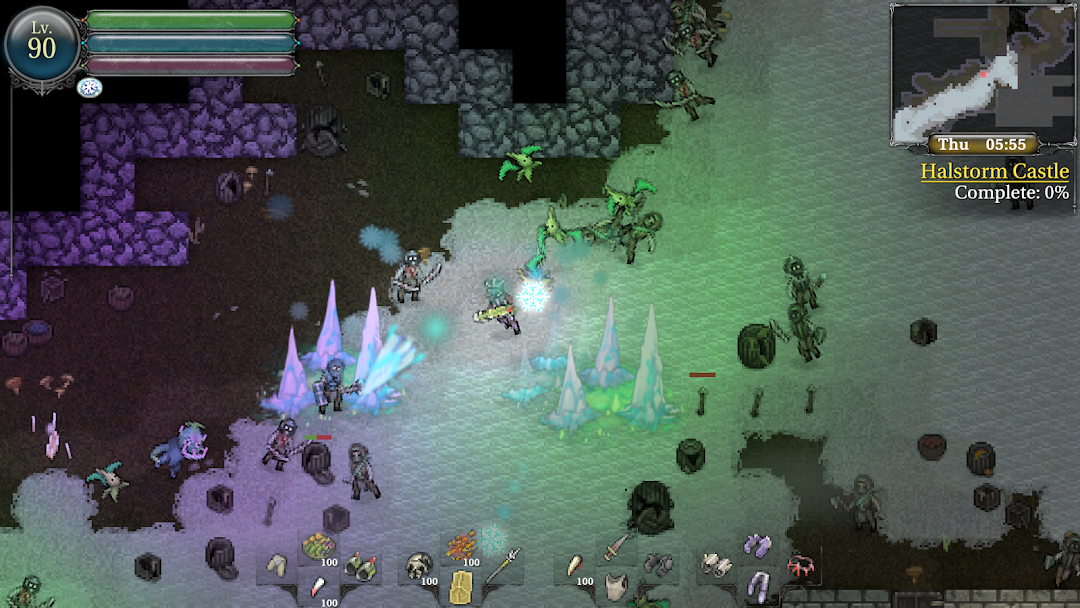
9th Dawn III RPG is a Role Playing game developed by Valorware, and LDPlayer is the best platform for playing 9th Dawn III RPG on Windows PC, offering powerful features for an immersive experience.
When playing 9th Dawn III RPG on PC, as a new player looking to start with a fresh account, the multi-instance and sync features are extremely useful for rerolls. You can use them to run multiple instances and begin the synchronization process. Bind your account until you draw the desired heroes.
In addition, operation recorder is great for games that require you to level up and complete tasks! Run the sync and record your actions, then repeat the main instance's actions in real-time. By doing so, you can run 2 or more accounts simultaneously. You can always get the heroes you want before others by faster rerolls and more efficient summoning! Start downloading and playing 9th Dawn III RPG on your computer now!
**Important** This game has been successfully patched to fix the Unity Security Issue from October 2nd 2025.9th Dawn III: Shadow of Erthil is a massive 2D open world RPG and collectathon dungeon crawler packed full of adventure! When asked to investigate mysterious, ghostly sightings around the lake of Elmson, you trek through the lands of Cedaltia to uncover the truth. Upon arrival, you hear rumors of an untrustworthy king. Taking the path of the Chosen One, you journey to Lorwyck Castle to confront a powerful enemy – traversing ancient fortresses, dark dungeons, perilous swamps, and more!
Soon, you find yourself at the heart of a foreboding prophecy. Equip your best gear and adventure across the fields of Ashwick, the snowy regions of Halstom, dense forests of Vlak, the sprawling depths of huge dungeons, and the perilous Hollow Mountains of Scorn on an epic quest to uncover the secrets of a mysterious evil force ...
Can you become the savior of Cadaltia?
• Explore a huge, seamless open world full of crypts, fortresses, villages, and more.
• Find your way across deadly dungeons, fight over 270 unique monsters, and acquire loot, treasures, and rare materials.
• Become the ultimate warrior as you unlock spells and abilities, fine-tune your attributes, and level-up your crafting abilities!
• Recruit monsters! Turn them into powerful allies with care and combat skill training.
• Collect 1,400 uniquely drawn items – including more than 300 weapons and 550 pieces of armor and accessories.
• Customize weapons and armour, go fishing, cook food, collect gems, and more!
• Kick back and play Fyued, an original card game played throughout the region with 180 collectable cards!
• Enjoy an original orchestral soundtrack.
• Help the townsfolk to prosper with sidequests that range from silly to dangerous!
Valorware is a UK-based game development and publishing company. Valorware is led by a solo-developer, focusing on producing content-rich Role Playing Games (RPGs).