Construction Crane Rigging is a Simulation application developed by Simcoach Games, but with the best Android emulator-LDPlayer, you can download and play Construction Crane Rigging on your computer.
Running Construction Crane Rigging on your computer allows you to browse clearly on a large screen, and controlling the application with a mouse and keyboard is much faster than using touchscreen, all while never having to worry about device battery issues.
With multi-instance and synchronization features, you can even run multiple applications and accounts on your PC.
And file sharing makes sharing images, videos, and files incredibly easy.
Download Construction Crane Rigging and run it on your PC. Enjoy the large screen and high-definition quality on your PC!
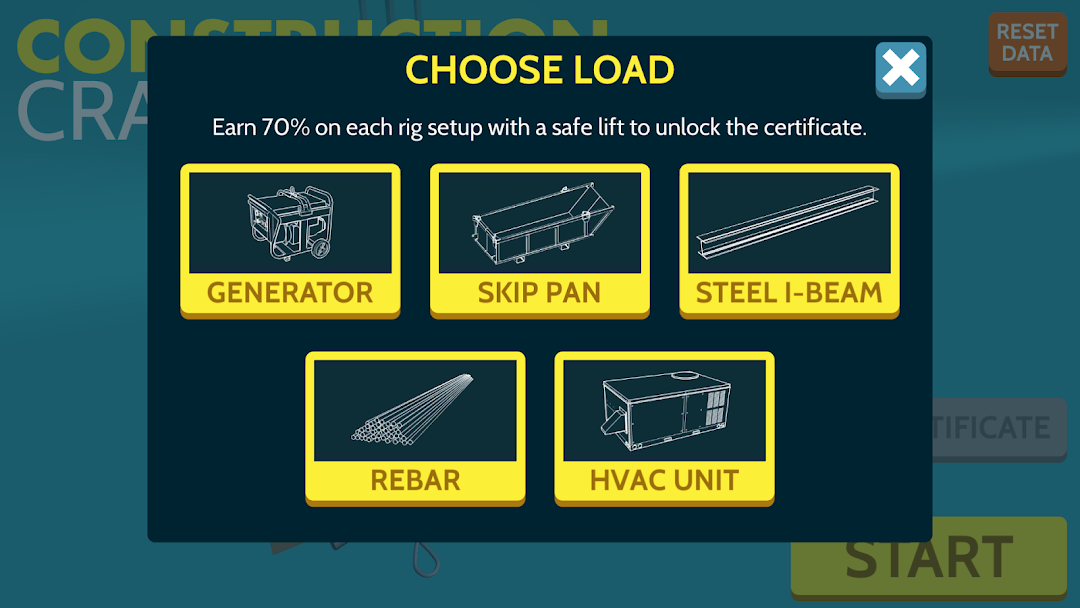
Construction Crane Rigging focuses on two key aspects of rigging: thinking ahead and inspection. There is a great deal to consider when thinking ahead. How much does the load weigh? What type of hitch should I use? What’s the right way to attach to the load? In Construction Crane Rigging, you’ll walk through these questions and more to thoroughly plan how to rig a load. Inspection comes next as you look for potential issues with any of your hardware. Examine all sides of your equipment to identify dents, dings, defects, burns, stretching, and other signs of wear. Think you’ve caught all the issues? Then it’s time to lift the load and see if the job ends in success or catastrophic failure.Practice rigging 5 common construction loads that increase in complexity. Perform well enough and earn a shareable certificate. Perform poorly and watch animations of your assembled loads as they crash and burn. Construction Crane Rigging features all of this plus:
-Instructor verified question prompts that every rigger should consider when thinking ahead
-Instant feedback on missed questions
-High quality artwork of each assembled load and its components
-5 common construction loads: I beam, HVAC unit, generator, rebar bundle, and skip pan
-3D animation of loads being lifted (or failing to be lifted)
-Certificate of completion for those who perform well
Construction Crane Rigging engages players in reviewing rigging concepts & practicing equipment inspection. This app was made possible by the generous contributions of the Western Pennsylvania Operating Engineers Joint Apprenticeship & Training Program.
The certificate recognizes the user's in-app ability to review content & inspect virtual equipment. Safe rigging for construction is extraordinarily complex and this app is not intended to replace formal training & certification.
Privacy Policy: http://www.simcoachgames.com/privacy