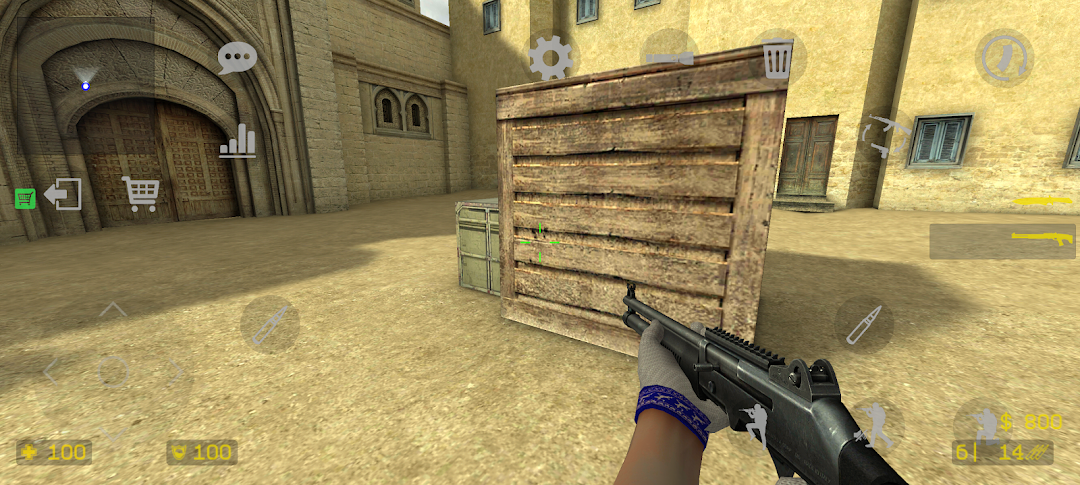
Counter Shot: Source is a Action game developed by DEVI, and LDPlayer is the best platform for playing Counter Shot: Source on PC, offering powerful features to immerse you in the game.
When playing Counter Shot: Source on computer, you can adjust frame rate settings for smooth gameplay and stunning visuals.
LDPlayer also provides pre-configured keyboard mapping for convenient control of the entire game. Continuous optimization of keyboard mapping enhances key sensitivity and skill accuracy. Additionally, LDPlayer offers special buttons like shoot, hide mouse, and continuous key press for an enhanced gaming experience.
If you prefer using a gamepad, the automatic gamepad detection allows you to customize controls with just a few clicks, enabling you to freely maneuver your hero. Start downloading and playing Counter Shot: Source on your computer now!
Counter Shot: Source - классический шутер на мобильные устройства с множеством интересных режимов на самых разных локациях!Простой, но интересный геймплей позволит как получить удовольствие от игры, так и улучшить своё мастерство, чтобы достичь высоких результатов!
Широкий выбор из 8 игровых режимов не даст вам заскучать, а различные настройки сервера подарят уникальный опыт! С их помощью можно сделать игру легче для новичков, бросить вызов профессионалам или как следует повеселиться.
Множественная кастомизация придаст персональный облик вашей игре: вы можете самостоятельно рисовать и загружать СКИНЫ на оружие, использовать свой СПРЕЙ, который увидят другие игроки, добавлять свою МУЗЫКУ в конце раунда, а также настроить внешний вид прицела по вкусу.
Уникальная возможность! В нашем официальном сообществе вы можете найти инструкции, как создать СВОЮ КАРТУ для нашей игры, и, если она будет качественно выполнена, то по вашему желанию попадёт в ОФИЦИАЛЬНЫЙ СПИСОК КАРТ игры и любой желающий сможет сыграть на ней.
Находите новых знакомых и объединяйтесь в КЛАНЫ, чтобы бросить вызов другим игрокам и занять высокое место в РЕЙТИНГЕ.
Играйте и делитесь впечатлениями от нашего проекта, отзывчивое коммьюнити и поддержка всегда готовы помочь с проблемами, свои пожелания и идеи можно оставить в нашем сообществе Вконтакте.
Проект всё ещё находится в процессе разработки, поддержите нас и мы будем радовать вас новыми обновлениями!