Craft Crazy: Building City is a Simulation application developed by fada ammar, but with the best Android emulator-LDPlayer, you can download and play Craft Crazy: Building City on your computer.
Running Craft Crazy: Building City on your computer allows you to browse clearly on a large screen, and controlling the application with a mouse and keyboard is much faster than using touchscreen, all while never having to worry about device battery issues.
With multi-instance and synchronization features, you can even run multiple applications and accounts on your PC.
And file sharing makes sharing images, videos, and files incredibly easy.
Download Craft Crazy: Building City and run it on your PC. Enjoy the large screen and high-definition quality on your PC!
🏙️ Welcome to Craft Crazy: Building City!Step into an endless blocky universe where your only limit is your imagination. In Craft Crazy: Building City, you'll explore a vast pixel world, gather resources, and build the ultimate city of your dreams!
🧱 Build Anything, Anywhere
Use a variety of blocks to construct skyscrapers, streets, parks, and pixel homes.
Design schools, airports, playgrounds, shopping centers, and more!
Let your creativity shape a modern voxel metropolis.
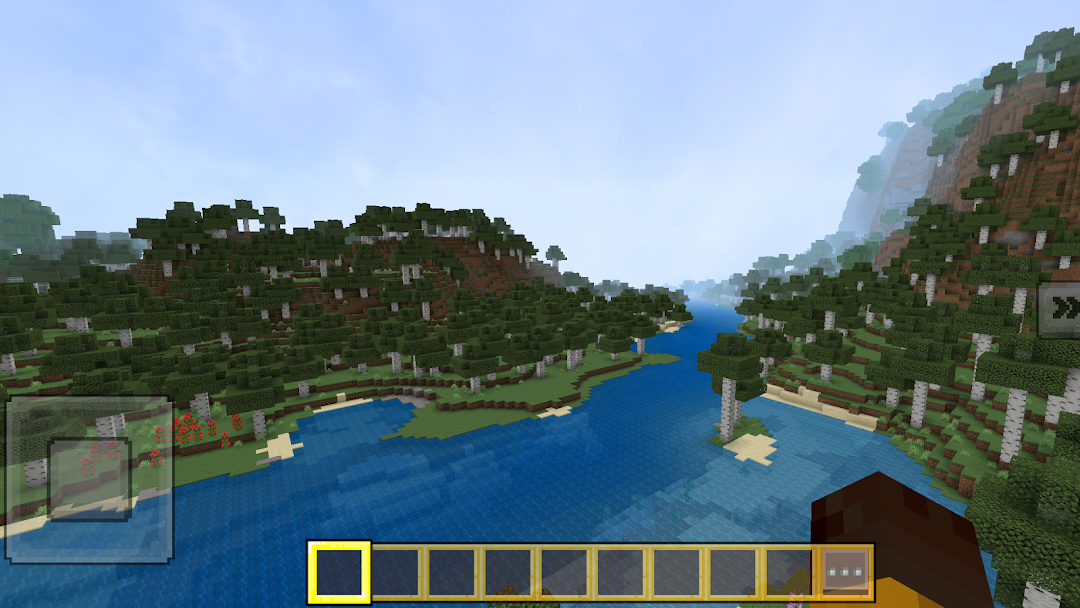
🌍 Explore an Open World
Roam freely across forests, rivers, oceans, and hidden caves.
Discover new terrains, gather resources, and find rare materials.
Enjoy a relaxing day-night cycle and dynamic weather effects.
🛠️ Creative and Survival Modes
In Creative Mode, you have unlimited blocks and items to design freely.
In Survival Mode, collect resources, craft tools, and defend your city from mobs.
Switch modes anytime for maximum fun and flexibility.
⚒️ Craft Tools and Items
Mine stone, wood, and ores to craft pickaxes, swords, and armor.
Decorate your city with plants, lighting, furniture, and statues.
Build interactive structures like elevators, doors, and redstone machines.
🎮 Smooth & Easy Gameplay
Designed for all Android devices – lightweight and fast-loading.
Simple controls and intuitive UI – ideal for all age groups.
Play offline anytime – no Wi-Fi needed.
💡 Why You’ll Love Craft Crazy
Huge world with infinite building possibilities.
Customizable characters and city elements.
Perfect for fans of crafting, building, and pixel sandbox adventures.
🏗️ From quiet villages to futuristic cities, your world is yours to build. Let your ideas run wild and transform empty land into a bustling voxel paradise!
🎮 Download Craft Crazy: Building City now and start your creative journey today!