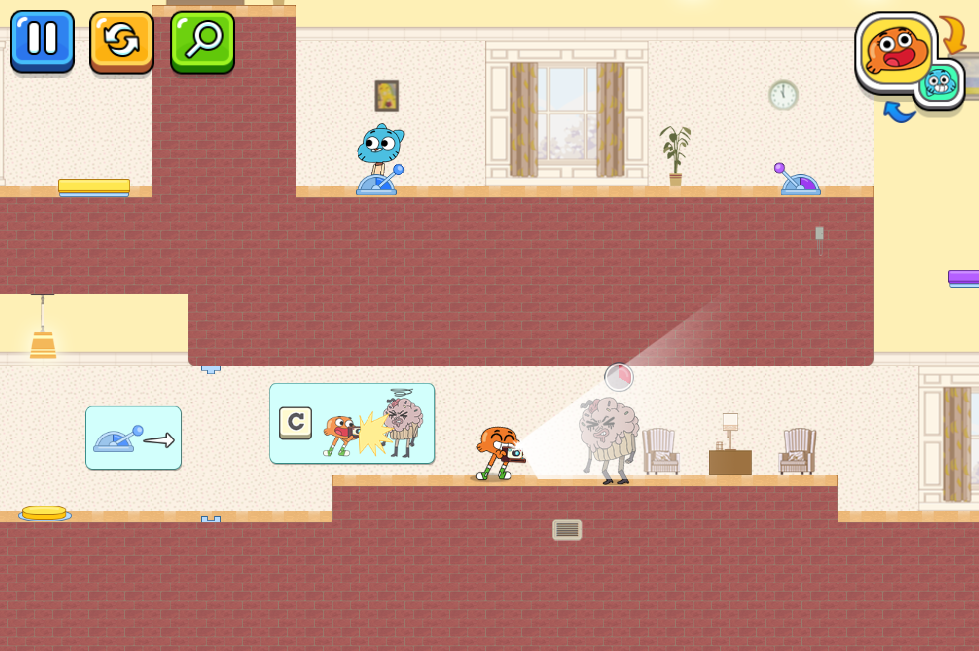
Darwin year book is a Casual game developed by Ach dev studio. LDPlayer is the best platform for playing Darwin year book on Windows PC, offering powerful features to enhance your immersive experience in Darwin year book.
When playing Darwin year book on your computer, if you find repetitive actions or tasks tedious and time-consuming, fret not! Macro can alleviate your concerns. Simply record your actions with a click of the screen recording feature and let macros take care of the rest. Macros automate your operations, allowing you to effortlessly conquer the game with minimal effort! Start downloading and playing Darwin year book on your computer now!
Everybody has to get some good pictures in darwin Year book game. Your beloved characters from the gumbell tv show have received a very important task. The school principal himself asked them to perform that. He is wise and knows that Darwin is the only one who can get the job done. That's why he has asked him via an email to be the one who takes all the yearbook photos.However, getting such a big project done in due time is next to impossible without having somebody to help. Maybe you can give our heroes a hand to find every student in the school! You should know, though, that not everybody is a big fan of photography. Many challenges are lying ahead!
How to play the game
Gumbell and Darwn have all the necessary gear to do their part of the job, namely the photo part. On the other hand, they have to be totally focused on their tasks, so they will be oblivious to other dangers that could stop them. You should use the left and right arrow to guide them through the twisted maze of the school halls.
The arrow keys on your screen will make a character move. The tricky part is that you cannot move both of them at the same time. You have to switch control between Gumball and Darwin, according to the surroundings. To do that, you can press the switch icon .
The two friends have different qualities. For example, Gumbell is taller than Darwin and, thus, he can jump higher. There is no place that is too high for him! At the same time, he can also carry heavy boxes from one place to the other. On the other hand, Darwin is the only one who can handle the camera. Nobody else can take better pictures than him!
You should use your grey matter to decide how to get safely to the next door. The best way to do that is by keeping in mind their individual skills and use them to your advantage!
Have fun figuring out everybody's yearbook photo! And remember that even though it might not be your best picture, the memories are certainly the best!