

Diamond Craft is a Role Playing game developed by ILoveCraft, and LDPlayer is the best platform for playing Diamond Craft on Windows PC, offering powerful features for an immersive experience.
When playing Diamond Craft on PC, as a new player looking to start with a fresh account, the multi-instance and sync features are extremely useful for rerolls. You can use them to run multiple instances and begin the synchronization process. Bind your account until you draw the desired heroes.
In addition, operation recorder is great for games that require you to level up and complete tasks! Run the sync and record your actions, then repeat the main instance's actions in real-time. By doing so, you can run 2 or more accounts simultaneously. You can always get the heroes you want before others by faster rerolls and more efficient summoning! Start downloading and playing Diamond Craft on your computer now!
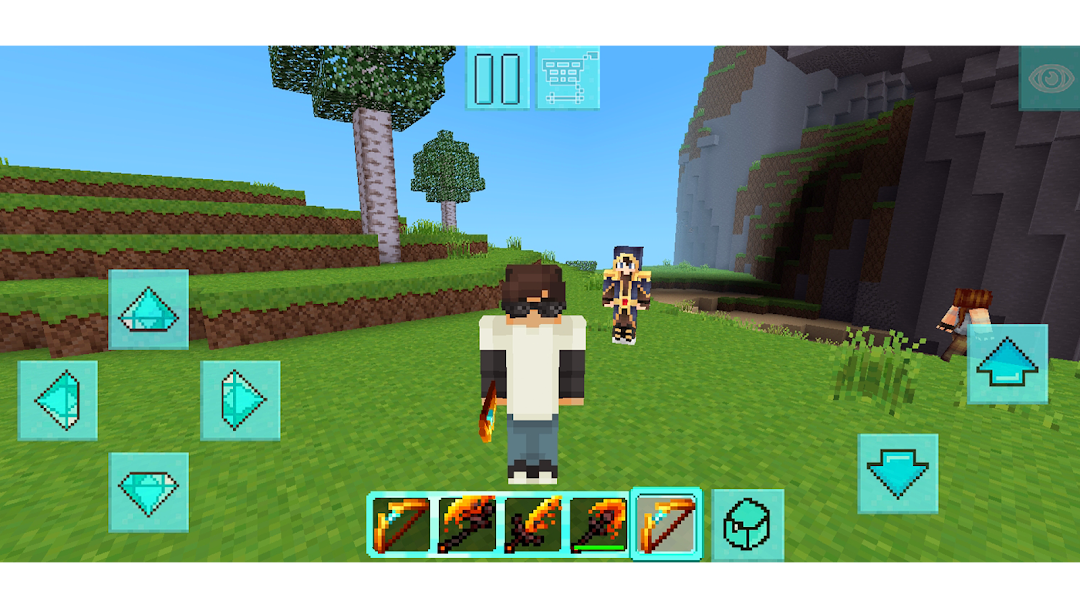
Unearth your creativity and embark on an epic adventure in Diamond Mine: Stone Age, a sandbox survival game like no other!Explore a Vast Prehistoric World
Step into a lush, untamed land filled with towering mountains, sprawling caves, and ancient forests. Discover hidden treasures and rare gems as you mine, craft, and build your way to survival.
Mine, Craft, and Thrive
Gather resources, craft tools, and create incredible structures. From simple shelters to grand stone-age monuments, let your imagination run wild!
Mythical Creatures
Discover variety strange creatures like dragons, giant spiders, elder guardians, zombie king, slime, skeletons and magma ghosts.
Encounter Prehistoric Challenges
Tame wild creatures, fend off predators, and navigate the dangers of the Stone Age. Do you have what it takes to survive?
Find Hidden Diamonds
Search for the legendary diamonds buried deep beneath the earth. Only the most skilled miners will uncover these ancient treasures!
Multiplayer Fun
Join friends or other adventurers in online multiplayer mode. Team up to explore, build, and thrive together in this prehistoric paradise.
Whether you're a master builder or an adventurer at heart, Diamond Mine: Stone Age offers endless opportunities for creativity and survival. Start mining today and carve your legacy in the stone!
Download Now and Begin Your Adventure!