DiveMate (Scuba Dive Log) is a Sports game developed by ConfiTek. LDPlayer is the best platform for playing DiveMate (Scuba Dive Log) on Windows PC, offering powerful features to enhance your immersive experience in DiveMate (Scuba Dive Log).
When playing DiveMate (Scuba Dive Log) on your computer, the larger screen and more powerful graphics performance enable you to enjoy clearer and smoother game visuals, enhancing the visual experience of the game.
The operation of peripherals such as gamepads is emulated to better mimic the feel of real sports, providing more precise control and richer operation options.
Furthermore, if you wish to execute a series of continuous key combinations, the one-click macro feature will be the functionality you've been dreaming of, allowing you to effortlessly stay one step ahead with one-touch operation. Start downloading and playing DiveMate (Scuba Dive Log) on your computer now!
DiveMate is the dive log book app to quickly and easily document your diving experiences. Connect your dive computer, transfer dives and enrich them with personal experiences via picture, video and notes. https://www.divemate.deFor some dive computer models we offer DiveMate Fusion accessories for the transfer.
DiveMate is also very well suited for diving instructors in training. Students' dive computers can be read directly after diving and analyzed on the tablet using the profile.
DiveMate is optimized for smartphones and tablets. The logbook with manual entry of dives does not need any additional packs. Powerful additional features can be supplemented with the one-time purchase of "Extension Packs" and used on all Android devices.
Features:
• Transfer from your dive computer (supports over 170 models from 22 manufacturers via USB, Infrared and Bluetooth [Transfer Pack])
• This allows fast and easy logging of dives
• Complete logbook: Paper and PC no longer required
• Optimized for smartphones and tablets of all sizes
• Display of depth, pressure and temperature profile
• Capture your diving experiences with pictures, notes and buddies with signatures
• All dive data plus RMV/SAC, weight, bottle and gas parameters
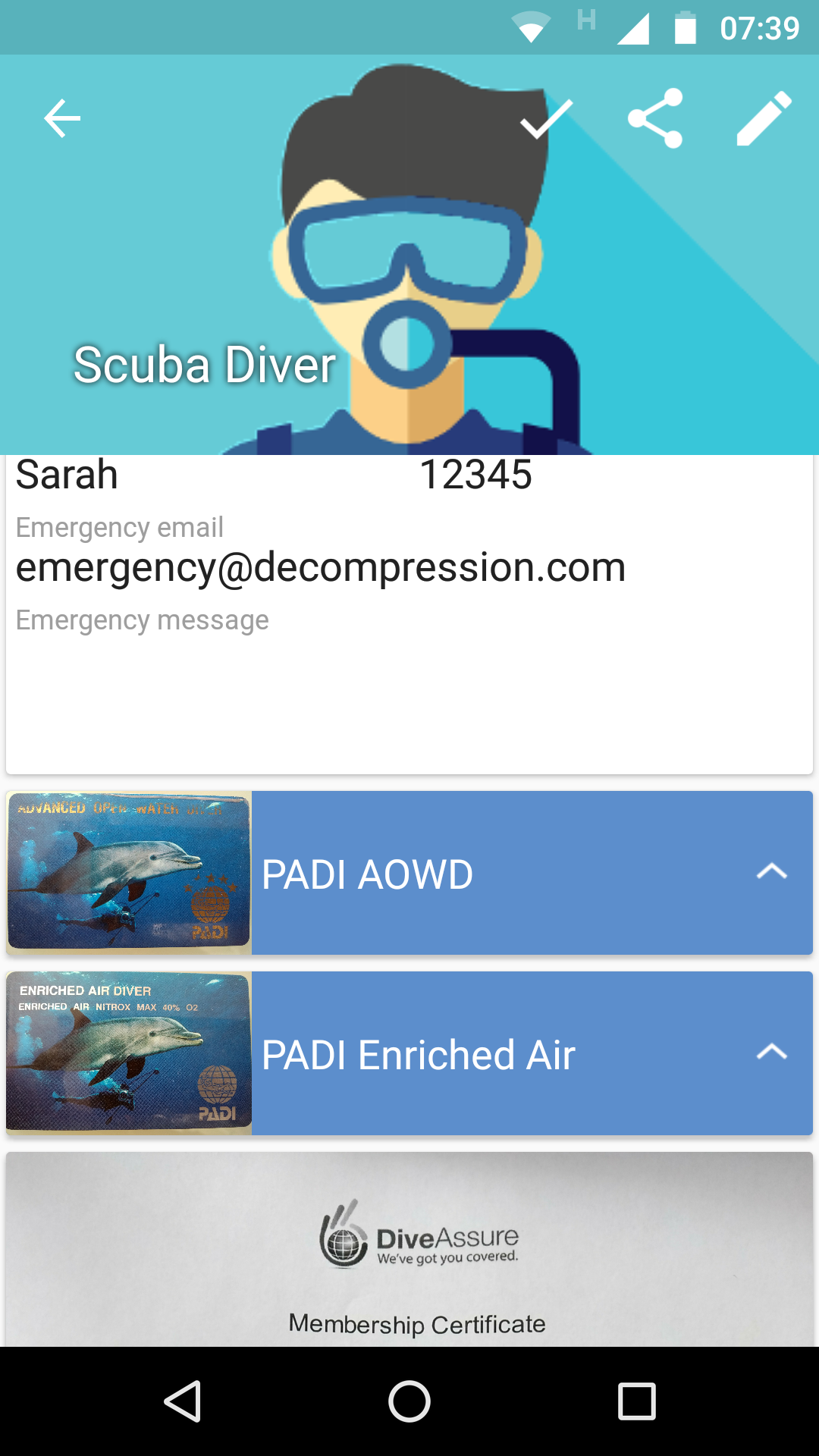
• Brevet and medical instructions
• Multi-Edit function: updating equal fields of several dives with one change (advantage compared to dive templates)
• Share your dives and dive sites
• Merge dives and re-number dives comfortably
• Dive site management with over 20 online maps (also via GPS)
• Save many online maps for offline use when traveling [Map Pack]
• Multiple divers (for at least one pack for more than 2 divers)
• Print: logbook, profile, dive site map [Data Pack]
• Backup & Sync between Android devices via Dropbox [Data Pack]
• Sync with PC/Mac programs [Data Pack]
• Statistics
• Nitrox MOD calculator
• Works on liveaboards or off the coast without internet connection
• Continuous development and improvement based on user feedback
• Languages: English,German,Italian,French,Spanish,Dutch,Russian
Supported scuba dive computers:
• AERIS A300 ai,A300 CS,Atmos 2,Atmos ai,Atmos ai 2,Atmos Elite,CompuMask,Elite T3,Elite T3.1,Epic 1,Epic 2,F10,F11,Manta,XR2
• AQUALUNG i200,i300,i450T,i550,i750TC
• ATOMIC-AQUATICS Cobalt,Cobalt 2
• CRESSI Leonardo,Giotto,Newton
• DIVESOFT Freedom
• DIVESYSTEM iDive DAN,iDive Deep,iDive Easy,iDive Free,iDive Pro,iDive Reb,iDive Tech
• GARMIN Descent Mk1
• GENESIS ReAct Pro,ReAct Pro 2
• GENZ Black EANx,Black TMX
• HEINRICHSWEIKAMP OSTC 2,OSTC 3,OSTC 3 (2015),OSTC 4,OSTC sport
• HOLLIS DG03,TX1
• LIQUIVISION Kaon,Lynx,Xen,Xeo
• MARES Airlab,Icon HD,Icon HD net ready,M1,M2,Matrix,Nemo,Nemo Air,Nemo Excel,Nemo Wide,Nemo Wide 2 (2013),Puck Air,Puck Wrist,Puck Wrist 2 (2013),Puck Pro,Quad,Smart,Smart Apnea
• OCEANIC Atom 1.0,Atom 2.0,Atom 3.0,Atom 3.1,DataMask,OC1,OCi,OCS,F10,Geo,Geo 2.0,Veo 1.0,Veo 2.0,Veo 3.0,Veo 180,Veo 200,Veo 250,Pro Plus 2,Pro Plus 2.1,Pro Plus 3.0,Versa Pro,VT Pro,VT 3.0,VT 4.0,VT 4.1,VTX
• RATIO iDive Deep,iDive Easy,iDive Free,iDive Reb,iDive Tech,iDive Easy Sea Jewels,IX3M
• REEFNET Sensus Ultra
• SCUBAPRO-UWATEC Aladin 2G,Aladin One,Aladin Prime,Aladin Sport,Aladin Square,Aladin Tec,Aladin Tec 2G,Aladin Tec 3G,Aladin Tec 3H,Chromis,Mantis/M1,Mantis 2,Meridian,Galileo Luna,Galileo Sol,Galileo Terra,Galileo Trimix,G2,Smart Com,Smart Pro,Smart Tec,Smart Z
• SHEARWATER Nerd,Perdix,Petrel,Petrel2,Predator,Teric
• SHERWOOD Amphos,Amphos Air,Insight,Insight2,Vision,Wisdom1,Wisdom2,Wisdom3
• SUBGEAR XP5,XP10,XP Air,XP Air (2014),XP-H,XP-3H,XP-3G
• SUUNTO Cobra,Cobra 2,Cobra 3,D4,D6,D9,D4i,D4i Novo,D6i,D6i Novo,D9tx,DX,Eon Steel,Gekko,Hel O2,Mosquito,Spyder,Stinger,Vytec,Vyper,Vyper 2,Vyper Novo,Vyper Air,Zoop,Zoop Novo
• TUSA Element2,Talis,Zen,Zen Air
• XDEEP Black BT,Black EANx,Black TMX
ssi,padi,scuba diving,divessi,diverlog