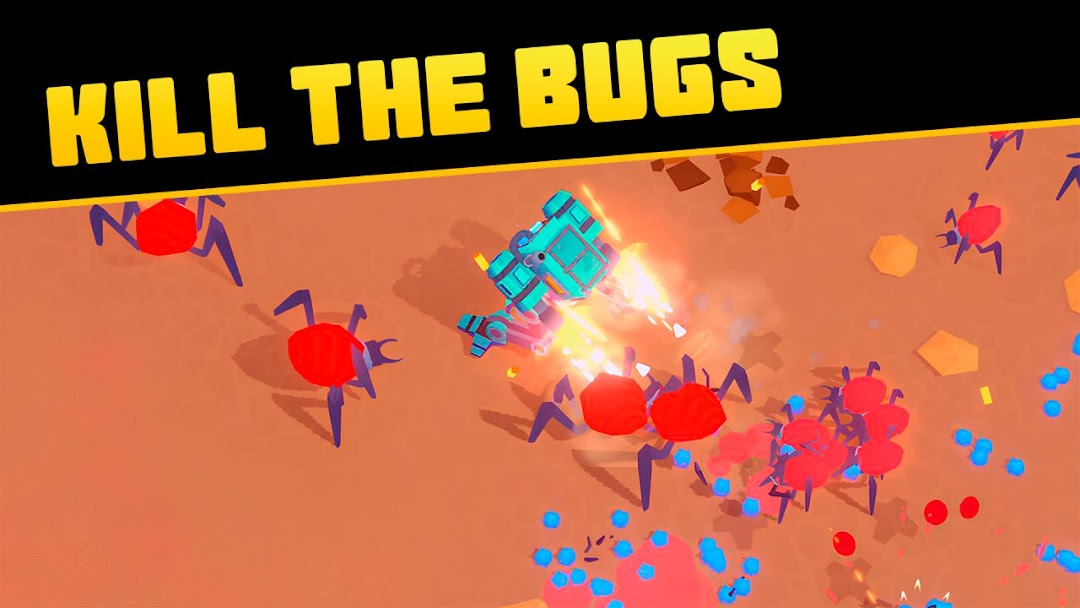
DoomDivers: War Mech Idle Rpg is a Arcade application developed by Uniline Games, but with the best Android emulator-LDPlayer, you can download and play DoomDivers: War Mech Idle Rpg on your computer.
Running DoomDivers: War Mech Idle Rpg on your computer allows you to browse clearly on a large screen, and controlling the application with a mouse and keyboard is much faster than using touchscreen, all while never having to worry about device battery issues.
With multi-instance and synchronization features, you can even run multiple applications and accounts on your PC.
And file sharing makes sharing images, videos, and files incredibly easy.
Download DoomDivers: War Mech Idle Rpg and run it on your PC. Enjoy the large screen and high-definition quality on your PC!
DoomDivers: War Mech Idle RPG - A Soldier's DutyThe red sun hangs low in the sky, casting long shadows across the alien landscape. Dust devils swirl around my battle mech's massive legs, kicked up by the powerful thrusters as I prepare for another sortie. The air crackles with static, a constant reminder of the strange energy field that cloaks this planet. It's a harsh world, riddled with towering, jagged rock formations and teeming with monstrous creatures – the aftermath of a failed colonization attempt.
They call us DoomDivers – the last line of defense, the ones who clear the path for our allies to land and harvest the rare resources this planet holds. Our mission is clear: eliminate the mutant bugs, the grotesque bio-engineered horrors that have overrun this world, and secure a foothold for humanity.
The cockpit is tight and cramped, but it's my sanctuary, my command center. The hum of the mech's systems is a familiar lullaby, a symphony of power and technology. I run a diagnostic scan, checking the plasma cannons, the energy shields, and the hydraulics – all systems are go.
The ground vibrates as I engage the thrusters, my mech leaping into the heart of the battlefield. The landscape is a canvas of chaos, a raging inferno of explosions and laser fire. Mutant insects with chitinous shells and razor-sharp mandibles scurry across the terrain, their eyes glinting with malicious intent. I open fire, unleashing a barrage of plasma bolts that incinerate the creatures in a fiery blaze.
This is the heart of DoomDivers: War Mech Idle RPG, a world where you command your own powerful war machine and engage in epic battles against hordes of monstrous enemies. It’s an idle RPG with a unique twist – you’re not just collecting heroes, you’re controlling a devastating robot of war. Join the fight and experience the thrill of idle gameplay where your mechs continue to battle even when you're offline.
With every enemy I destroy, the path for my allies becomes clearer. They need those resources – the alien crystals that hum with unknown energy, the exotic minerals that could revolutionize our technology. It’s a dangerous task, but it’s a soldier’s duty.
But I’m not alone. My fellow DoomDivers are scattered across the battlefield, each commanding a unique war machine, their mechs a symphony of steel and fire. We are a team, a brotherhood united by a shared purpose, and together, we will conquer this alien world. This mech RPG is about teamwork, strategy, and mastering your own unique war machine.
The battlefield is unforgiving. Each enemy presents a new challenge, requiring you to adapt your strategy and utilize your mech’s unique abilities to the fullest. Whether you're engaging in auto battle or commanding your mech manually, the action is relentless and the rewards are plentiful.
In DoomDivers, you’ll find a deep and engaging upgrade system, allowing you to customize your mechs and enhance their capabilities. Upgrade weapons, armor, and abilities to unleash their full potential on the battlefield. Every upgrade brings you closer to ultimate victory.
DoomDivers is more than just an idle game; it’s a deep and engaging experience. As you progress through the game, you’ll unlock new mechs, each with its own strengths and weaknesses, and assemble a powerful team to overcome any challenge.
Join the ranks of the DoomDivers. Command your own war mech, fight alongside your comrades, and secure the future of humanity in DoomDivers: War Mech Idle RPG.