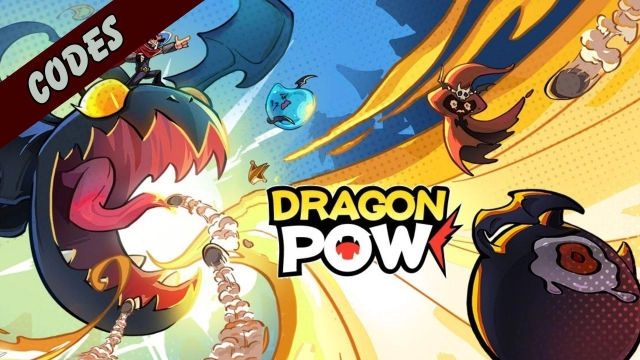
Dragon POW! is a Casual game developed by Vizta Games. LDPlayer is the best platform for playing Dragon POW! on Windows PC, offering powerful features to enhance your immersive experience in Dragon POW!.
When playing Dragon POW! on your computer, if you find repetitive actions or tasks tedious and time-consuming, fret not! Macro can alleviate your concerns. Simply record your actions with a click of the screen recording feature and let macros take care of the rest. Macros automate your operations, allowing you to effortlessly conquer the game with minimal effort! Start downloading and playing Dragon POW! on your computer now!
Dragon POW! Termination of Operations NoticeDear Dragon Knights,
Since the launch of Dragon POW!, we've had many unforgettable moments together; we'd like to take this opportunity to sincerely thank you for all the love and support you've shown towards our game. Unfortunately, a difficult decision was made recently: we as the Operations Team have to take Dragon POW! offline as of 14:00 (UTC+8) on March 2, 2026. The relevant timeline, as well as other important information, can be found below. Please take notes and prepare in advance.
[Schedule for Termination of Operations]
1. 21:00 (UTC+8) on January 16, 2026: Players will not be able to make any more in-app purchases.
2. 21:00 (UTC+8) on January 16, 2026: New player registration function will be closed.
3. 14:00 (UTC+8) on February 27, 2026: Game will be taken down from the relevant app stores.
4. 14:00 (UTC+8) on March 2, 2026: Official termination of operations. The server will be taken offline and players will no longer be able to log in to the game. After shutting down the game servers, all your in-game data and information will be deleted.
[Service Suspension Compensation]
Divine Prayer Stone ×50
[Refund Policy]
For purchases made before 21:00 (UTC+8) on January 16, 2026, players can apply for refunds via App Store/Google Play (the refund rules of the App Store/Google Play shall prevail in the case of any issues).If you encounter any problems in the process of applying for a refund, you can contact us through the customer service email (dp_support@viztagames.com) .Customer service online hours will continue until 00:00 (UTC+8) on March 31, 2026.
Once again, our deepest apologies for the inconvenience caused; we sincerely appreciate your continued love and support. We wish you all the best in your future endeavors!
Dragon POW! Operations Team