Home/

Games/

Strategy/

Dragon Siege: Strategic Empire

Dragon Siege: Strategic Empire
4.0500+

Dragon Siege: Strategic Empire

A strategy management game that breaks the boundary between 4X and MMORPG.

Play on PC with LDPlayer
recommend
NDREAM Corporation
How to Download&Play Dragon Siege: Strategic Empire on PC?
Last Updated: 2026-01-17
com.ndreamgames.wod
Share:
  • Overview

  • FAQ

  • Game Guides

Use LDPlayer to Play Dragon Siege: Strategic Empire on PC

Play Dragon Siege: Kingdom Conquest on PC


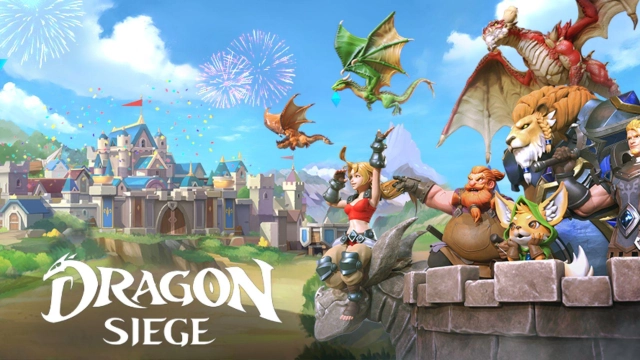
Dragon Siege: Kingdom Conquest is a casual fantasy massively multiplayer online game that mainly allows players to enjoy the concept of build and battle by NDREAM Corporation. According to the gameplay, you will start a fantastic adventure in Dragonia. With this adventure, you will build a castle and expand the village you built while battling with other players worldwide. The LDPlayer 9 is the best emulator to play Dragon Siege: Kingdom Conquest on PC. 


Grow Up the Village, Enhance Your Knights and Dragons to Lead a Victorious Army


As this game’s main concept is build and battle, first, you need to gather the necessary resources and grow the castle along with the village. The bigger the village, the better the gameplay will be. Therefore, work hard to accomplish your dream of building a bigger town that is prosperous and productive in all aspects. 


Various knights and dragons are waiting for you; they are the most important to have a mighty army. Therefore, when you have dragons and knights, you should nurture the dragons while enhancing the knights’ skills. As the dragons and knights will determine how powerful your army is and whether you will win in all the battles, you should take good care of them. 


Optimized Dragon Siege: Kingdom Conquest Gameplay With the Best Graphics


The gameplay is already impressive as it has the best features, such as the construction system, dragon raising, building better army troops, training new soldiers, etc. Now what is important is having an optimized interface with high-quality graphics. Until you play this game on PC using the best emulator LDPlayer 9, you will always enjoy this with the highest quality graphics thanks to the amazing features in LDPlayer 9.


Open up

Screenshots and Videos of Dragon Siege: Strategic Empire PC

Experience a wider field of view, exquisite game graphics, and cooler combat skills and effects by downloading and playing Dragon Siege: Strategic Empire on PC with LDPlayer. Enjoy the ultimate gaming experience with LDPlayer.

Why Play Dragon Siege: Strategic Empire on PC with LDPlayer?

LDPlayer offers unique emulator features including multi-instance support, macros, operation recorder, and other functions not available on mobile devices.

Multi-Instance

Remote Control

One-Click Macro

Multi-InstanceRemote ControlOne-Click Macro

When playing Dragon Siege: Strategic Empire, opening multiple instances s to run different game accounts, with synchronization, allows for operation of multiple accounts simultaneously. This is extremely helpful for managing multiple game accounts or coordinating teamwork during gameplay.

  • Video Recorder

    Easily capture your performance and gameplay process in Dragon Siege: Strategic Empire, aiding in learning and improving driving techniques, or sharing gaming experiences and achievements with other players.
  • Keyboard & Mouse

    In Dragon Siege: Strategic Empire, players frequently perform actions such as character movement, skill selection, and combat, where keyboard and mouse offer more convenient and responsive operation.

How to Download&Play Dragon Siege: Strategic Empire on PC?

  • 1

    Download and install LDPlayer on your computer

  • 2

    Locate the Play Store in LDPlayer's system apps, launch it, and sign in to your Google account

  • 3

    Enter "Dragon Siege: Strategic Empire" into the search bar and search for it

  • 4

    Choose and install Dragon Siege: Strategic Empire from the search results

  • 5

    Once the download and installation are complete, return to the LDPlayer home screen

  • 6

    Click on the game icon on the LDPlayer home screen to start enjoying the exciting game