
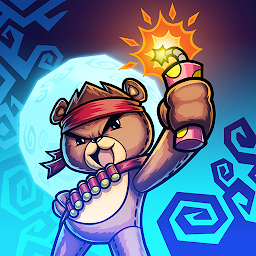


Dream Defense is a Action game developed by Altitude Games Pty Ltd, and LDPlayer is the best platform for playing Dream Defense on PC, offering powerful features to immerse you in the game.
When playing Dream Defense on computer, you can adjust frame rate settings for smooth gameplay and stunning visuals.
LDPlayer also provides pre-configured keyboard mapping for convenient control of the entire game. Continuous optimization of keyboard mapping enhances key sensitivity and skill accuracy. Additionally, LDPlayer offers special buttons like shoot, hide mouse, and continuous key press for an enhanced gaming experience.
If you prefer using a gamepad, the automatic gamepad detection allows you to customize controls with just a few clicks, enabling you to freely maneuver your hero. Start downloading and playing Dream Defense on your computer now!
The night seems endless and full of terrors… Who will save Robin from her evil nightmares, if not her faithful and fierce teddy bear Robearto?Play as a brave, gun-slinging toy bear and defend Robin from endless waves of scary and sinister creatures called the ‘Nightmares’ that wait silently in the dead of the night, only to attack as soon as she falls asleep.
• A BRAVE BEAR NEVER SLEEPS – Tap the screen to shoot monsters and save your friend! Only the toy bear knows what dangers lurk in the dark. From sunset to sunrise Nightmares swarm Robin’s room, so stay alert and watch out for the evil bosses!
• A SMART BEAR ALWAYS HAS A STRATEGY - From fire-spewing clowns to giant ghouls, there’s no telling what creepy and spooky Nightmares Robin will dream of next. Find your enemy’s weakness and pick your arsenal wisely. Choose your best defense strategy and defeat all the Nightmares!
• A RESOURCEFUL BEAR IS ALWAYS PREPARED – Equip yourself with several exciting weapons! Attack the Nightmares with bb and poison guns, pepper sprays, darts and many, many more! Bombard the hoard of Nightmares with explosives or freeze them with ice-cream! Fortify Robin’s bed with all sorts of awesome toy defenses. Build pencil barricades to keep the Nightmares away, or equip laser lamps that shoot them from afar.
• A WARRIOR BEAR HAS THE BEST GEAR - Unlock new items at the store by completing levels and defeating new Nightmares. Upgrade weapons and use power-ups to be even more powerful. Put your toy defense up and ultimately save your best friend from the Nightmares that lurk in the shadows.
Survive the night and don’t let Robin’s fears come true! Play the ultimate shooter game Dream Defense now for FREE!
Having problems? Got a suggestion? We’d love to hear from you! You can reach us at: dreamdefense@altitude-games.com
Terms of Service: https://altitude-games.com/altitude-games-terms-service-end-user-license-agreement/
Privacy Policy: https://altitude-games.com/privacy-policy
By Altitude Games







