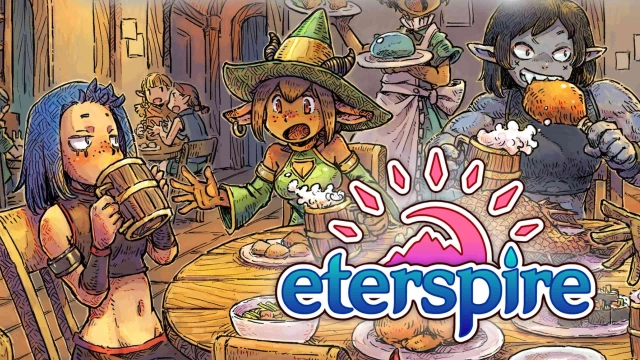
Eterspire - Fantasy MMORPG is a Role Playing game developed by Stonehollow Workshop, and LDPlayer is the best platform for playing Eterspire - Fantasy MMORPG on Windows PC, offering powerful features for an immersive experience.
When playing Eterspire - Fantasy MMORPG on PC, as a new player looking to start with a fresh account, the multi-instance and sync features are extremely useful for rerolls. You can use them to run multiple instances and begin the synchronization process. Bind your account until you draw the desired heroes.
In addition, operation recorder is great for games that require you to level up and complete tasks! Run the sync and record your actions, then repeat the main instance's actions in real-time. By doing so, you can run 2 or more accounts simultaneously. You can always get the heroes you want before others by faster rerolls and more efficient summoning! Start downloading and playing Eterspire - Fantasy MMORPG on your computer now!
Experience a true, uncompromised MMORPG adventure on mobile and PC! Eterspire - Fantasy MMORPG delivers the core essence of classic massively multiplayer online role-playing games without the typical mobile shortcuts. Dive into a sprawling, vibrant fantasy world, forge your legend through dedication, and connect with a thriving community of players.Forget auto-play and pay-to-win. Eterspire offers truly free-to-play progression, full cross-platform play, and comprehensive controller support, ensuring a real MMO experience wherever you are. Explore Aetera, team up with friends for epic co-op battles, and level up through rewarding grinding. Join one of the friendliest communities in any MMORPG and discover fresh content updates every two weeks!
💪 EARN YOUR LEGEND: DEEP MMORPG PROGRESSION
No shortcuts, no paid power boosts. In Eterspire, your strength is forged through grit and skill. Defeat hordes of monsters, conquer challenging quests, and unearth valuable loot. This is the MMORPG where every piece of gear, every level gained, is a testament to your dedication. Master diverse combat, strategize your builds, and prove your worth in a world where true power is earned, not bought.
⚔️ EPIC CO-OP CHALLENGES & DUNGEONS
Assemble your party of up to 4 adventurers and delve into perilous Trials—intense, wave-based PvE encounters brimming with rare treasures, experience, and formidable boss fights. Coordination is key as you conquer Aetera's toughest dungeons and claim your hard-earned rewards. Experience the thrill of true MMO teamwork and master the art of cooperative combat!
🎨 CREATE YOUR UNIQUE FANTASY HERO
Define your destiny from the ground up! Choose your class and express your unique style with extensive customization. Craft powerful gear and then transform it into stylish cosmetics, allowing you to wear any armor or weapon appearance you desire without sacrificing precious stats. Stand out in the world of Aetera and show off your personal flair in this immersive fantasy MMORPG.
☠️ CONQUER ENDGAME MONSTERS & RAID FOR LOOT
The true test of an adventurer lies in the face of Remnants—colossal endgame beasts guarding the most coveted gear. Coordinate with your MMO party to strategize and fell these titans, securing EX gear, ultra-rare familiars, and exclusive cosmetics. Victory brings legendary loot and significant power boosts, essential for any serious MMORPG player.
🎮 SEAMLESS CROSS-PLATFORM MMORPG EXPERIENCE
Your adventure knows no bounds. Whether you're adventuring on PC, Mac, or mobile, your character and progress are always with you. Eterspire offers full cross-platform play and robust controller support, delivering one of the most accessible and authentic MMORPG experiences across devices. Play your way, anywhere.
🤝 A THRIVING MMORPG COMMUNITY AWAITS
Eterspire is more than just a game—it's a living, breathing online world. Join a vibrant community of adventurers, chat, trade goods, form powerful guilds, and explore Aetera together. Participate in exciting community contests, engaging in-game events, and connect directly with the developers through Discord Q&As. This is a true massively multiplayer online role-playing game social hub!
🗺️ EXPLORE A VAST & MYSTICAL FANTASY REALM
Unravel the secrets of Aetera, a breathtaking fantasy world teeming with ancient ruins, dense forests, frozen tundras, and mysterious dungeons. Encounter unforgettable characters, uncover hidden lore, and shape your own legend as you journey through this expansive MMO world. Every corner holds a new discovery for the dedicated MMORPG explorer.
🔄 CONSTANTLY EVOLVING MMORPG ADVENTURE
The world of Eterspire is dynamic and ever-expanding. Enjoy consistent biweekly updates, bringing fresh features, challenging content, and exciting events. Our dedicated developers are committed to evolving Eterspire alongside its community, ensuring endless new adventures and rewards in your favorite MMORPG.