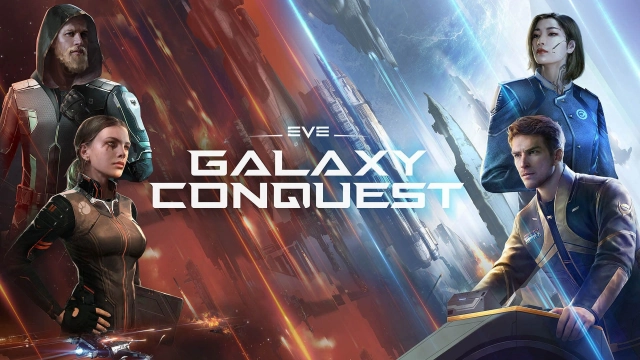
It is time to take on an epic space adventure with EVE Galaxy Conquest, a strategy game that takes you across a vast galaxy filled with danger and opportunity. Build your fleet, recruit powerful commanders, and lead your team to dominate the cosmos. To truly master this interstellar conquest, you’ll need strategic recruitment, exceptional commanders, and an optimized gaming experience, all of which are made seamless with LDPlayer.
Recruit Elite Commanders with Maximum Efficiency
Navigating the dangers of space requires a team of top-tier commanders equipped with the best weapons. The recruitment system in EVE Galaxy Conquest lets you pull for high-ranking commanders like Paladin Crusader, Tribe Prophet, ORE Explorer, and Hayden. Pairing them with weapons such as the Condor ensures superior performance in battle. However, acquiring powerful commanders often requires repeated recruitment attempts: a process that can be time-consuming. With LDPlayer’s Multi-Instance Sync, you can streamline this task by creating game clones and managing multiple recruitment sessions simultaneously. Combined with the Synchronizer tool, you’ll secure elite commanders faster, giving you a significant edge in galactic warfare.
Experience Space Battles in Stunning Detail
The battles in EVE Galaxy Conquest are a visual spectacle, set against the backdrop of a vividly detailed galaxy. Leading your fleets effectively requires precision and an expansive view of the battlefield, which can be challenging on a small screen. By switching to LDPlayer, you unlock the advantage of a larger display and enhanced graphics settings, immersing yourself in realistic, high-definition space battles. With a broader perspective, you can better strategize and dominate your foes.
Streamline Resource Mining for Endless Progress
Expanding your dominion in EVE Galaxy Conquest relies heavily on resource gathering. Mining resources manually can be tedious and time-intensive. Fortunately, LDPlayer’s Operation Recorder simplifies this process. Record a single resource-mining sequence and set it to repeat in a loop, automating the task and allowing you to focus on commanding your fleet and conquering new territories.
With the help of LDPlayer, you can enhance every aspect of EVE Galaxy Conquest to the best level. From efficient commander recruitment and detailed space battles to streamlined resource management, LDPlayer ensures a superior gaming experience. Download LDPlayer today, play Eve Galaxy Conquest on PC through it and lead your space battles to extraordinary heights.