
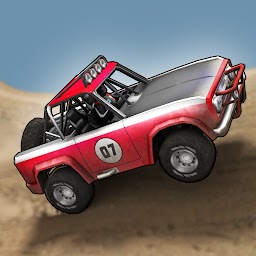


Extreme Racing Adventure is a Racing game developed by Minimo. LDPlayer is the best platform for playing Extreme Racing Adventure on Windows PC, providing robust features to help you achieve an immersive experience in Extreme Racing Adventure.
When playing Extreme Racing Adventure on your computer, if you prefer using your own gamepad to control the game, LDPlayer's automatic gamepad detection can assist you in customizing controls with just a few simple clicks, allowing you to enjoy more realistic racing scenes and challenges.
With support for high frame rates, the game's diverse track designs and rich terrain and environmental changes become even more lifelike and detailed.
Additionally, the video recording feature makes it easy for you to capture all the exciting and amusing races and game content, making it convenient to share with friends or create videos. Start downloading and playing Extreme Racing Adventure on your computer now!
The time has come, following up our hits Mini Racing Adventures, we listen to all your crave about a real racing game for adults. Extreme Racing Adventure is not the childish racing game anymore, it's made for real extreme racer, maniacs like you!The tracks designed carefully day and night by our own hands and more challenging and difficult than our previous game which is intended for children. From bumpy off road track, sandy desert, cliff-like hills, to sloping asphalt. Anything you can't imagine from other toddler racing games out there.
The vehicles also designed by snobs like us and from our fans as well. We'll guarantee these beasts will please you to conquer those wild and challenging tracks. And beat your friends too in multiplayer mode.
The development of the game will keep going to the future, so let us know what would you see in future updates. And please let us know if you find any bugs or have any problem with your account, we will back you up. We don't hire robots here, you can expect to talk with fellow human at hello@minimostudios.com
Please don't use review section to ask about your problem, we could miss reading your review among a lot of reviews.
See you at the leaderboard top!
Vroom vrooooom...







