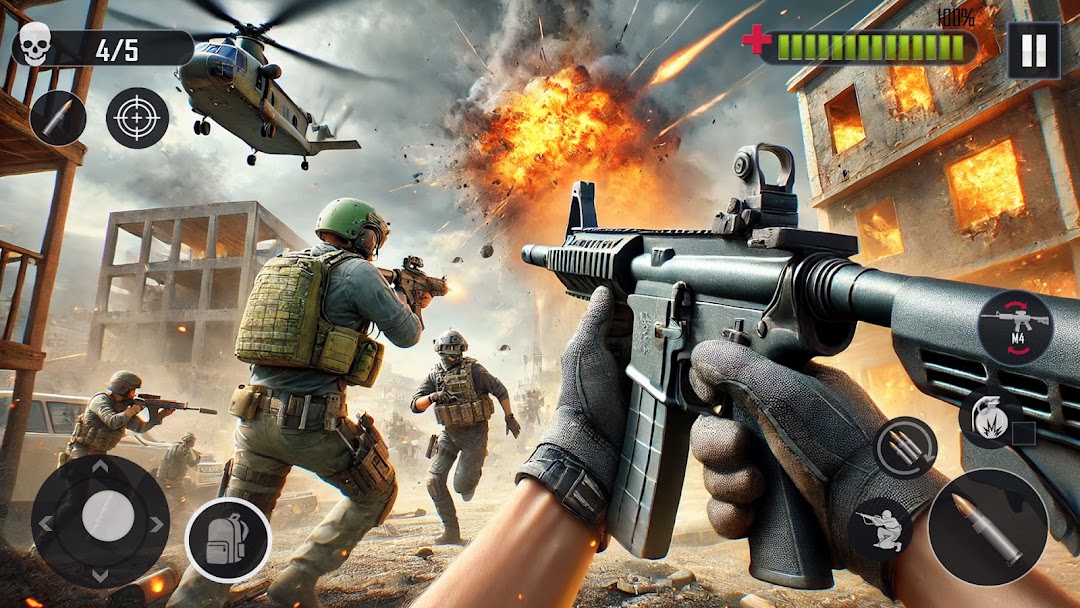
FPS Commando Mission 3D is a Strategy game developed by The Game Feast, and LDPlayer is the best platform for playing FPS Commando Mission 3D on Windows PC, offering powerful features for an immersive experience.
When playing FPS Commando Mission 3D on your computer, you can enjoy long game sessions using the operation recording feature to record repetitive operations to complete the same tasks automatically. It allows you to level up faster and makes resource grinding much more efficient.
In addition, if you want to execute combo moves or the game requires repeated skill actions, the macro feature is your best helper. It enables you to complete kills with just one click!
If you want to manage multiple accounts, LDMultiplayer and Synchronizer will assist you. You can run multiple alternative accounts at the same time to assist the leveling of your main account. Download and play FPS Commando Mission 3D on PC with LDPlayer now!
Get ready for an adrenaline-pumping, action-packed combat experience with FPS Ops Gun Shooting Games. As a special ops soldier, you'll be deployed on dangerous missions to take out enemy forces and complete objectives. The game features realistic, destructible environments that add to the intensity of the combat.You'll have access to a wide variety of weapons, from assault rifles to sniper rifles, and machine guns, each with their own unique attributes and attachments. You can also use attachments like scopes, silencers, and extended magazines to customize your weapons to fit your playstyle.
The game features challenging AI opponents that will keep you on your toes, and you'll test your skills in a variety of game modes, including Team Deathmatch, Capture the Flag, and Domination. The game's multiplayer mode will let you join forces with other players to take on the enemy together.
FPS Ops Gun Shooting Games boasts stunning graphics and immersive gameplay, immersing you in a truly realistic FPS experience. With the game's challenging AI, a variety of weapons and attachments, and multiple game modes, FPS Ops Gun Shooting Games offers hours of entertainment.
Key features:
-Realistic and destructible environments
-Variety of weapons and attachments
-Challenging AI opponents
-Multiple game modes
-Stunning graphics
-Multiplayer mode
Join the fight and download FPS Ops Gun Shooting Games now and become the ultimate special ops soldier!