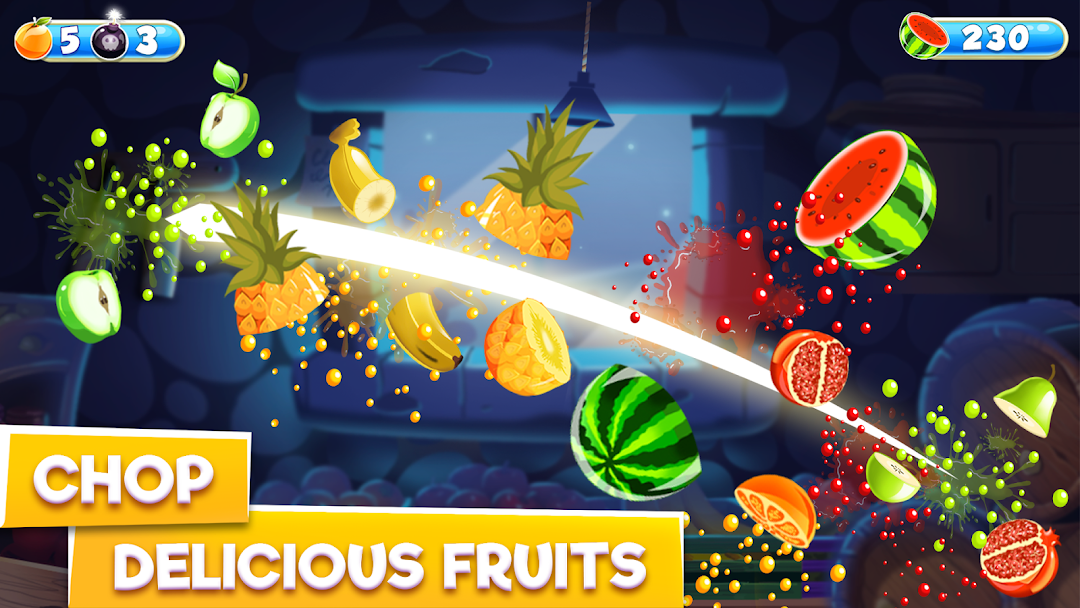
Fruit Chef – Fruits Slicing is a Arcade application developed by Freak X Games, but with the best Android emulator-LDPlayer, you can download and play Fruit Chef – Fruits Slicing on your computer.
Running Fruit Chef – Fruits Slicing on your computer allows you to browse clearly on a large screen, and controlling the application with a mouse and keyboard is much faster than using touchscreen, all while never having to worry about device battery issues.
With multi-instance and synchronization features, you can even run multiple applications and accounts on your PC.
And file sharing makes sharing images, videos, and files incredibly easy.
Download Fruit Chef – Fruits Slicing and run it on your PC. Enjoy the large screen and high-definition quality on your PC!
Stand against the storm of fruit and showcase your reflexes!Fruit chef is an addictive fruit-smashing game with intuitive controls and elegant graphics. Like a real-time fruit chef, you will have to slice the juicy fruits and avoid explosives. Slice in half all the fruits appearing on the screen and keep pushing your scoreboard in this endless fruits slashing game. However, you can also get different boosters and props such as a timer, magnet and capsule that make your gameplay super entertaining.
The Main Mission Is: Slice Fruits & Avoid Bombs
All you have to do is just swipe on the screen to chop down fresh fruits and don’t let any fruit fall down without slicing. Leave all the bombs as they can terminate your mission of splashing fruits. In this fruit slicer game, you will experience an impressive combo of fun, adventure and challenge.
Gameplay Tips:
Swipe your finger on the screen to cut down a fruit.
Do not touch the bombs that suddenly appear.
Smash maximum fruits to set the highest score.
Accumulate powers to make your game exciting.
== Fruits Chopping Game
Fruit chef is one of the best fruit slice games for players of all ages. Being a fruit slicer, you will have to cut down on fresh fruits to earn points.
== Addictive Gameplay
Crazy fruits chef is an addictive game with high-resolution graphics that make you feel relaxed and unwind. On a colorful display, you will see different fruits such as apples, bananas, pineapples, watermelons and much more.
== Useful Powers
There are three types of boosters that provide specific powers:
Timer: The clock slows down the movement of fruits so you can cut them easily.
Magnet: Combines all the fruits on the screen to help you cut them into a single slice.
Capsule: The capsule aligns all fruits horizontally, so cutting fruits become easier.
== Enjoy With Friends
Challenge your peers and siblings to see who will perform better in this fruits slicing game. Enjoy this fruit game with friends to double the fun of the game. Hold your nerves and make your fingers move sharply to set the top position.
Game Features:
Clean interface with single-hand controls.
Eye-pleasing, colorful and vibrant graphics.
Endless mode with a live scoreboard.
Different boosters excite your gameplay.
Smooth animations with background music.
Free fruits slashing game for Android users.
Cherish the flavor of juicy fruits in an exquisite way!