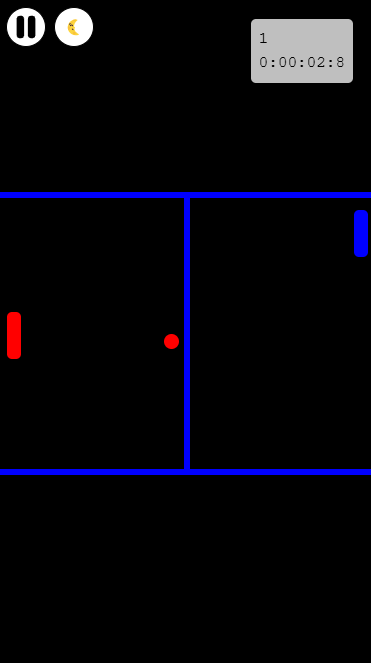
AmblyAPP - Games for Lazy Eye is a Educational application developed by Envemos Software, but with the best Android emulator-LDPlayer, you can download and play AmblyAPP - Games for Lazy Eye on your computer.
Running AmblyAPP - Games for Lazy Eye on your computer allows you to browse clearly on a large screen, and controlling the application with a mouse and keyboard is much faster than using touchscreen, all while never having to worry about device battery issues.
With multi-instance and synchronization features, you can even run multiple applications and accounts on your PC.
And file sharing makes sharing images, videos, and files incredibly easy.
Download AmblyAPP - Games for Lazy Eye and run it on your PC. Enjoy the large screen and high-definition quality on your PC!
Amblyopia, commonly known as “lazy eye,” is one of the leading causes of vision loss in children and young people in developed countries. It is estimated to affect approximately 3% of the population, constituting a significant eye health problem. This condition occurs as a result of insufficient brain processing, in which one of the eyes does not communicate properly with the brain. Various causes can lead to this problem, including strabismus, differences in gradation between the two eyes, anisometropia, aniseikonia, and congenital cataracts, which prevents optimal visual acuity from being achieved, along with the best optical correction. As a result of this process, the weaker eye is often suppressed by the stronger eye, leading to a lack of development in depth perception.It is crucial to correct this visual defect during childhood, ideally before the age of 7 or 8. If not treated in time, the patient runs the risk of completely losing vision in the eye that is not being used. Early detection and treatment are therefore essential to reverse this visual condition.
Treatment for amblyopia is based on forcing the use of the lazy eye. One of the most common techniques is for the child to wear a patch over the "good eye" for several hours a day, over a period of weeks or months. This strategy helps stimulate the weaker eye and encourages its development. However, once childhood is over, treatment options are limited due to the lack of brain plasticity in adults.
Despite the above, recent research has shown that games can be effective in treating amblyopia in adults. This approach, also known as "lazy eye," is based on the idea that by sharing game information between both eyes, they are forced to work cooperatively. Patients who played using both eyes experienced a significant improvement in the vision of the weaker eye in just two weeks. This is because by making both eyes cooperate, the amblyopic brain can relearn and adapt, increasing brain plasticity.
Games designed for this purpose can be of great help. Using the right settings, apps can force the brain to use both eyes simultaneously, thus teaching proper image processing. This is achieved by filtering out each part of the image, allowing only one of the two eyes to see the necessary information. A common method of achieving this is through the use of anaglyph glasses, which employ color filters. It is crucial to ensure that only one of the eyes can see the left or right color, so that when playing games, information is sent to both eyes, facilitating cooperation.
In conclusion, amblyopia is a condition that requires attention and treatment, especially during childhood. With the right methods and the use of interactive games that encourage cooperation between both eyes, the vision of those affected can be significantly improved, using principles of neuroplasticity and visual stimulation. For more information and to access games designed for this purpose, visit [https://ambly.app](https://ambly.app).