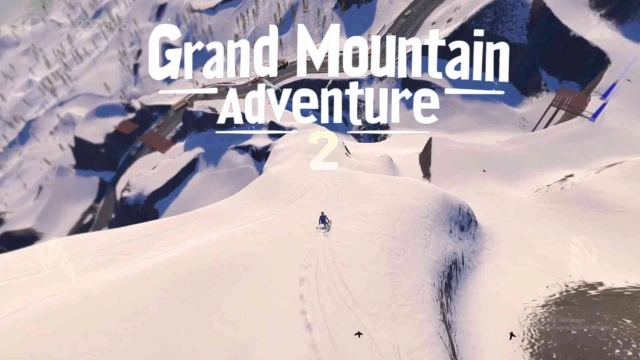
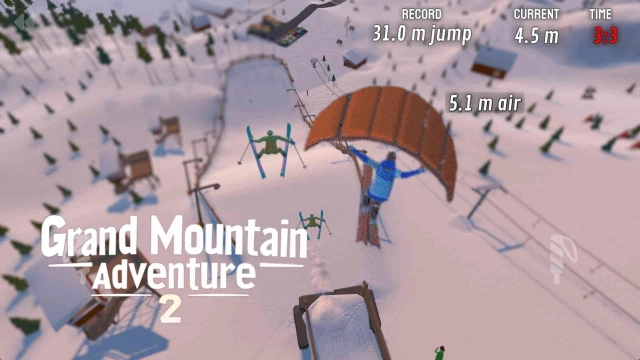
Grand Mountain Adventure 2 is a Sports game developed by Toppluva AB. LDPlayer is the best platform for playing Grand Mountain Adventure 2 on Windows PC, offering powerful features to enhance your immersive experience in Grand Mountain Adventure 2.
When playing Grand Mountain Adventure 2 on your computer, the larger screen and more powerful graphics performance enable you to enjoy clearer and smoother game visuals, enhancing the visual experience of the game.
The operation of peripherals such as gamepads is emulated to better mimic the feel of real sports, providing more precise control and richer operation options.
Furthermore, if you wish to execute a series of continuous key combinations, the one-click macro feature will be the functionality you've been dreaming of, allowing you to effortlessly stay one step ahead with one-touch operation. Start downloading and playing Grand Mountain Adventure 2 on your computer now!
Grab your skis (or snowboard) and enjoy a day in the mountains! Compete in challenges, try thrilling activities like paragliding, ziplining, and speed skiing, or carve your own path down the mountain. The choice is yours in this open-world adventure!HUGE OPEN-WORLD SKI RESORTS
Explore massive ski resorts with busy slopes, deep forests, steep cliffs, untouched backcountry, and lively Après Skis. Ride the ski lifts, explore the pistes, or head off-piste to discover secret spots. The mountains are non-linear, giving you the freedom to explore anywhere.
HUNDREDS OF CHALLENGES
Test your skills in a wide range of challenges like slalom, big air, slopestyle, downhill racing, and ski jumping. The challenges are easy to learn but hard to master, with an extreme Double-Diamond difficulty for the daring.
SPECIAL ACTIVITIES AND MODES
From paragliding and ziplining to longboarding and speedskiing, the mountain is packed with unique activities and modes like 2D platformer, and top-down skiing.
GEAR AND CLOTHES
Earn new gear and clothing as you complete challenges. Each ski and snowboard performs differently, so you can customize your style and look.
TRICKS, COMBOS AND TRANSITIONS
Combine spins, flips, rodeos, grabs, boxes, rails, and transitions for impressive trick combos. Master advanced moves like nose/tail presses or tapping trees with your ski tip for epic multipliers.
REALISTIC MOUNTAIN SIMULATOR
Experience dynamic slopes filled with skiers, changing mountain conditions, and realistic elements like wind, snowfall, day-night cycles, avalanches, and rolling rocks.
ZEN MODE
Turn on Zen Mode to enjoy a distraction-free powder day. With no skiers or challenges to interrupt your ride, you get to enjoy the ski resorts for yourself.
INTUITIVE CONTROLS
Simple, unique touch controls and game controller support ensure a smooth and immersive experience.
**About Toppluva**
Grand Mountain Adventure 2 is made by three snowboarding brothers from Sweden: Viktor, Sebastian, and Alexander. This is our second game in the popular Grand Mountain Adventure series, played by over 20 million players worldwide. We make everything in the game ourselves and our goal is to make this sequel bigger, better, stronger, more fun, more magical, and more everything for winter sports fans like us.